Add Rights to Access Level Definitions
Adding rights to Access Level Definitions grants users assigned the Access Level native permissions within operating systems and applications for those resources where such permissions are applicable, such as Exchange mailboxes or Windows Shared Folders.
Procedure
-
In the EmpowerID web application, navigate to Admin > RBAC Definitions > RBAC Access Levels.
-
From the Search tab of the Access Level page, click the Resource Type drop-down and select a specific resource type, such as Exchange Mailbox.
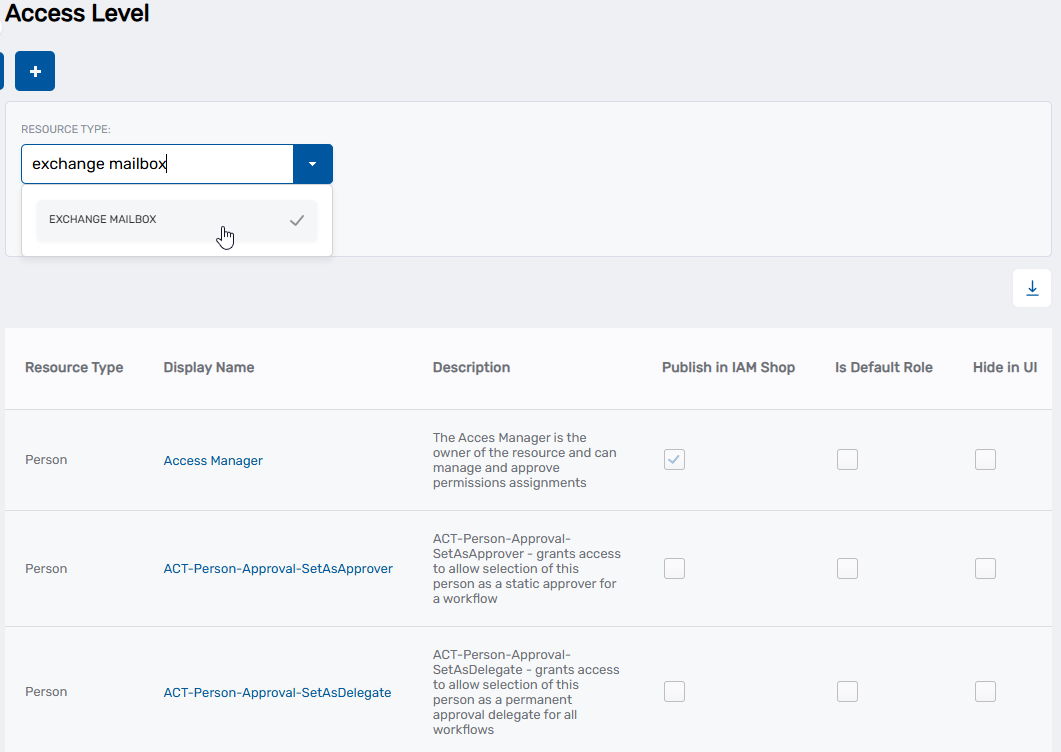
-
Click Search.
-
Locate the Access Level Definition to which you want to add Operations and click the Display Name link for it in the grid.
The View page for the Access Level Definition opens. View pages allow you to view and manage the resources to which they pertain.
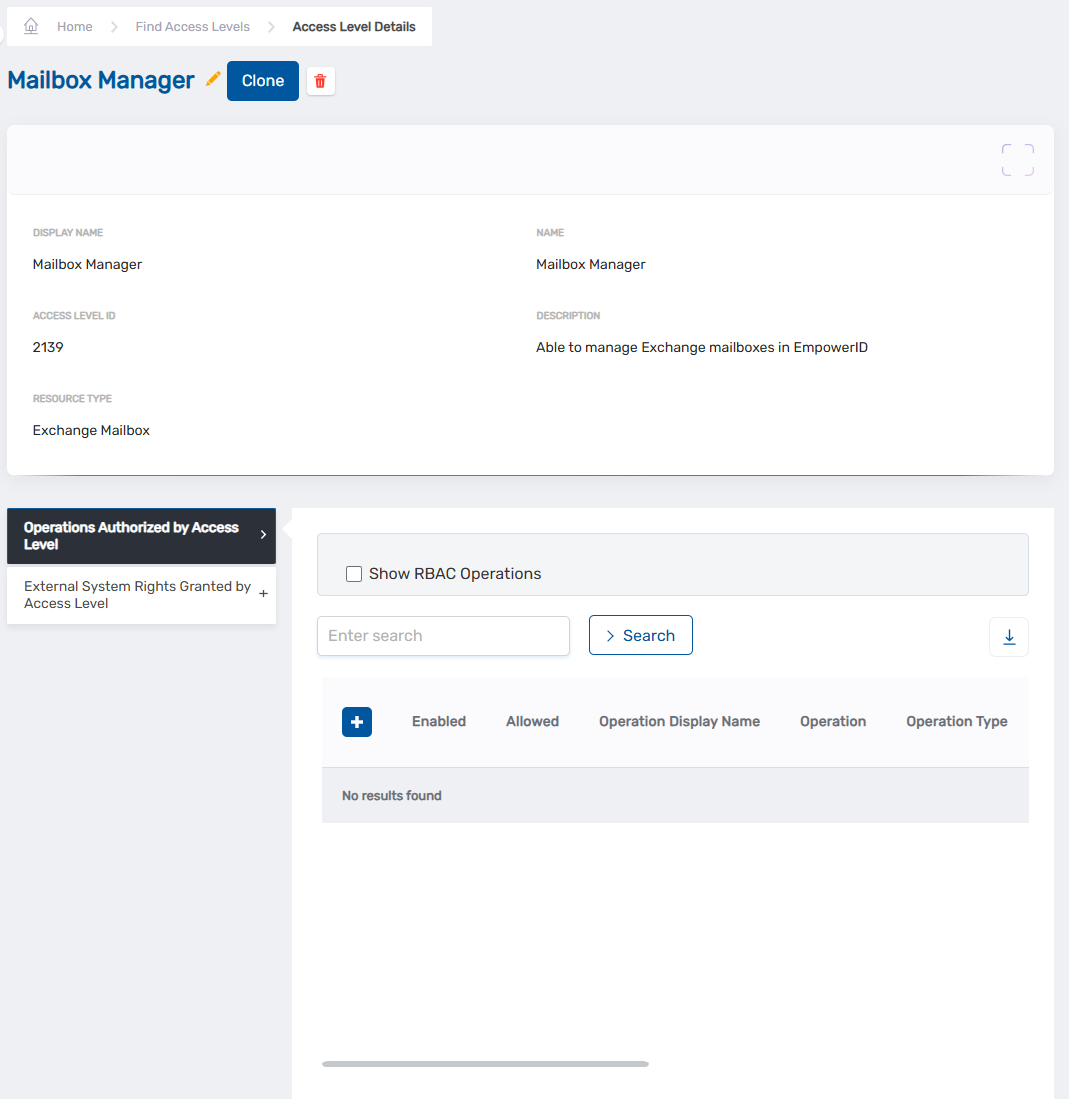
-
On the View page, expand the External System Rights Granted by Access Level accordion.
-
In the External System Rights Granted by Access Level accordion, type the name of the native system right you want to add to the Access Level Definition in the left search field and then click the tile for that right.
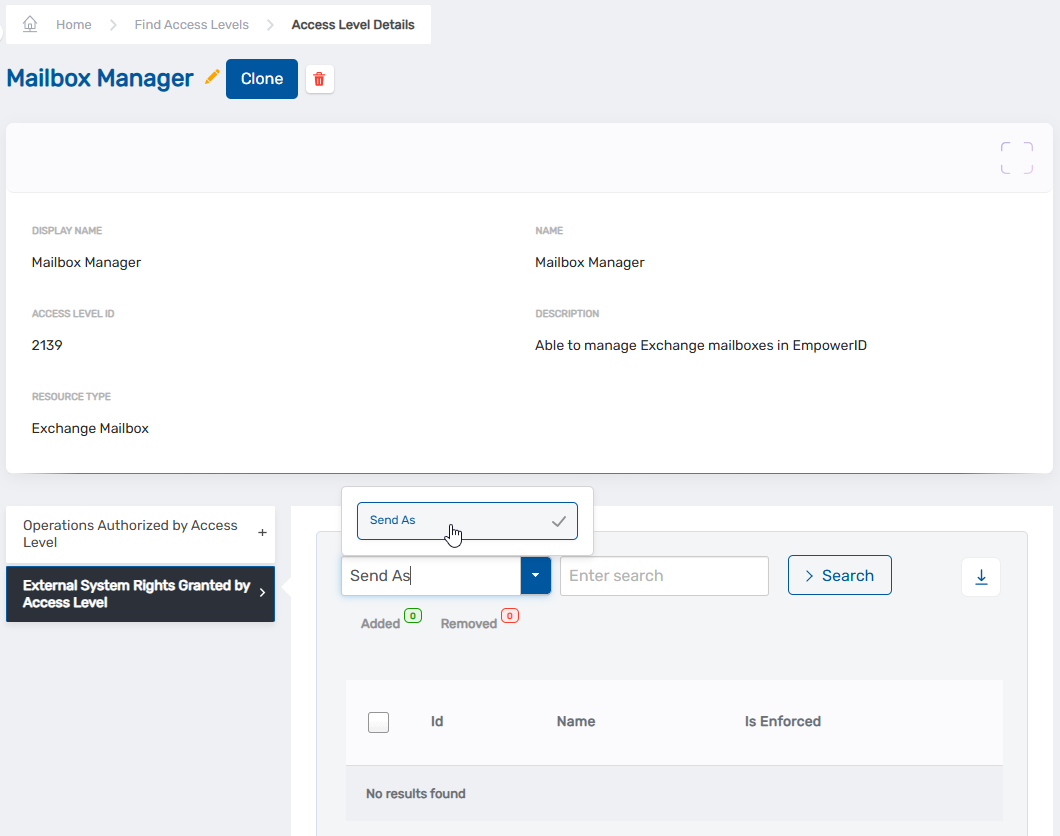
-
Repeat step 6, adding as many rights to the Access Level Definition as you need.
-
When you have finished adding rights, click Save.
Verification
The added rights appear in the External System Rights Granted by Access Level grid. Users assigned this Access Level will receive these native permissions in external systems when the Access Level is enforced.