Transfer Responsibilities
When a person leaves the organization or changes positions, you can transfer their responsibilities to another person to maintain clear accountability. EmpowerID allows you to select multiple objects from one person and transfer them all at once.
Before you can transfer responsibility for an object, the object must have a responsible party assigned. See Assign and Manage Responsible Parties for assignment procedures.
Prerequisites
To transfer responsibilities, you need appropriate permissions to manage the object type in EmpowerID.
Transfer Account Responsibilities
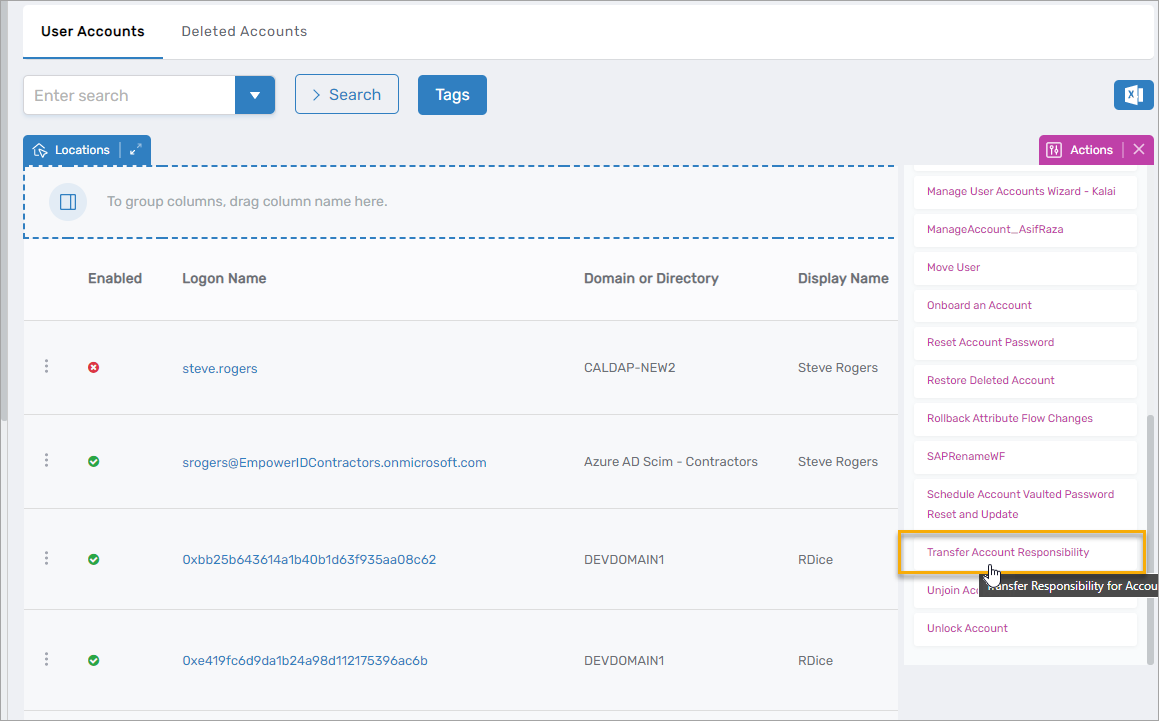
- On the navbar, expand Identity Administration and select User Accounts.
- Click the Transfer Account Responsibility action link.
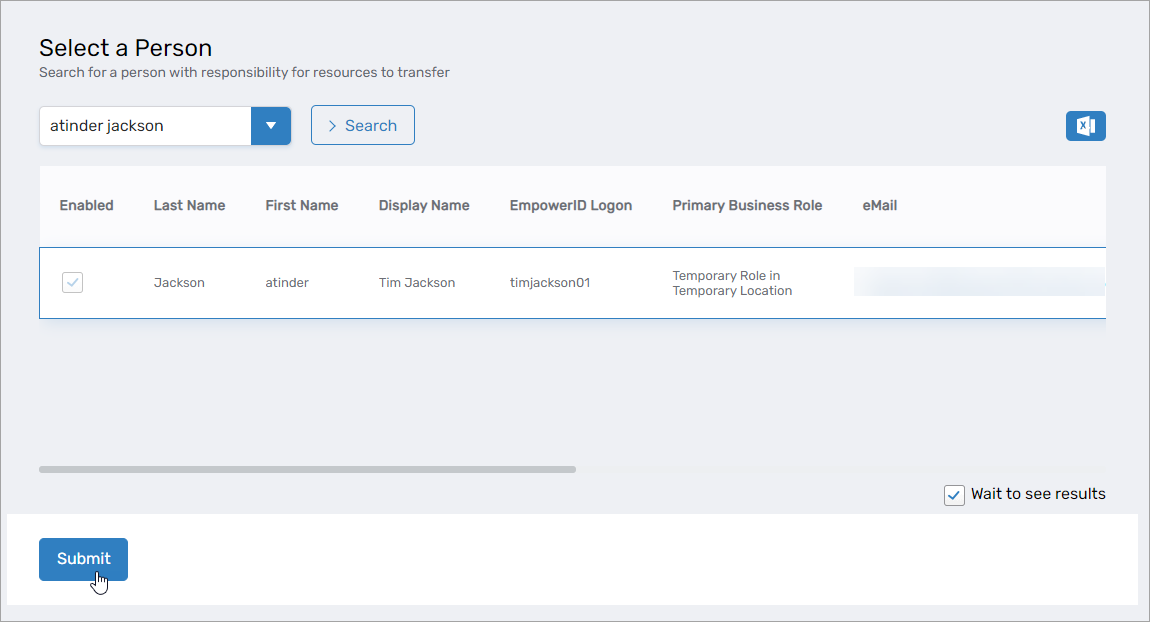
- Search for the person currently responsible for the user accounts.
- Click the record for that person to select them.
- Click Submit.
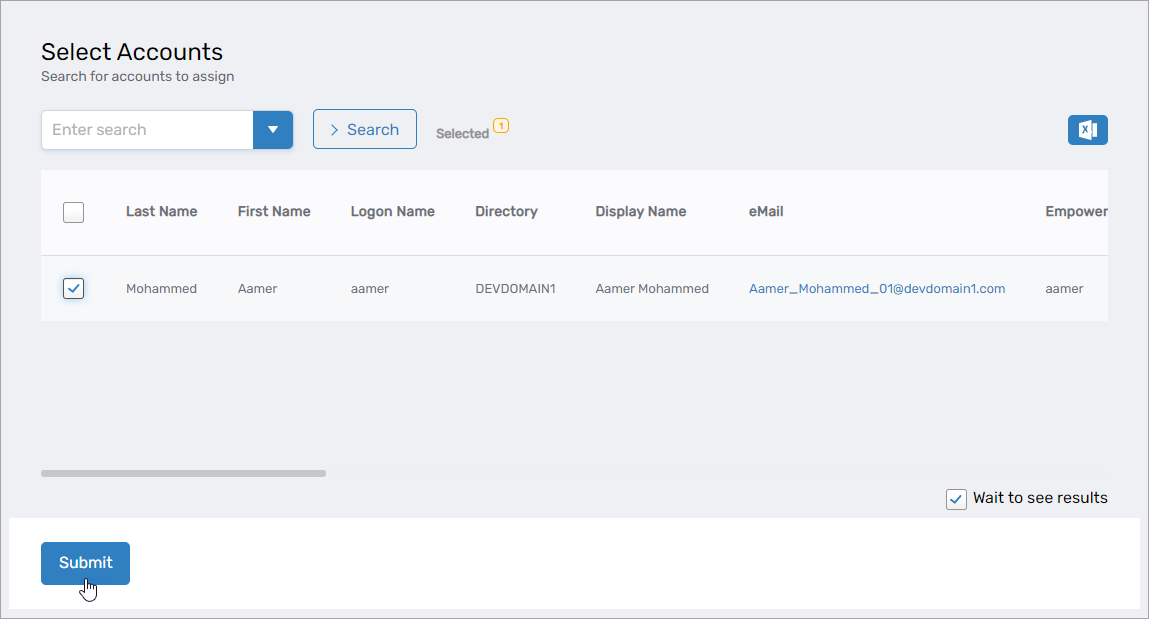
- Search for the user accounts you want to transfer.
- Select the checkbox for each account to transfer.
- Click Submit.
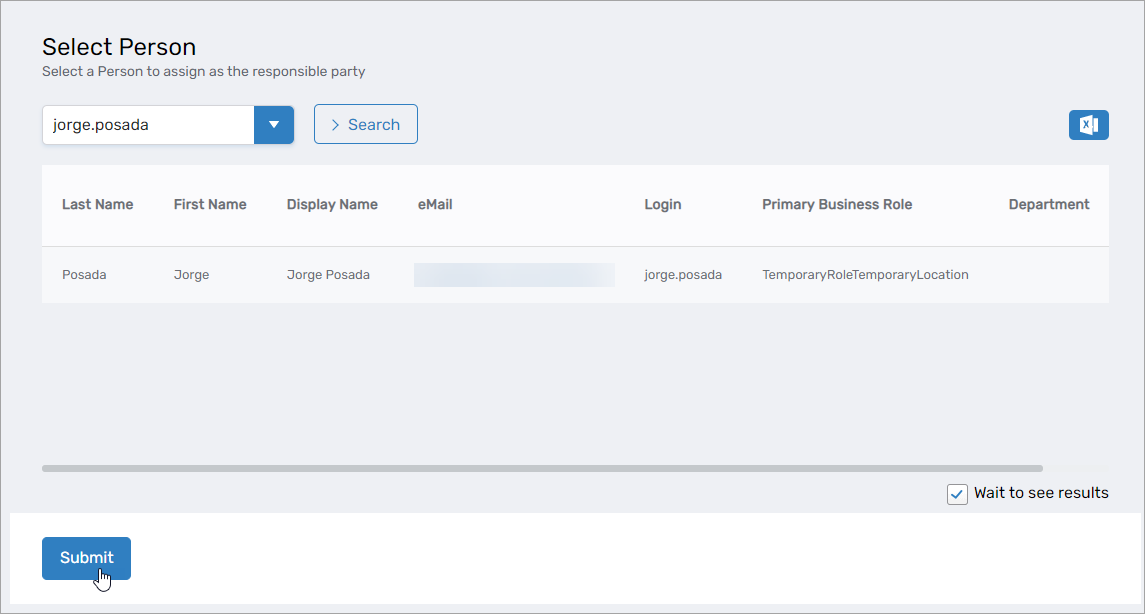
- Search for the person to whom you want to transfer responsibility.
- Click the record for that person to select them.
- Click Submit.
Transfer Group Responsibilities
- On the navbar, expand Identity Administration and select Groups.
- On the Actions tab, click Transfer Responsibility for Groups.
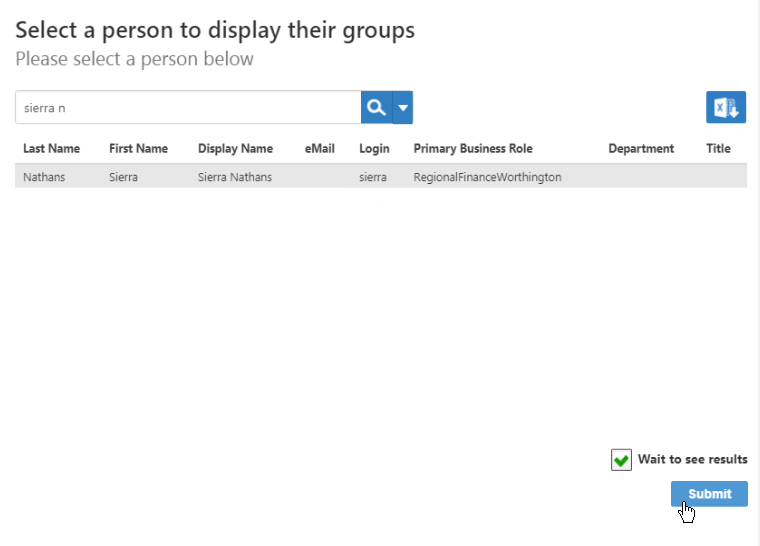
- On the Select a person page, search for the person from whom you want to transfer groups.
- Click the record for that person to select them.
- Click Submit.
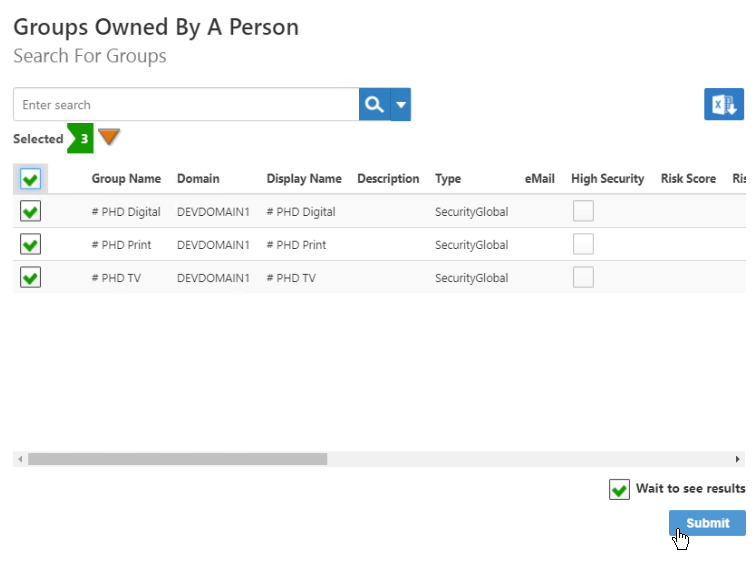
- In the list of groups the selected person is responsible for, select the groups to transfer. You can select all groups using the checkbox in the heading row.
- Click Submit.
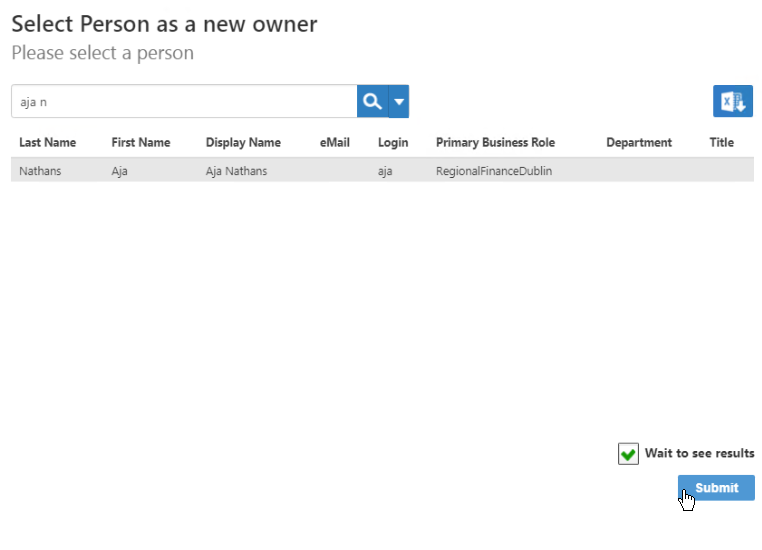
- On the Select Person page, search for the person to assign as the new responsible party.
- Click the record for that person to select them.
- Click Submit.
 The Request Complete dialog appears.

Transfer Computer Responsibilities
-
On the navbar, expand Resources and select Computers.
-
On the Actions tab, click Assign Responsibility for Computers.
noteThe computer transfer process uses the same action as bulk assignment. Select computers currently assigned to one person, then assign them to the new responsible party.
-
Search for and select the computers to transfer.
-
Click Submit.
-
Search for the person to assign as the new responsible party.
-
Click the record for that person to select them.
-
Click Submit.
Transfer Management Role Responsibilities
- On the navbar, expand Role Management and select Management Roles.
- On the Actions tab, click Transfer Management Role Owner.
- On the Select a person page, search for the person from whom you want to transfer management roles.
- Click the record for that person to select them.
- Click Submit.
- In the list of management roles owned by the selected person, select the management roles to transfer. You can select all management roles using the checkbox in the heading row.
- Click Submit.
- On the Select Person page, search for the person to assign as the new responsible party.
- Click the record for that person to select them.
- Click Submit.
The Request Complete dialog appears.
Results
After transferring responsibilities:
- The selected objects are reassigned to the new responsible party
- The new responsible party appears in each object's Responsible Party field
- The objects appear in the new responsible party's Responsibilities report
- The objects are removed from the previous responsible party's Responsibilities report
- Audit logs record the responsibility transfer
Related Topics
- About Responsible Parties – Understanding responsible party concepts
- Assign and Manage Responsible Parties – Assign responsible parties to objects
- Automate Responsibility Transfer – Configure automatic transfer when people leave
- View a Person's Responsibilities – Review all objects a person is responsible for