Restore Deleted People
EmpowerID maintains records of all terminated Person objects, enabling restoration when individuals need to return to the organization. Restoring a Person reactivates their identity and recovers associated resources including user accounts and mailboxes.
Prerequisites
- Access to Identity Management in EmpowerID
- Permissions to restore deleted Person objects
- The Person must be within the retention period for deleted objects
Restore Deleted People
- On the navbar, expand Identity Management and select People.
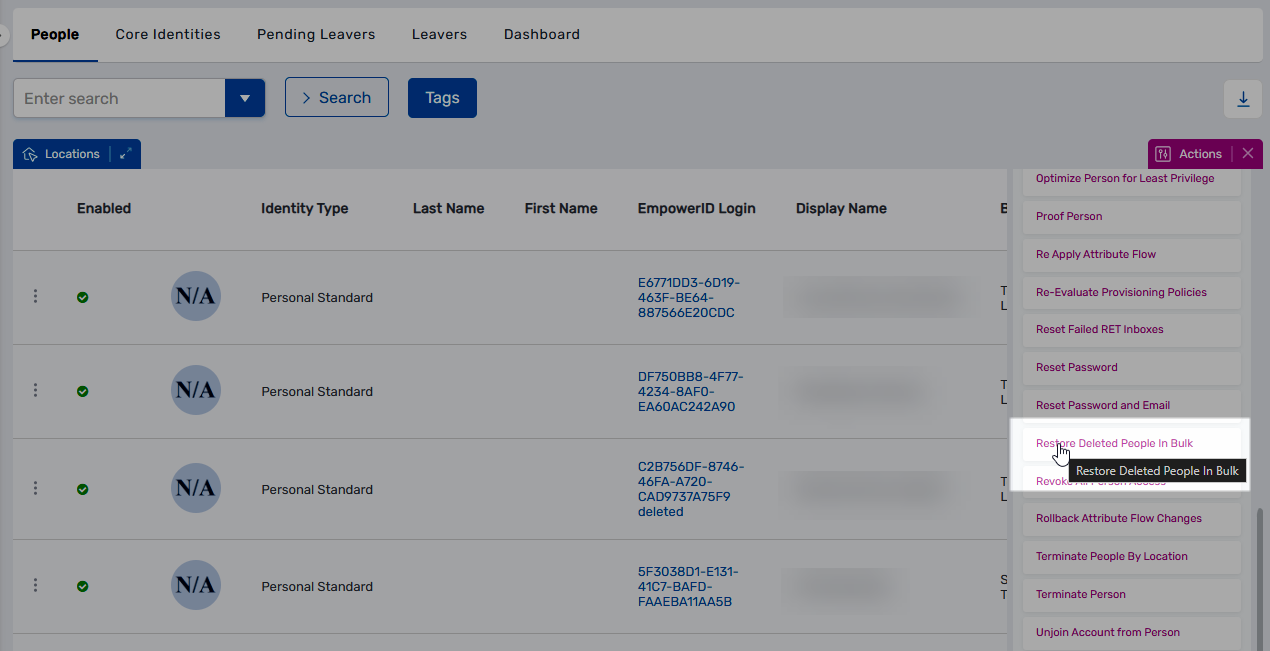
- From the Actions pane, click Restore Deleted People in Bulk.
- Search for the deleted person to restore and select the checkbox beside their record.
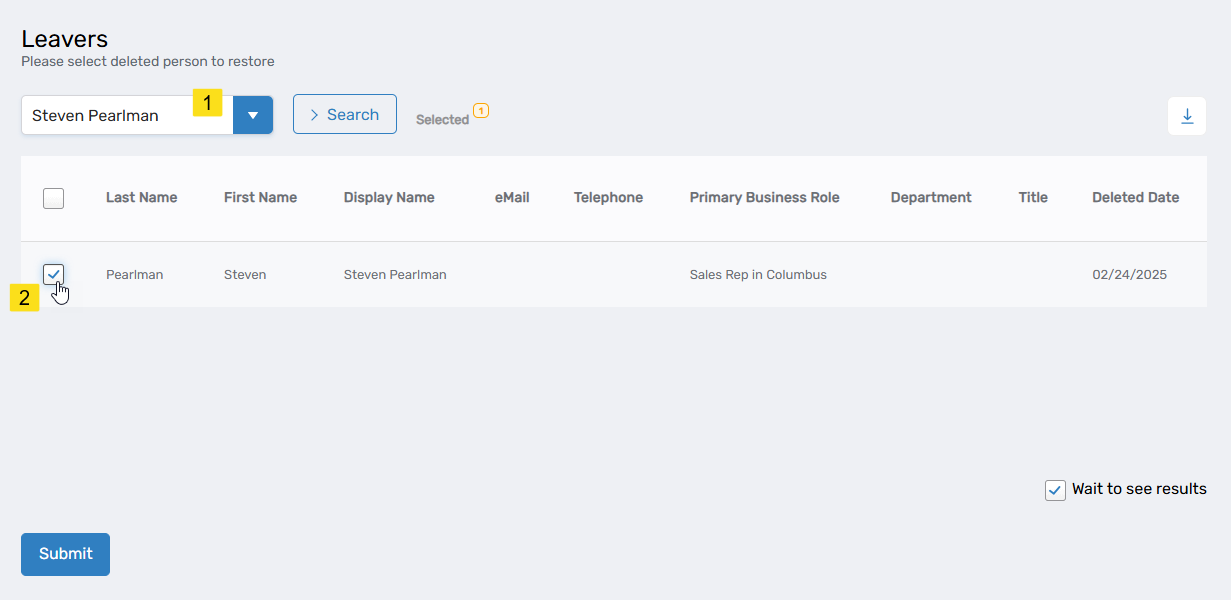
- Repeat step 3 for each additional deleted person to restore.
- Click Submit.
- Click Yes to confirm the restoration.
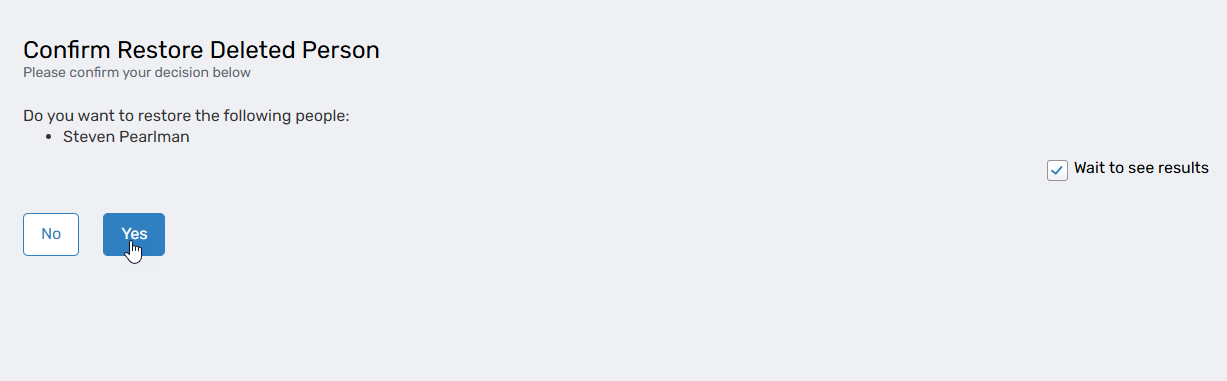
Click No to exit the workflow without restoring. - Click Submit to close the Operation Execution Summary.
Results
- Selected Person objects are restored to active status in EmpowerID
- The Person can authenticate and access systems again
- Associated resources are restored, including:
- User accounts (if they were deleted during termination)
- Mailboxes (if applicable)
- Original role assignments and access (may require reconfiguration)
- The Person appears in active Person searches and no longer appears in the Deleted People list
- Restoration actions are recorded in audit logs
Post-Restoration Tasks
Depending on how the Person was terminated and organizational policies, you may need to:
- Verify and update role assignments
- Confirm account access and permissions
- Review and update organizational attributes (manager, department, location)
- Notify relevant stakeholders of the Person's return