View Login Session History Details
This article provides step-by-step instructions on how to view the details of your login session history using IAM Shop. You'll learn how to access session details, including session events, recordings, and other pertinent information.
Prerequisites
To view session events and details, you must have the ViewSessionEvents operation assigned to your account via a Management Role. Each time you attempt to view session details, the system verifies your permissions to ensure you have the appropriate access rights.
Steps to View Privileged Session Details
Follow these steps to access your login session history and view detailed information about each session.
-
Access IAM Shop
Navigate to the IAM Shop portal for your organization. -
Select Computer Resource
Access the Computers page by clicking the Resource Type dropdown and selecting Computers.
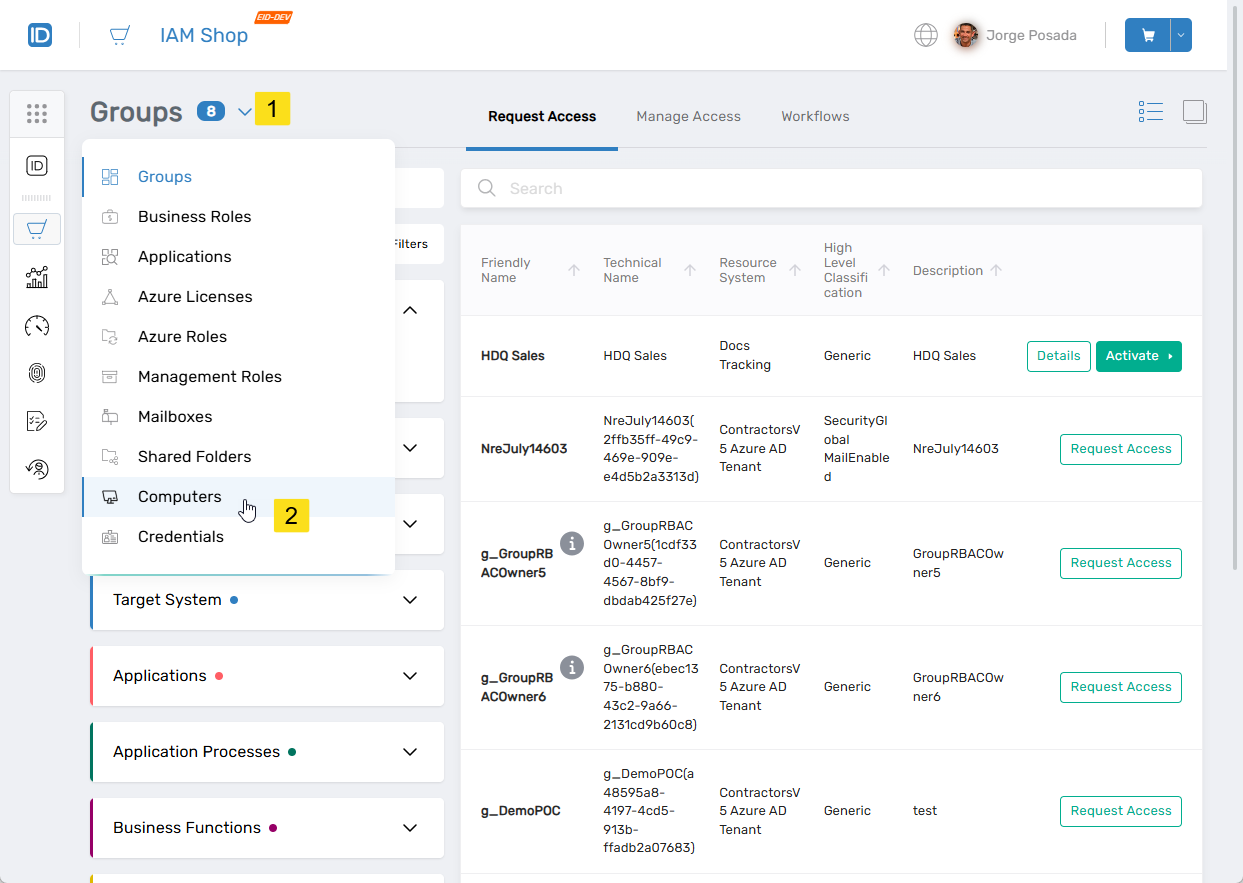
-
Navigate to Session History
On the Computers page, select the Manage Access tab and then click the Login Session History tab.
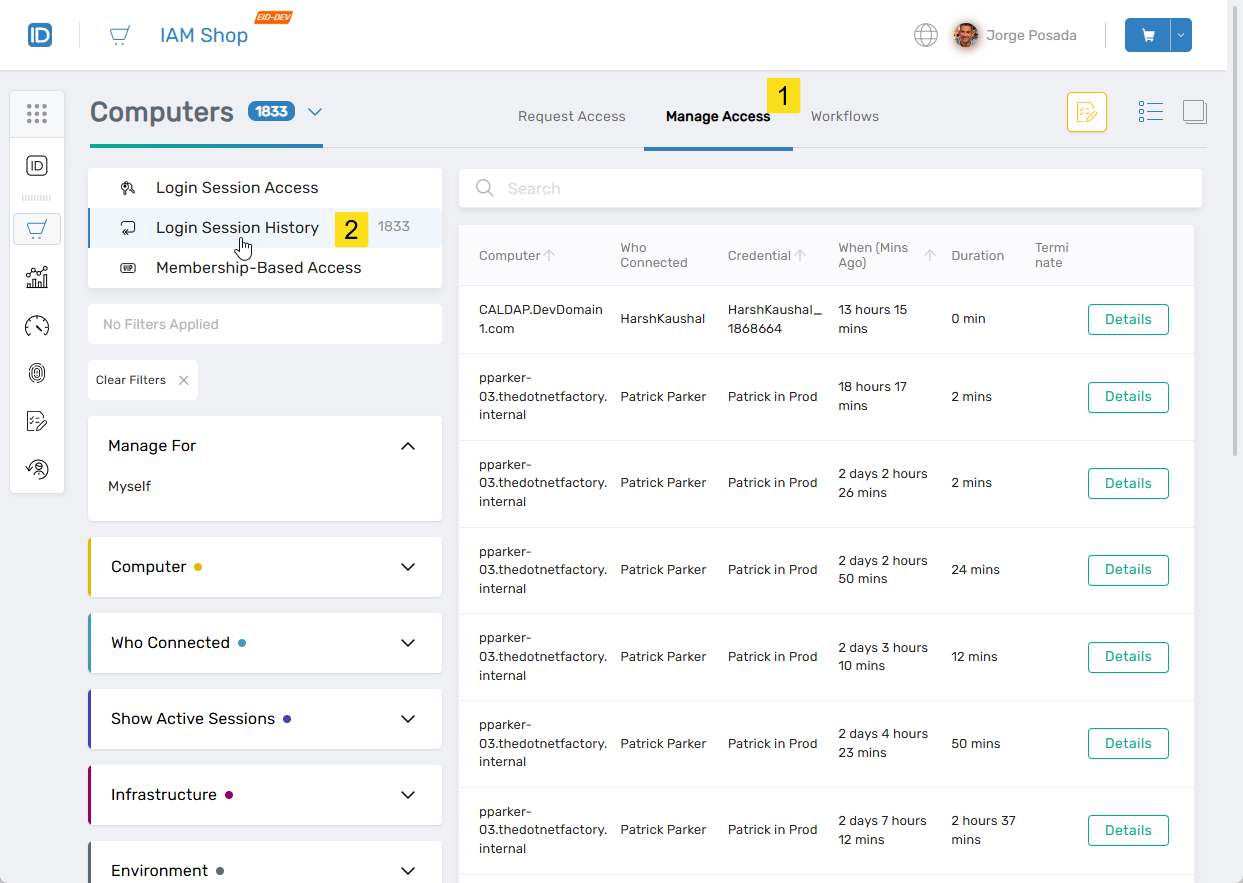
-
View Session Details
Search for the session you want to view and click the Details button for the session record.
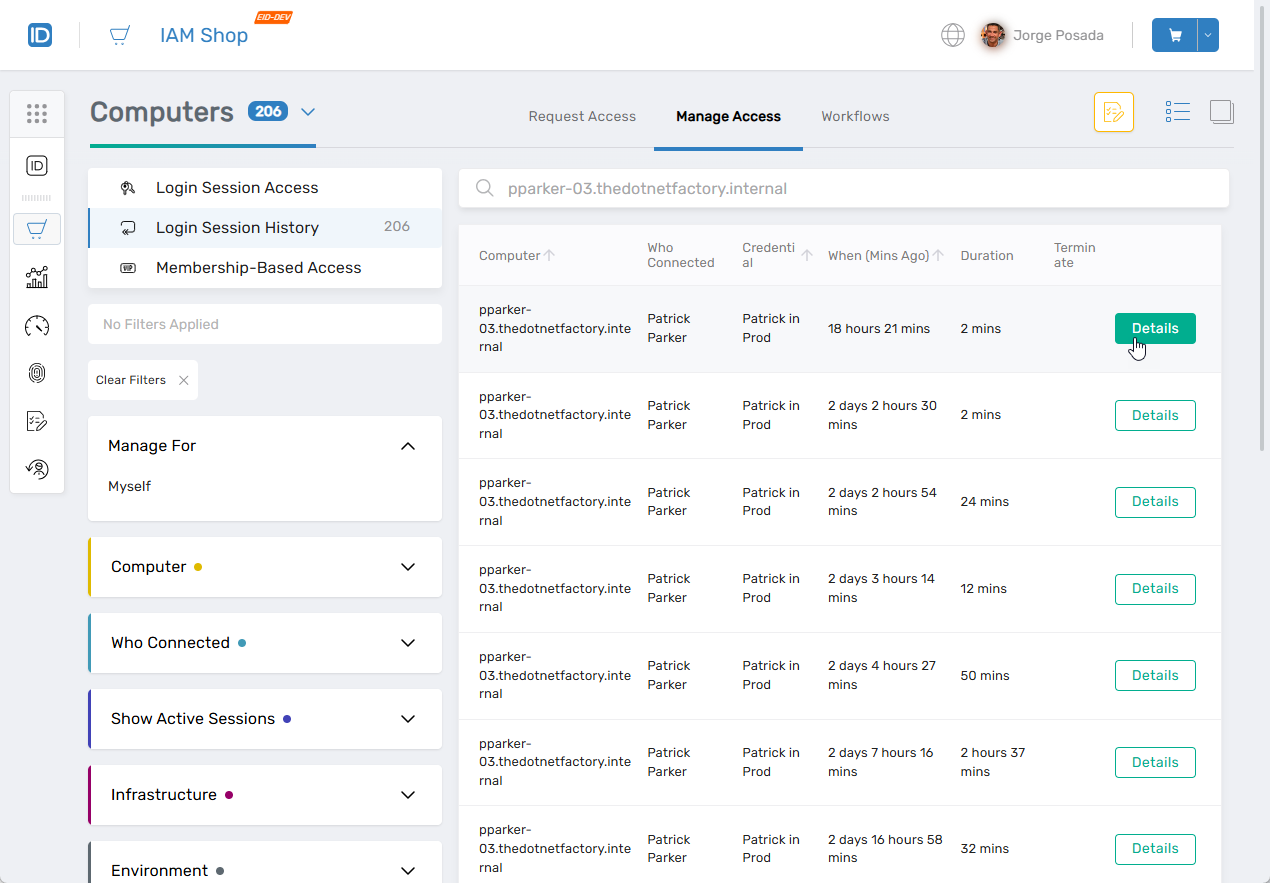
This opens the Session Details drawer for the selected session, which provides detailed information about the session.
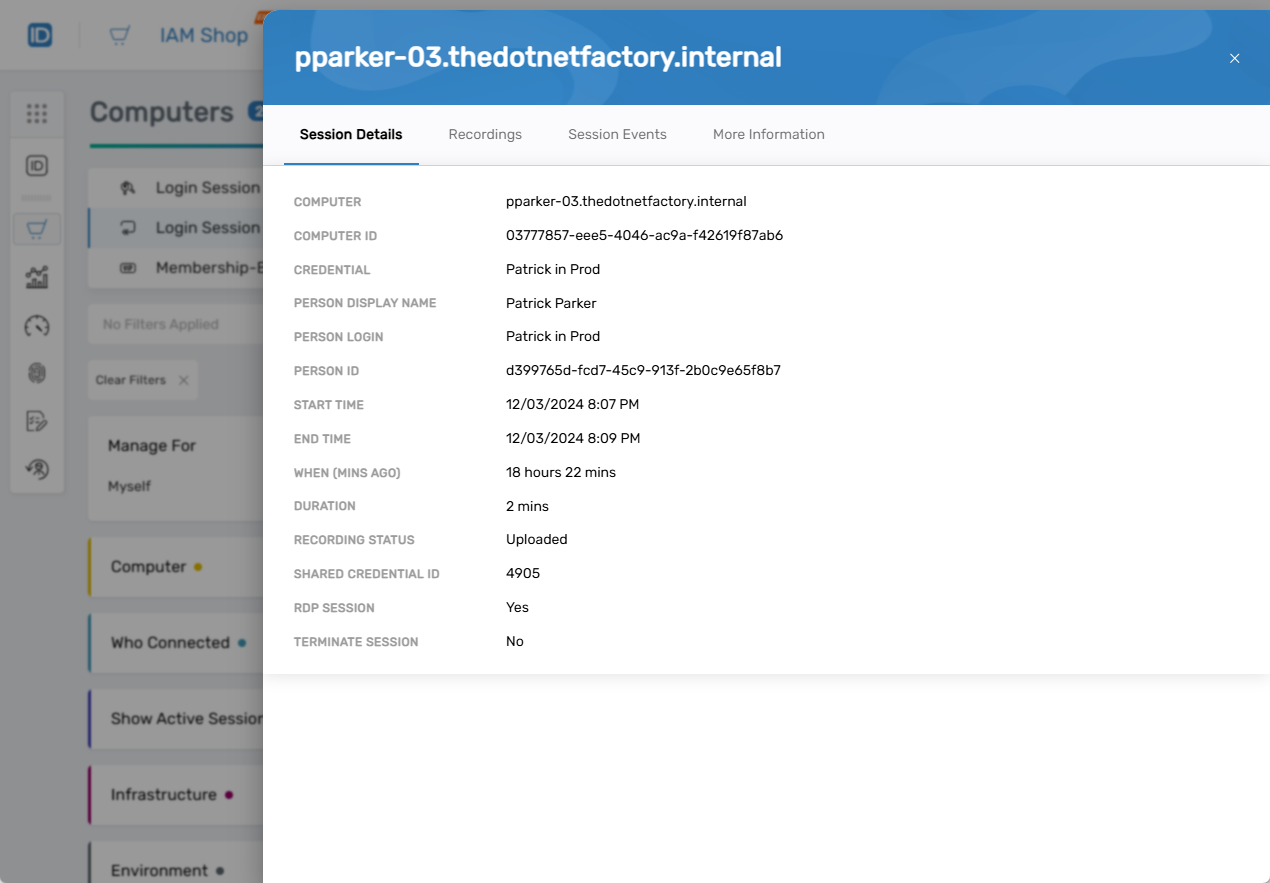
The Session Details drawer provides comprehensive information about the selected session, including timestamps, events, and any associated recordings.