Edit Application IAM Shop Settings
This guide shows application owners how to update the IAM Shop settings for a Microsoft Entra application they manage. These settings control whether users can request access to the application and how access requests are processed.
What You Can Configure
| Setting | Description |
|---|---|
| Requestable in IAM Shop | Enables or disables the application's availability in the IAM Shop. |
| Access Request Policy | Determines approval logic for access requests. |
| Eligible Assignees | Defines who is allowed to request access. |
| Pre-Approved Assignees | Defines who is auto-approved for access without manual review. |
| Suggested Assignees | Controls who sees the application suggested in their IAM Shop. |
What You’ll Need
| Requirement | Description |
|---|---|
| Access to Resource Admin | You must have permission to access and manage applications in Resource Admin. |
| Application Ownership | You must be the owner or delegated administrator of the application. |
Steps to Edit IAM Shop Settings
1. Open the Manage Application Wizard
- Log in to the Resource Admin portal.
- From the Resource Type dropdown, select Applications.
- Search for the application you want to update.
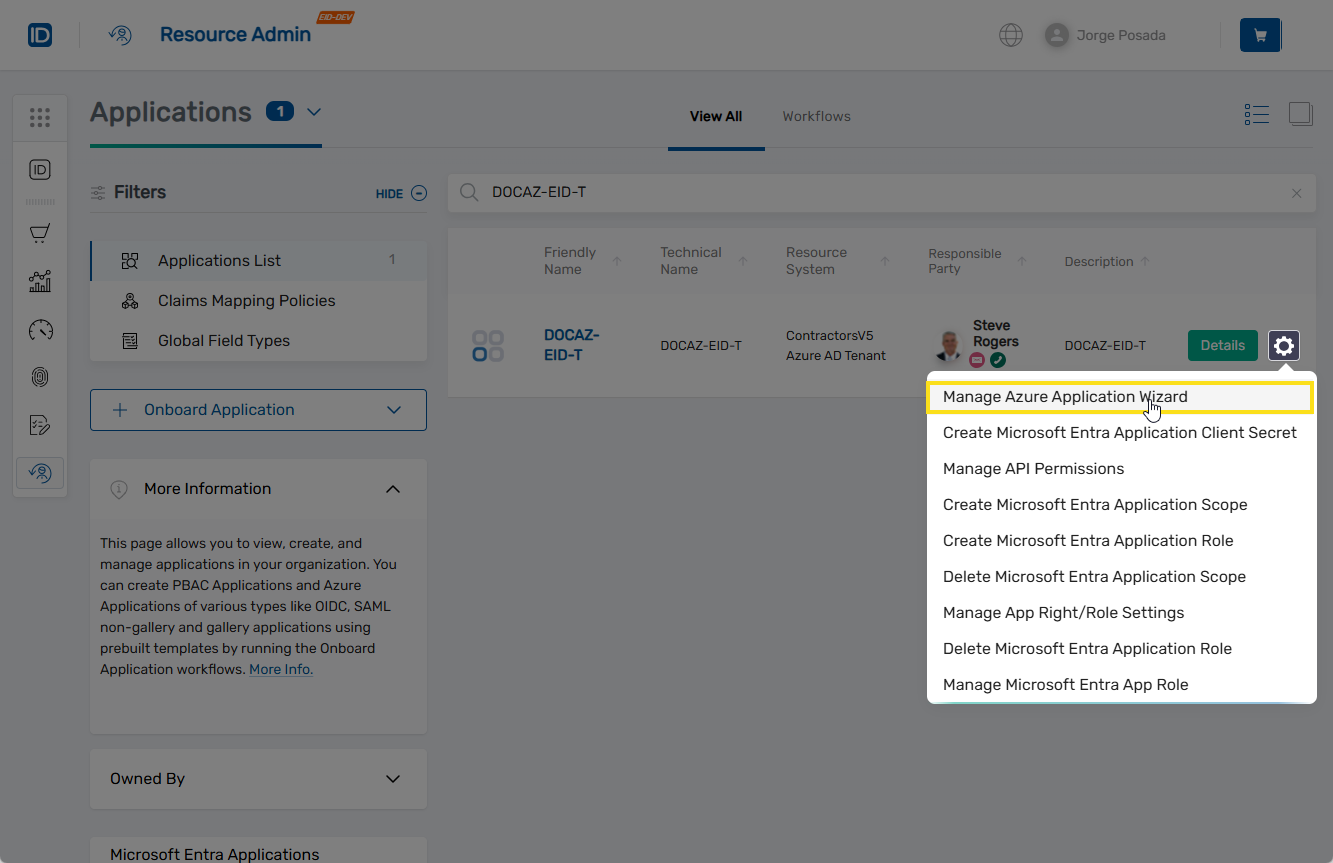
- Click the gear icon on the application record and select Manage Application Wizard.
2. Select the Edit IAM Shop Settings Action
- Under Select Options, choose Edit IAM Shop settings.
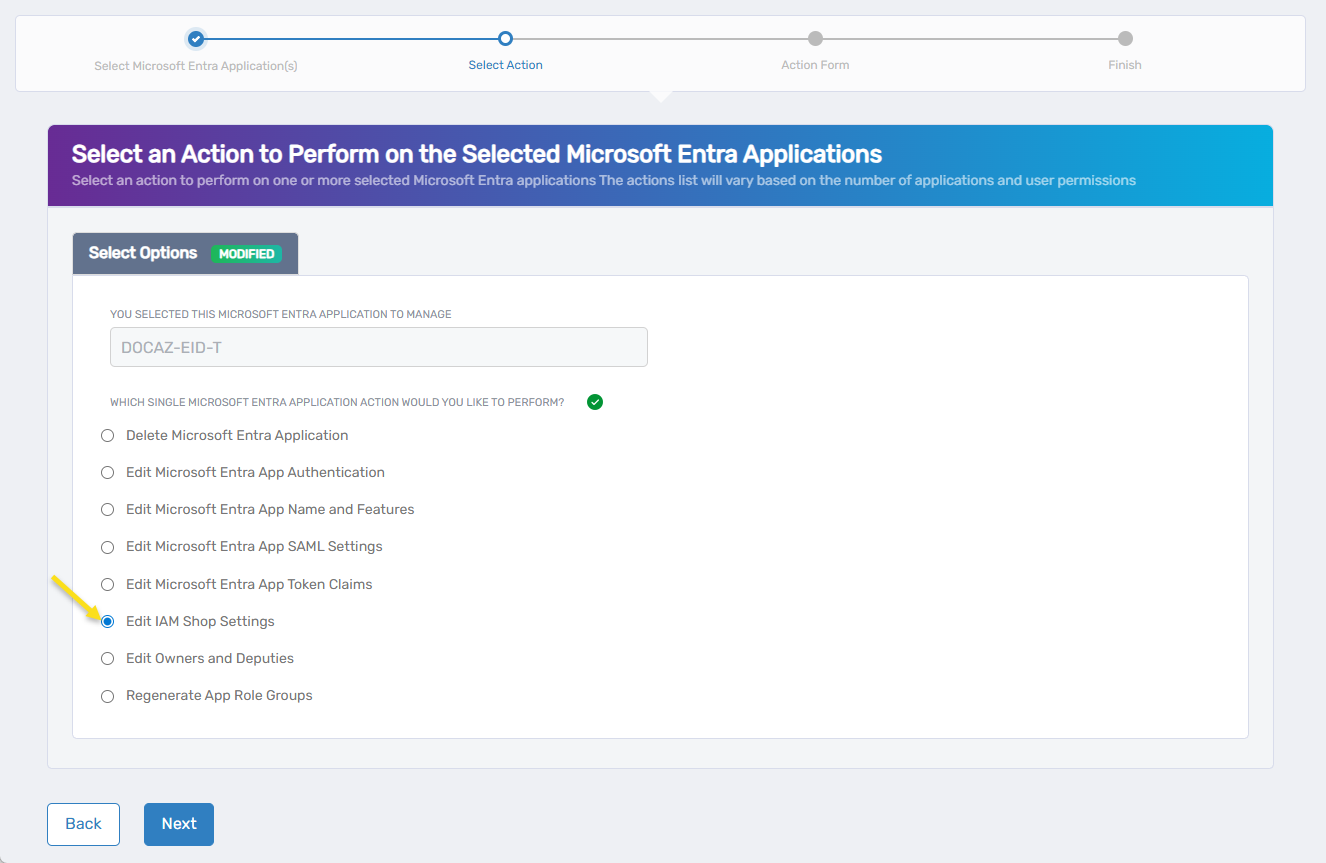
- Click Next.
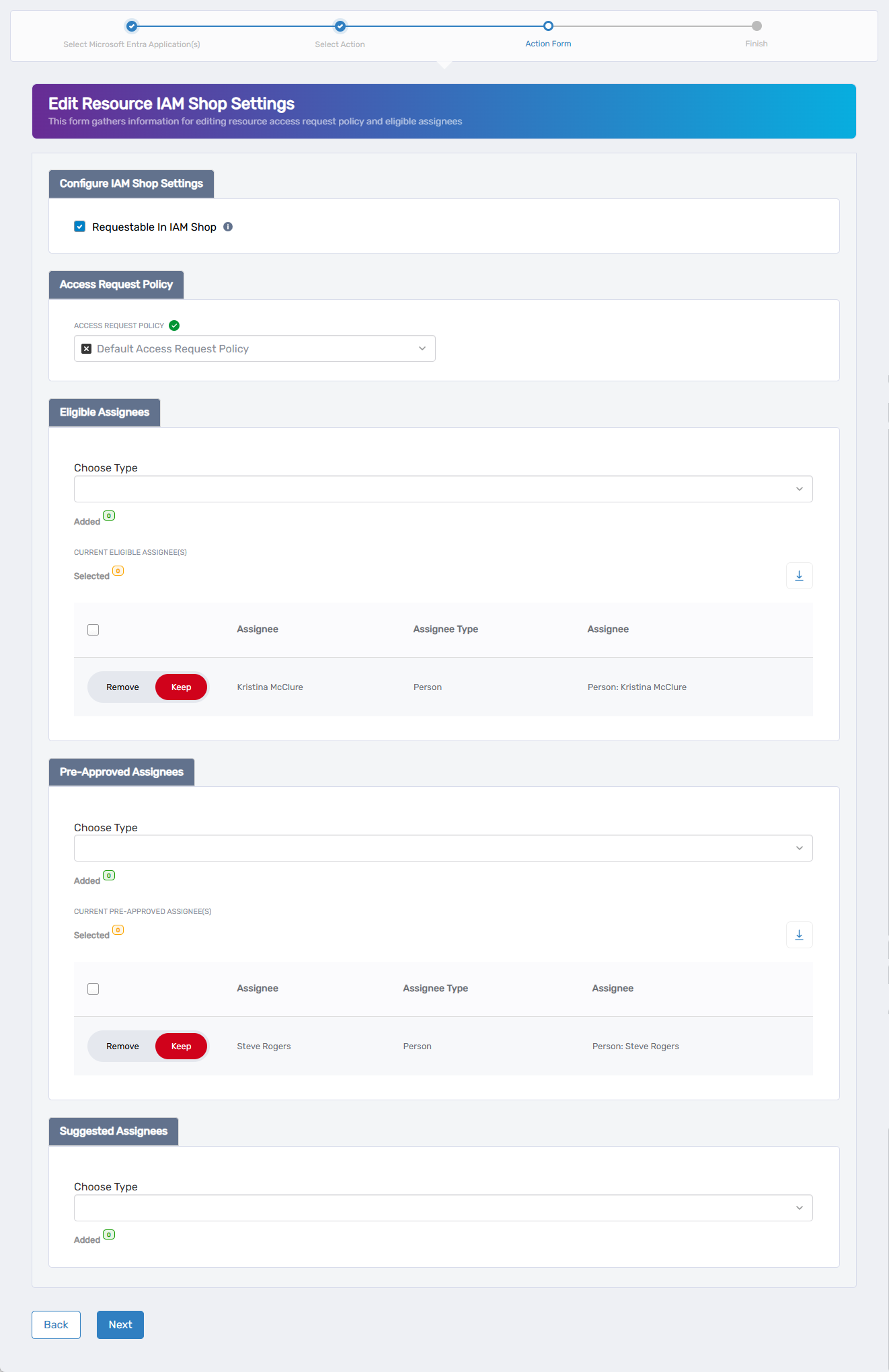
You should now see the Edit Resource IAM Shop Settings form.
3. Configure IAM Shop Settings
This form allows you to control access governance settings for the application in the IAM Shop.
Requestable in IAM Shop
This setting determines whether users can request access to the application from the IAM Shop.
- Checked – The application is available in the IAM Shop.
- Unchecked – The application is not requestable, and all other IAM Shop settings will be hidden and ignored.
To update this setting:
- Select or deselect the Requestable in IAM Shop checkbox.
If this setting is deselected, the configuration process ends here. The remaining IAM Shop settings will not appear or apply.
Access Request Policy
This setting controls how the system processes and approves access requests.
To update the request policy:
- Click the X to remove the current policy (if any).
- Search for and select a new policy that defines the appropriate access workflow for this application.
Eligible Assignees
Eligible assignees can request access to the application. When they submit a request, it is routed for approval based on the selected Access Request Policy.
To add eligible assignees:
- Under Eligible Assignees, choose an assignee type from the Choose Type dropdown.
- Search for and select the appropriate assignee.
- Click Add.
- Repeat to add others as needed.
To remove eligible assignees:
- Locate the assignee you want to remove in the list.
- Toggle the Keep switch to Remove.
Eligible assignee types include:
- Person
- Group
- Set Group
- Management Role
- Management Role Definition
- Business Role and Location
Pre-Approved Assignees
Pre-approved assignees do not require approval to access the application. Their requests are auto-fulfilled.
To add pre-approved assignees:
- Under Pre-Approved Assignees, choose an assignee type from the Choose Type dropdown.
- Search for and select the appropriate assignee.
- Click Add.
- Repeat as needed.
To remove pre-approved assignees:
- Locate the assignee in the list.
- Toggle the Keep switch to Remove.
Pre-approved assignee types are the same as those for eligible assignees.
Suggested Assignees
Suggested assignees see the application highlighted as a recommendation in the IAM Shop. If they request it, the standard approval policy applies.
To add suggested assignees:
- Under Suggested Assignees, choose an assignee type from the Choose Type dropdown.
- Search for and select the appropriate assignee.
- Click Add.
- Repeat to add more if necessary.
To remove suggested assignees:
- Locate the record you want to remove.
- Toggle Keep to Remove.
Suggested assignee types are the same as eligible and pre-approved assignees.
4. Complete the Process
-
After configuring all applicable IAM Shop settings, click Next.
-
You will see the Operation Execution Summary indicating the request completed successfully.
-
Click Next to continue.
-
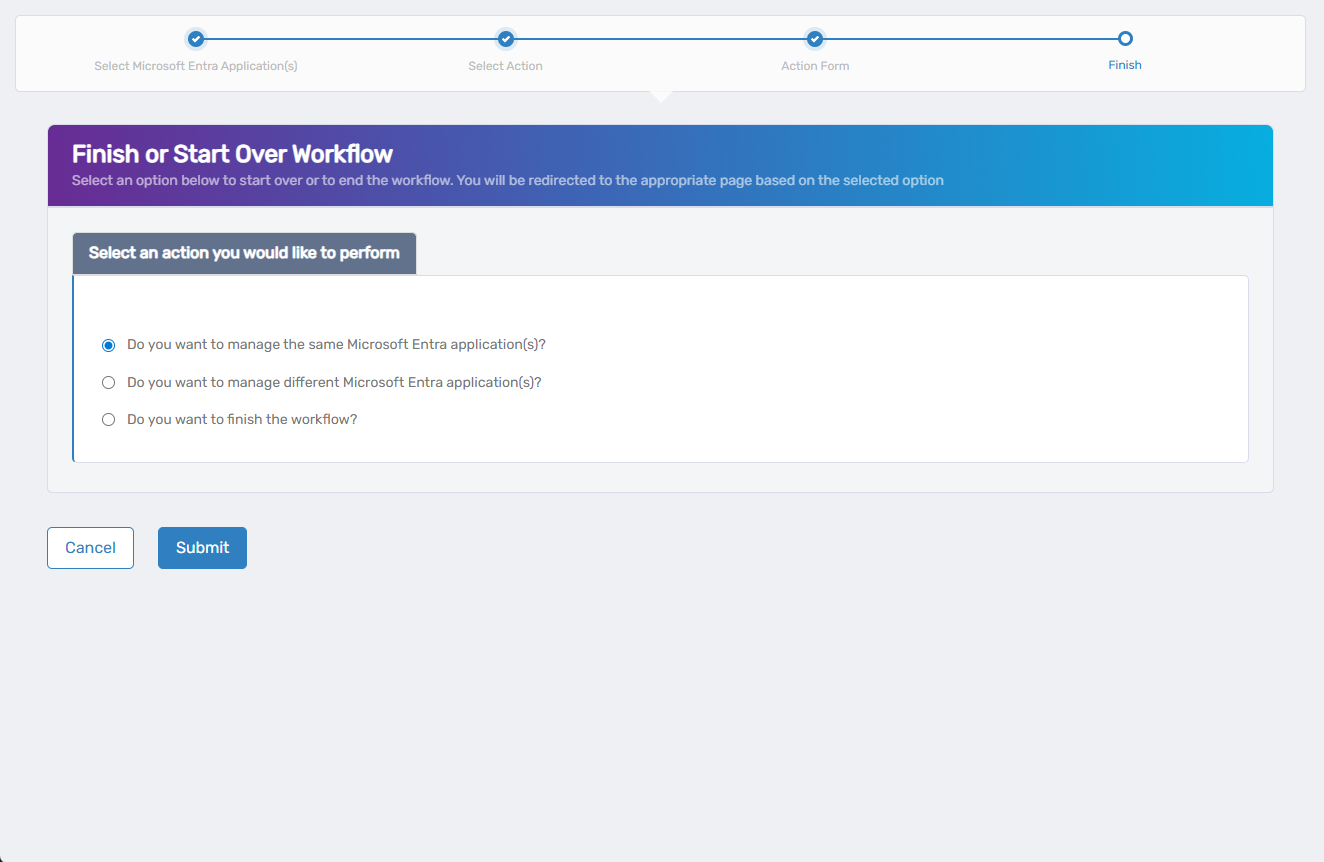
On the Finish or Start Over Workflow screen, select how you want to proceed:
- Do you want to manage the same Microsoft Entra application(s)?
- Do you want to manage different Microsoft Entra application(s)?
- Do you want to finish the workflow?
-
Click Submit to confirm your selection and proceed.
Your selection determines where the wizard redirects you next—either to manage the same app, switch to another app, or exit the workflow entirely.