Add Partner Self Registration to the Login Page
EmpowerID's self-registration feature for partners streamlines partner user onboarding and reduces administrative tasks. When partners self-register, an approval task is created and sent for review. Once approved, EmpowerID provisions an EmpowerID Person for the partner within the partner organization.
To prevent spurious self-registrations, partner organization email suffixes must first be registered in EmpowerID before partners can request identities.
Prerequisites
To enable partner self-registration, you need appropriate permissions to:
- Access and modify EmpowerID System Settings
- Manage List items in EmpowerID
Register Partner Email Suffixes
-
On the navbar, navigate to Admin > Miscellaneous > Lists.
-
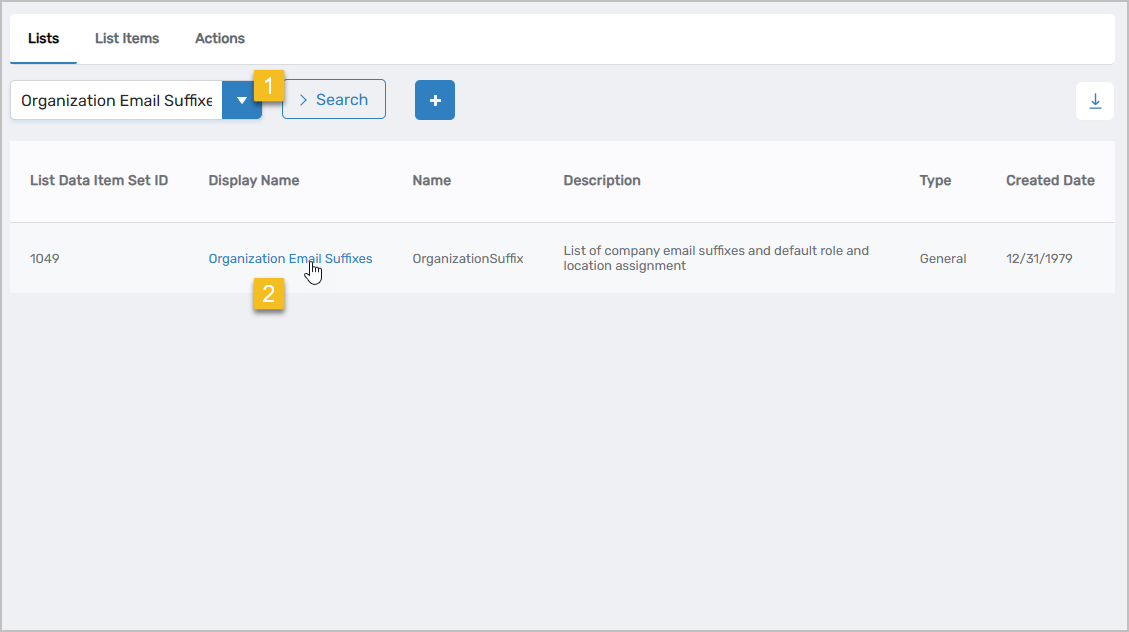
Search for Organization Email Suffixes and click the Display Name link for the list record.
-
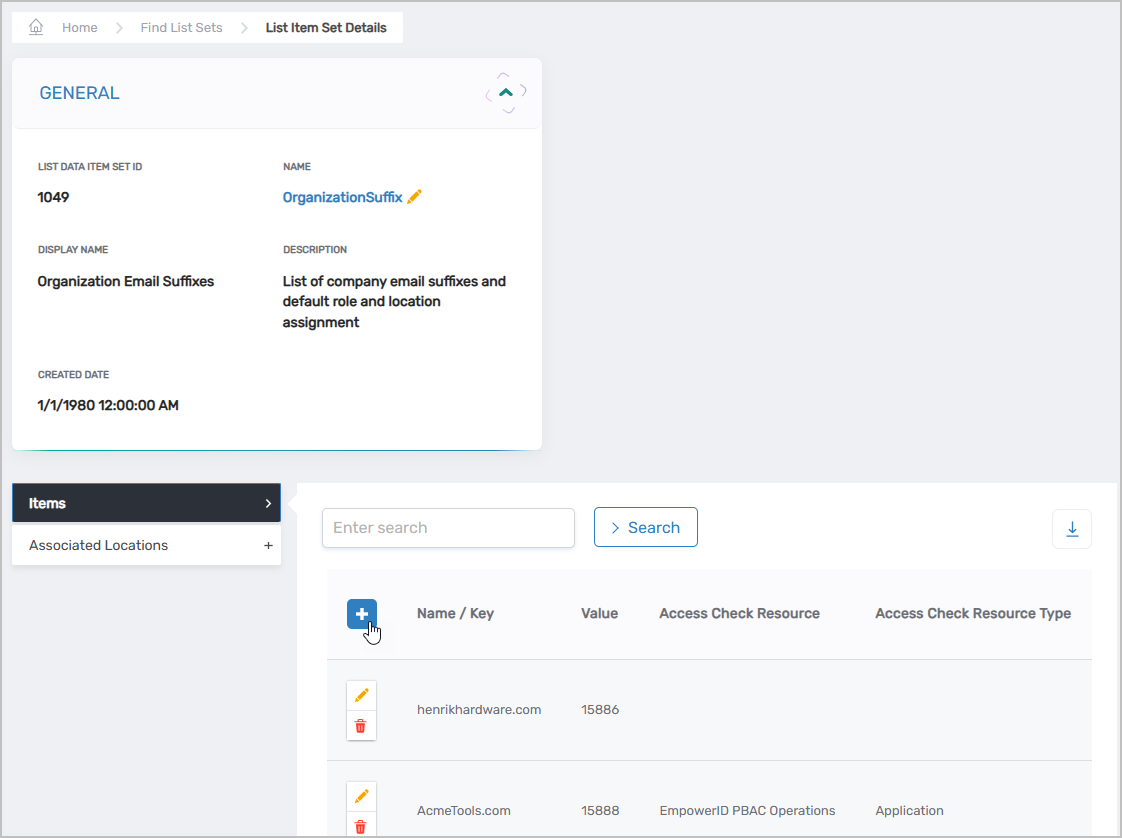
Expand the Items accordion and click the Add button.
-
Fill in the following fields:
Field Description Example Name / Key Value for the email suffix henrikhardware.com Display Name Display name of the email suffix Henrik Hardware Description Short characterization of the email suffix Email suffix for Henrik Hardware -
Click Save.
-
Repeat steps 3-5 for each partner organization email suffix you want to register.
Enable Partner Self Registration on the Login Page
- On the navbar, navigate to Infrastructure Admin > EmpowerID Servers and Settings > EmpowerID System Settings.
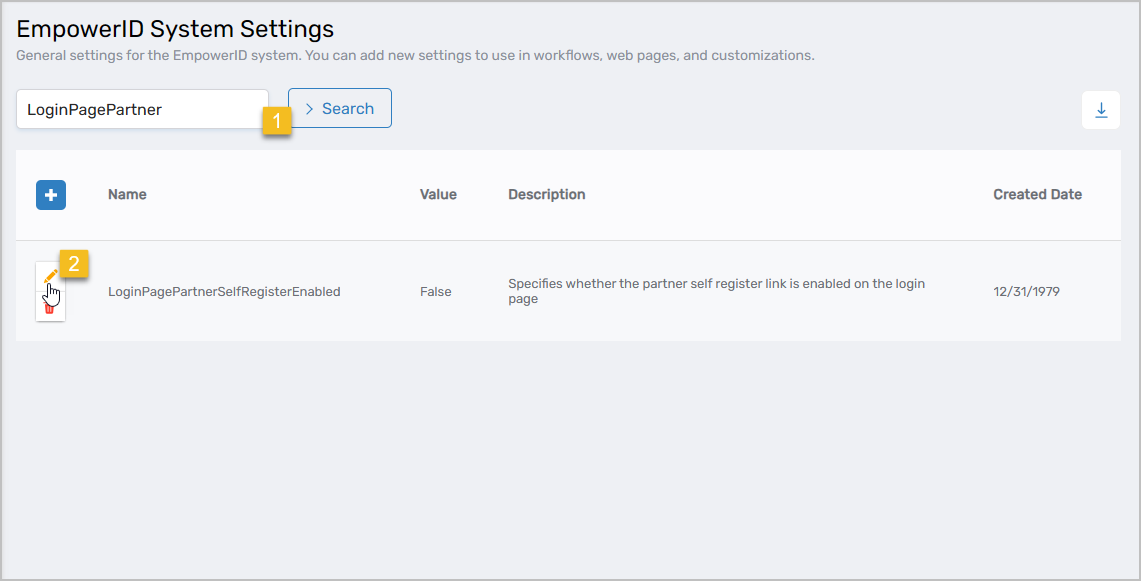
- Search for LoginPagePartner and click the Edit button for the setting record.
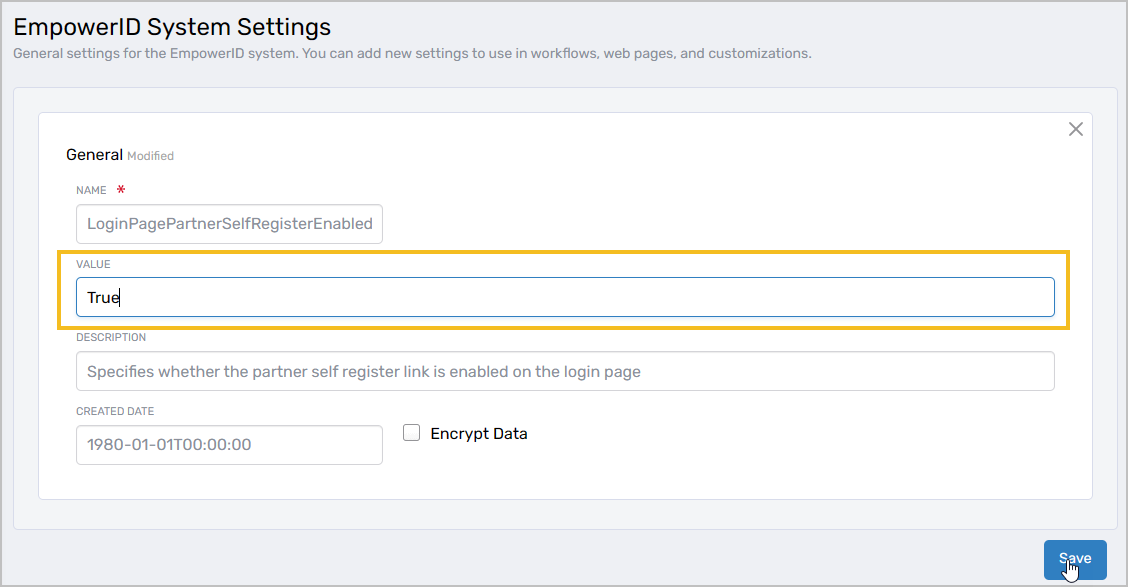
- Change the Value from False to True.
- Click Save.
Results
After enabling partner self-registration:
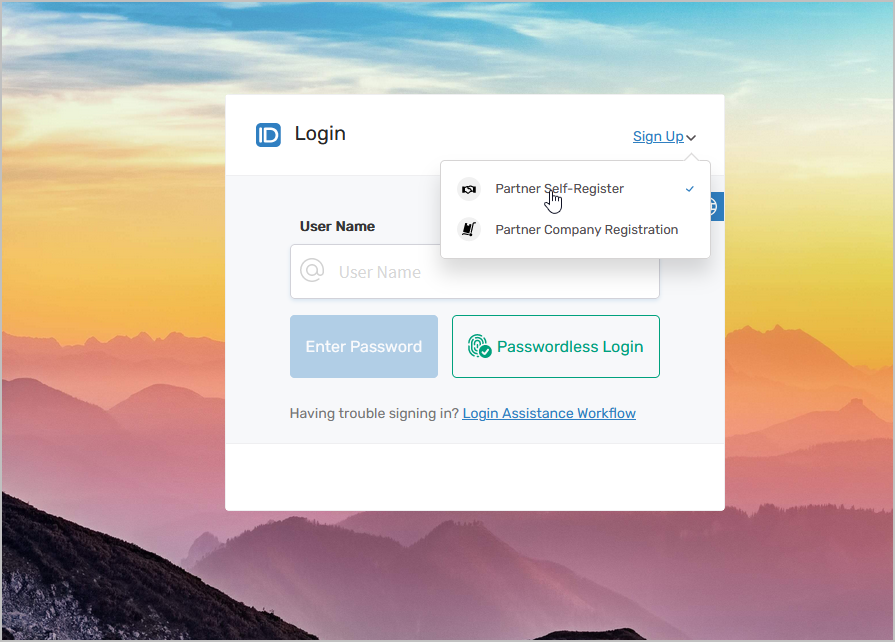
- The "Partner Self-Register" option appears as a Sign-Up option on your organization's login page
- Partners can initiate self-registration directly from the login page
- Only email addresses with registered email suffixes can complete registration
- Self-registration requests create approval tasks in EmpowerID
- Upon approval, EmpowerID provisions a Person object for the partner within their organization
- Partners can access the system once their registration is approved
Related Topics
- Add Partner Company Registration to the Login Page – Enable partner organization registration
- Managing Partner Delegations – Configure partner locations and access
- Overview of Partner Delegations – Understanding partner delegation architecture