Add Partner Company Registration to the Login Page
EmpowerID's self-registration feature for partner organizations streamlines partner onboarding and reduces administrative tasks. By adding this feature as a "Sign Up" option on your organization's login page, you enhance accessibility and convenience for potential partners.
Prerequisites
To enable partner company registration, you need appropriate permissions to access and modify EmpowerID System Settings.
Enable Partner Company Registration
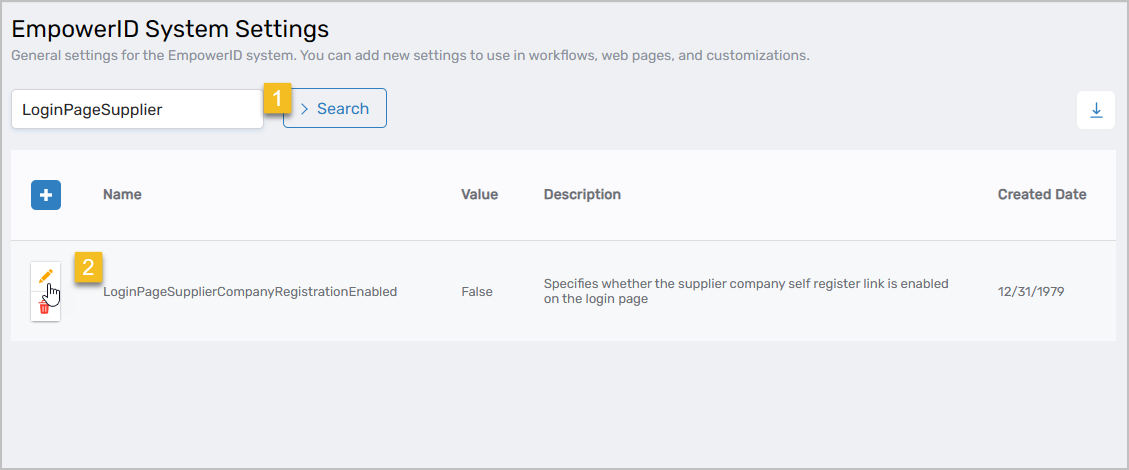
- On the navbar, navigate to Infrastructure Admin > EmpowerID Servers and Settings > EmpowerID System Settings.
- Search for LoginPageSupplier and click the Edit button for the setting record.
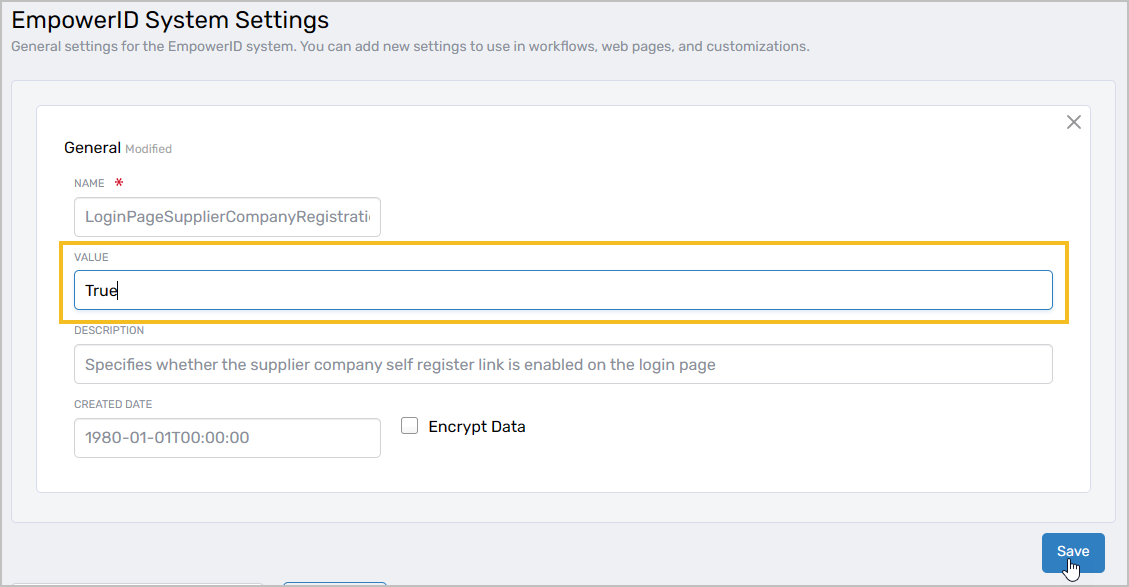
- Change the Value from False to True.
- Click Save.
Results
After enabling this setting:
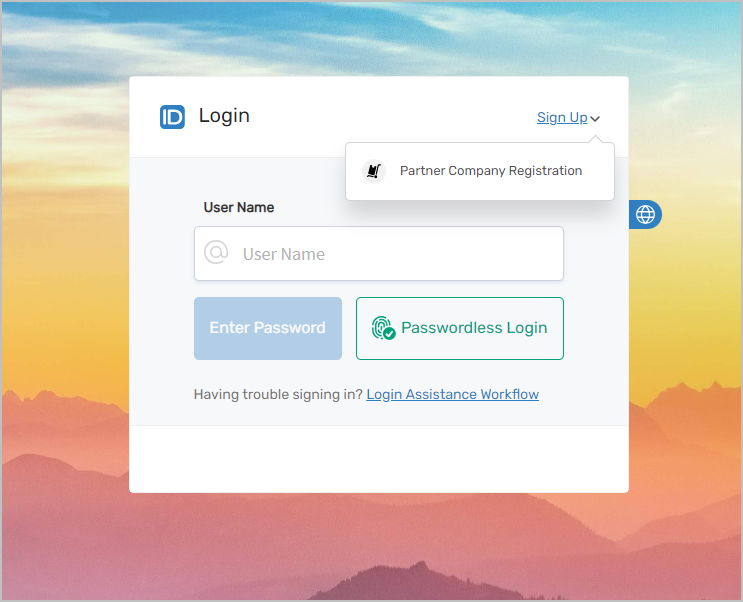
- The "Partner Company Registration" option appears as a Sign-Up option on your organization's login page
- Partner organizations can initiate the self-registration process directly from the login page
- The registration workflow captures necessary partner organization information
- Administrators can review and approve partner company registrations
Related Topics
- Add Partner Self Registration to the Login Page – Enable individual partner user registration
- Managing Partner Delegations – Configure partner locations and access
- Overview of Partner Delegations – Understanding partner delegation architecture