Restore Deleted Computers
Restoring deleted computers recovers computer objects from the Active Directory Deleted Objects container, returning them to active status in their original or a new organizational unit.
Prerequisites
To restore deleted computers, you need the Initiator Access Level for the RestoreDeletedComputerBulk workflow.
note
Computers can only be restored during the tombstone lifetime period (typically 180 days by default). After this period, deleted computer objects are permanently removed and cannot be recovered.
Restore Deleted Computers
- On the navbar, expand Privileged Access and select Computers.
- Click the Restore Deleted Computers action link.
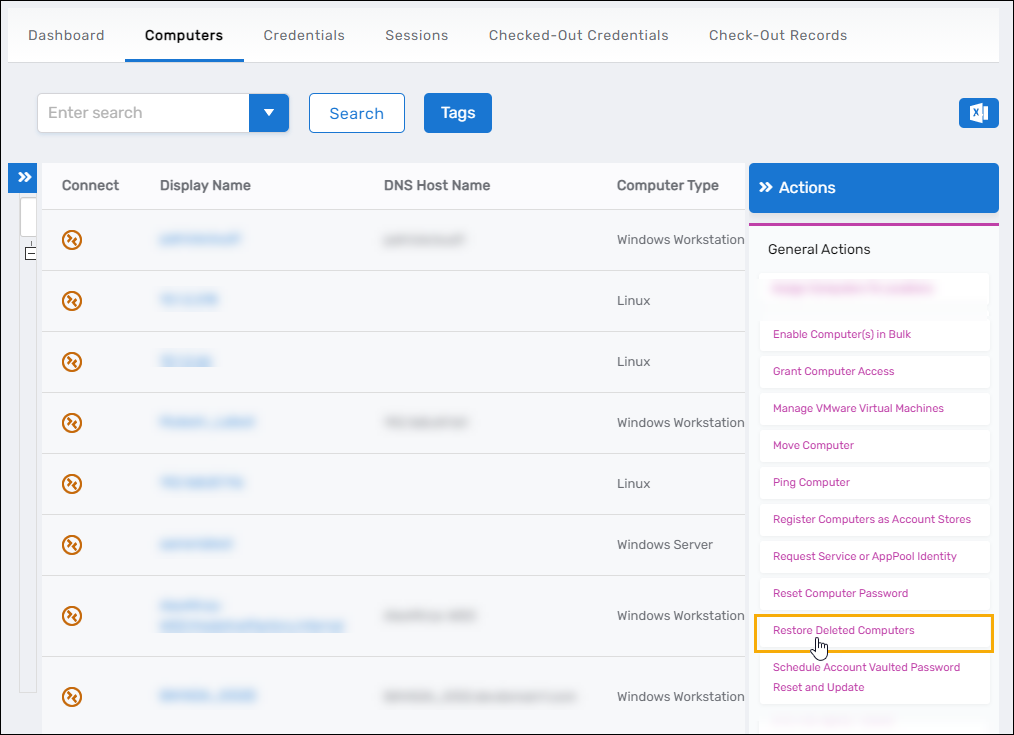
- Search for the deleted computer you want to restore.
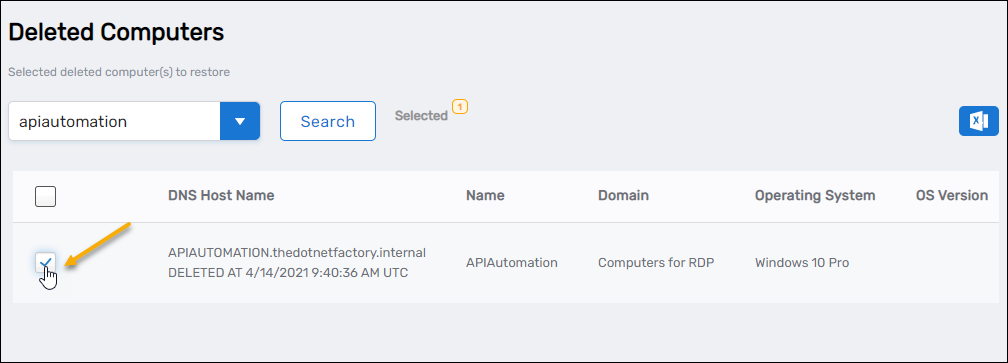
- Select the checkbox for the computer record.
- Repeat step 4 for any additional computers you want to restore.
- Click Submit.
- Click Yes to confirm the restoration.
- Click OK to close the Operation Execution Summary.
Results
After completing the operation:
- The computer object is restored from the Deleted Objects container
- The computer's IsDeleted attribute is set to False
- The computer is placed back in Active Directory (typically in its original OU or a default location)
- The computer's whenChanged attribute is updated with the restoration timestamp
- The restoration operation is logged in the EmpowerID audit log
tip
You can view the timestamp for when EmpowerID restored the deleted computer in the Audit log. To do so, expand System Logs, click Audit Log, and search for Restore to <YourRestoredComputerName>.
Related Topics
- Delete Computers – Remove computers from Active Directory
- Enable Computers – Re-enable disabled computers
- Move Computers – Relocate restored computers to appropriate organizational units