Create Custom STS Extensions
STS extensions provide developers with the ability to issue security tokens with custom claims, such as issuing claims for Active STS security tokens consumed by WCF services and issuing claims for Passive STS security tokens for consumption by WS-Federation clients. You can create and publish STS extensions in Workflow Studio; alternatively, you can use Visual Studio to create class libraries for the purpose of extending EmpowerID Security Token claims.
What You'll Learn
In this tutorial, you'll create a custom STS extension that:
- Issues security tokens with custom claims
- Implements methods to augment STS and SharePoint claims
- Modifies WS-Federation and WS-Trust scopes
- Resolves identities from certificates and Windows authentication
- Integrates with EmpowerID's security token service framework
Developing STS Extensions
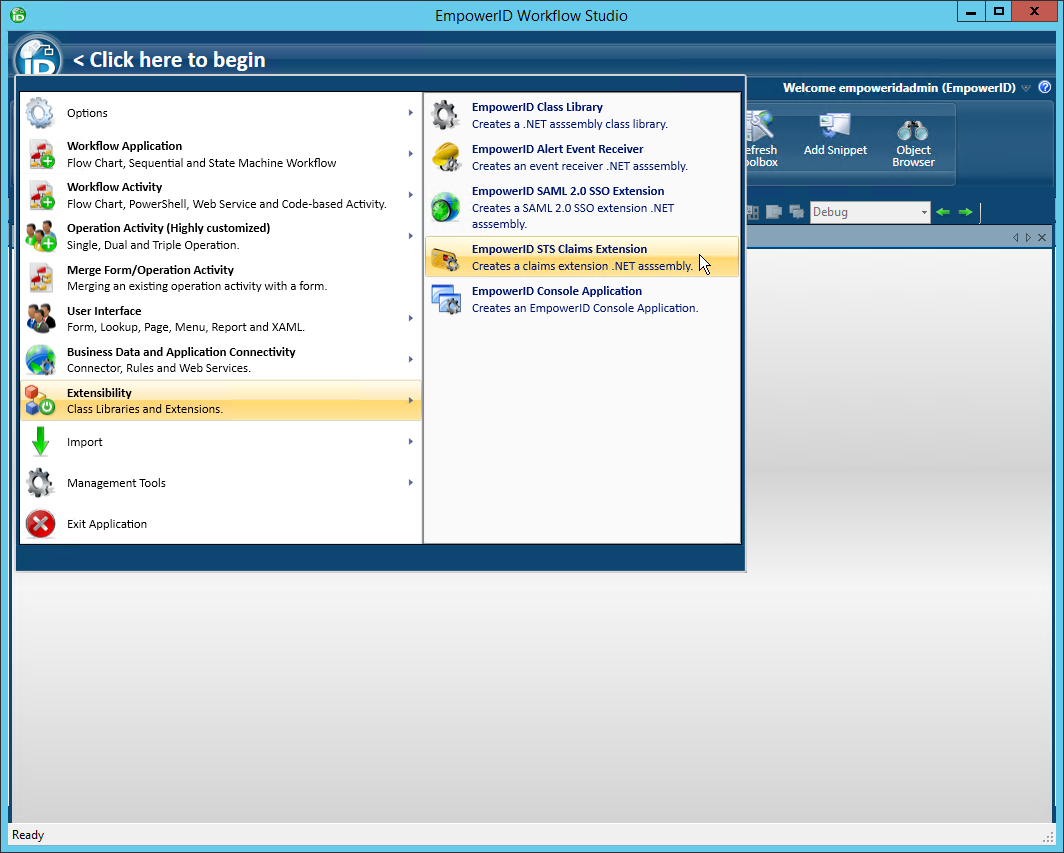
- In Workflow Studio, click the application icon and select Extensibility > EmpowerID STS Claims Extension from the menu.
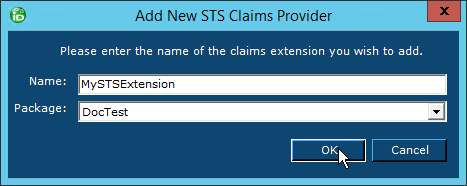
- Name the STS extension appropriately and save it to the package of your choice.
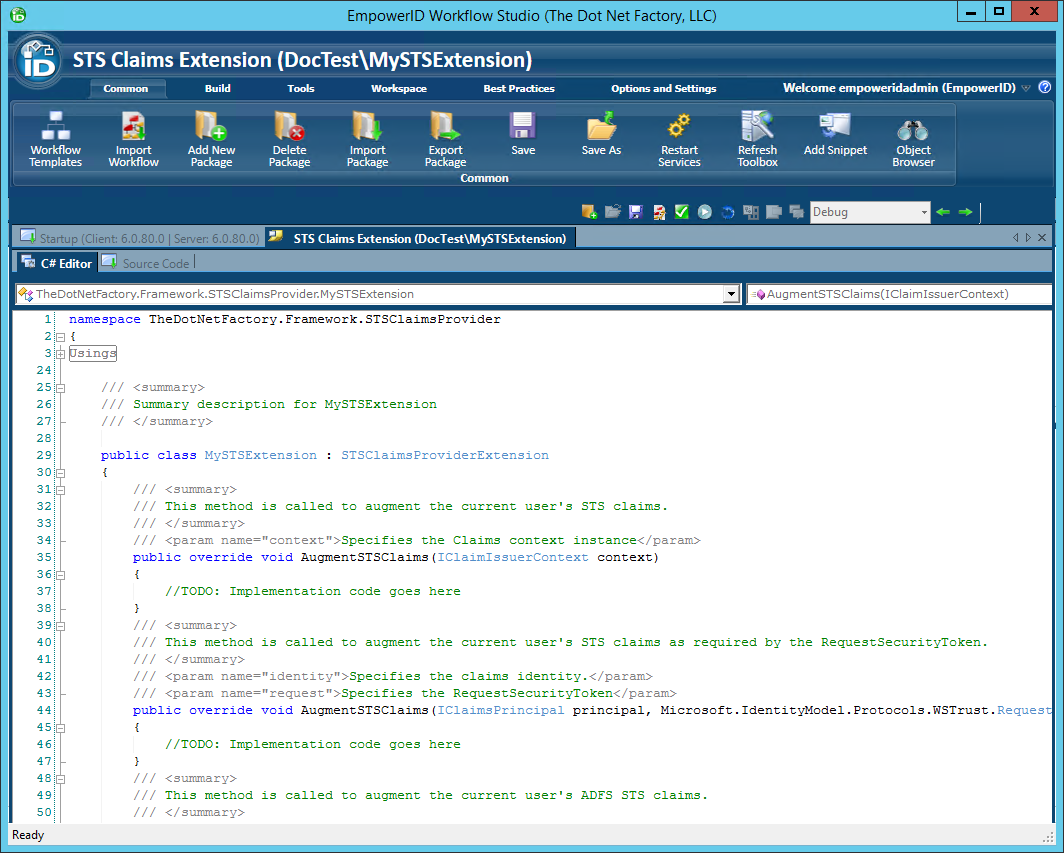
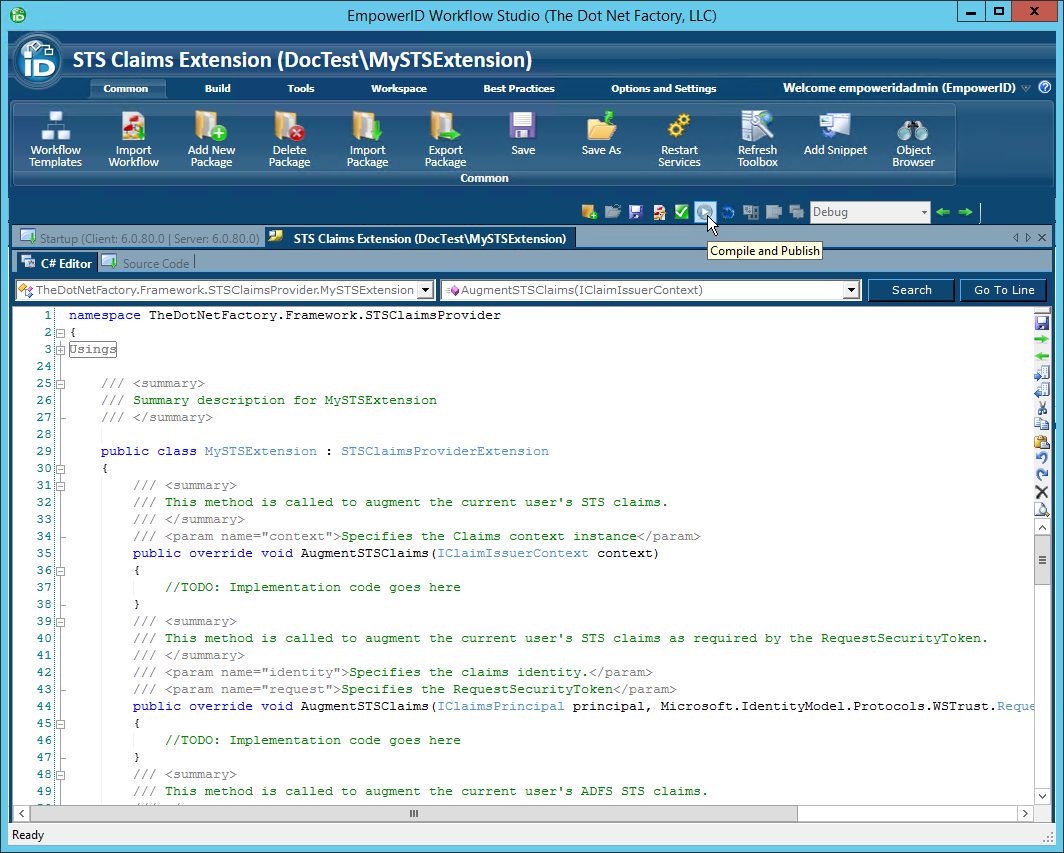
Workflow Studio creates the STS extension stub and opens the STS extension template.
- Implement your logic and publish the STS extension when ready.
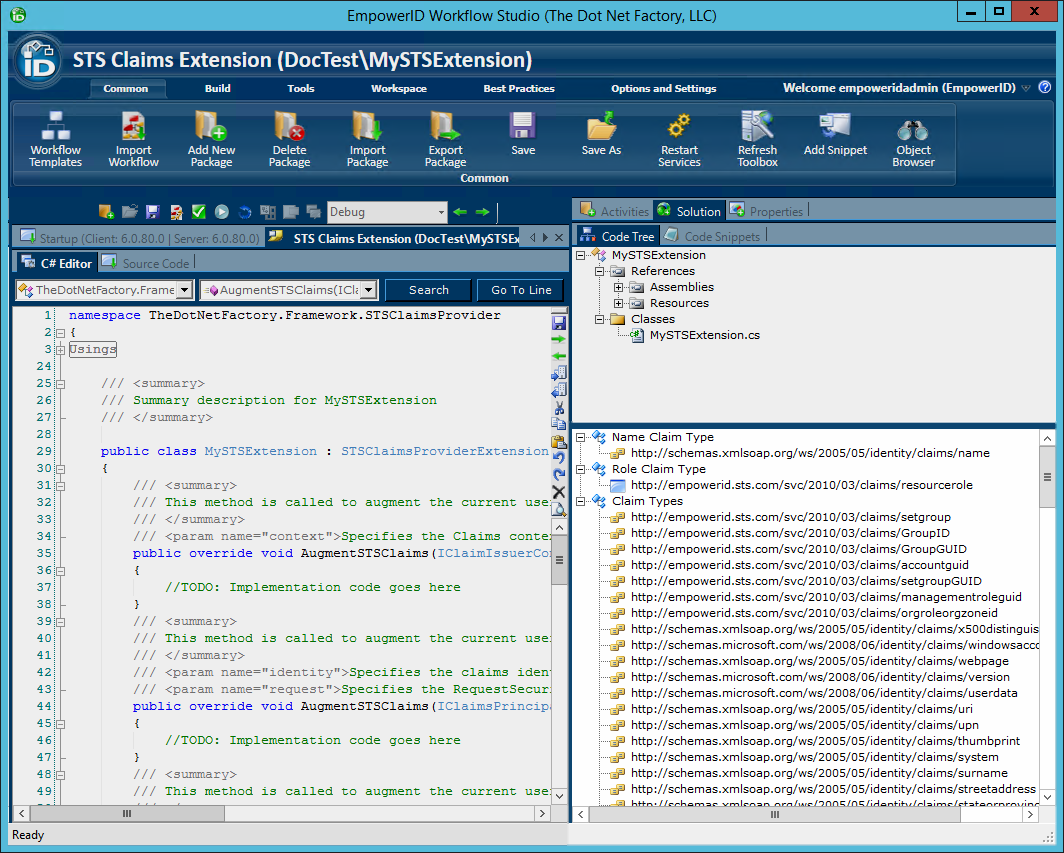
In the Code Tree of Solution Explorer (located to the right of the C# Editor), you will see examples of claim types. You can drag any of these into the C# Editor to have Workflow Studio generate the "Add To Claims" code for you.
When you create an STS extension you can implement one or more methods depending on what you wish to accomplish with the extension. These methods include the following:
AugmentSTSClaims Method
This method allows you to add custom claims into the claims collection before the security token is issued by the STS.
C# Syntax
public override void AugmentSTSClaims(
    IClaimIssuerContext context
)
Parameters
| Parameter | Description |
|---|---|
| context | This parameter specifies the claim issuer context object which contains the claims collection. |
Example Implementation
string AccountGUIDClaimType =  "http://empowerid.sts.com/svc/2010/03/claims/accountguid";
context.Claims.Add(new Claim(AccountGUIDClaimType, "ACCOUNT GUID VALUE"));
AugmentSTSClaims Method (RequestSecurityToken override)
This method allows you to add claims to the current user's STS claims as required by the RequestSecurityToken.
C# Syntax
public override void AugmentSTSClaims(
    IClaimsPrincipal principal,
    Microsoft.IdentityModel.Protocols.WSTrust.RequestSecurityToken request)
)
Parameters
| Parameters | Description |
|---|---|
| identity | This parameter specifies the claim identity. |
| request | This parameter specifies the RequestSecurityToken. |
AugmentSPClaims Method
This method allows you to add claims to the current user's SharePoint claims before the security token is issued by the STS.
C# Syntax
public override void AugmentSPClaims(
    List contextClaims,
    Person contextPerson)
)
Parameters
| Parameter | Description |
|---|---|
| contextClaims | Specifies the SharePoint entity's claims collection |
| contextPerson | Specifies the EmpowerID person identified by the SharePoint entity |
ModifyWSFederationScope Method
This method allows you to modify the WS-Fed scope.
C# Syntax
public override void ModifyWSFederationScope(
    Microsoft.IdentityModel.SecurityTokenService.Scope scope,
    string appliesTo,
    Microsoft.IdentityModel.Claims.IClaimsPrincipal principal,
    Microsoft.IdentityModel.Protocols.WSTrust.RequestSecurityToken request,
    WSFederationSingleSignOn wsFed,
    AccountPrincipal account)
)
Parameters
| Parameter | Description |
|---|---|
| scope | Specifies the scope |
| appliesTo | Specifies the context URL |
| principal | Specifies the user's security principal |
| request | Specifies the token request |
| wsFed | Specifies the EmpowerID WS-Fed connection (may be null) |
ModifyWSTrustScope Method
This method allows you to modify the WS-Trust scope.
C# Syntax
public override void ModifyWSTrustScope(
    Microsoft.IdentityModel.SecurityTokenService.Scope scope,
    string appliesTo,
    Microsoft.IdentityModel.Claims.IClaimsPrincipal principal,
    Microsoft.IdentityModel.Protocols.WSTrust.RequestSecurityToken request)
)
Parameters
| Parameter | Description |
|---|---|
| scope | Specifies the scope |
| appliesTo | Specifies the context URL |
| principal | Specifies the user's security principal |
| request | Specifies the token request |
ResolveSPClaim Method
This method allows you to resolve a SharePoint identity claim (for claims augmentation).
C# Syntax
public override Person ResolveSPClaim(
    EIDSPClaim identityClaim)
)
Parameters
| Parameter | Description |
|---|---|
| identityClaim | Specifies the identity claims to be resolved |
ResolveCertificate Method
This method allows you to resolve a certificate (for client certificate authentication).
C# Syntax
public override Person ResolveCertificate(
    X509Certificate2 certificate)
)
Parameters
| Parameter | Description |
|---|---|
| certificate | Specifies the client certificate to be resolved |
Remarks
This method returns the EmpowerID Person that is mapped to the certificate.
ResolveWindowsIdentity Method
This method allows you to resolve the identity of a Windows integrated authenticated user.
C# Syntax
public override Person ResolveWindowsIdentity(
    IClaimsPrincipal principal,
    Microsoft.IdentityModel.Protocols.WSTrust.RequestSecurityToken request)
)
Parameters
| Parameter | Description |
|---|---|
| principal | Specifies the claims principal containing the Windows identity |
| request | Specifies the request token |
Publishing STS Extensions
- Click the Compile and Publish button located just above the C# Editor.
- From the STS Claims Extension Publishing wizard that appears, click Next.

- Select an EmpowerID server as the publishing location and then click Next.

When the wizard has completed publishing, you will be promoted to restart one or more services. Restarting the services allows EmpowerID to pick up your changes as well as make the underlying assembly for the class library available to the local GAC of those services.
Summary
In this tutorial, you learned how to create custom STS extensions that:
- Issue security tokens with custom claims for Active and Passive STS scenarios
- Augment claims collections for STS and SharePoint integrations
- Modify WS-Federation and WS-Trust scopes for custom token handling
- Resolve user identities from certificates and Windows authentication
- Integrate with EmpowerID's security token service framework through proper publishing
Custom STS extensions enable you to extend EmpowerID's security token capabilities to meet specific organizational requirements while leveraging the existing claims-based authentication infrastructure.