Create a Master Password
Create your master password to enable secure encryption and decryption of privileged data in EmpowerID.
Overview
EmpowerID requires a master password to protect access to credentials, secrets, and other sensitive resources. This password is used to generate a cryptographic key pair that encrypts your private data and ensures that only you can access it.
Your master password must be different from your EmpowerID login password. This separation ensures that even if your login credentials are compromised, your encrypted data remains protected.
Once set up, the master password is required whenever you:
- Check out a credential
- View or create a secret
- Decrypt any privileged data tied to your identity
Create a Master Password
Follow these steps to create your master password:
- Access Your Profile
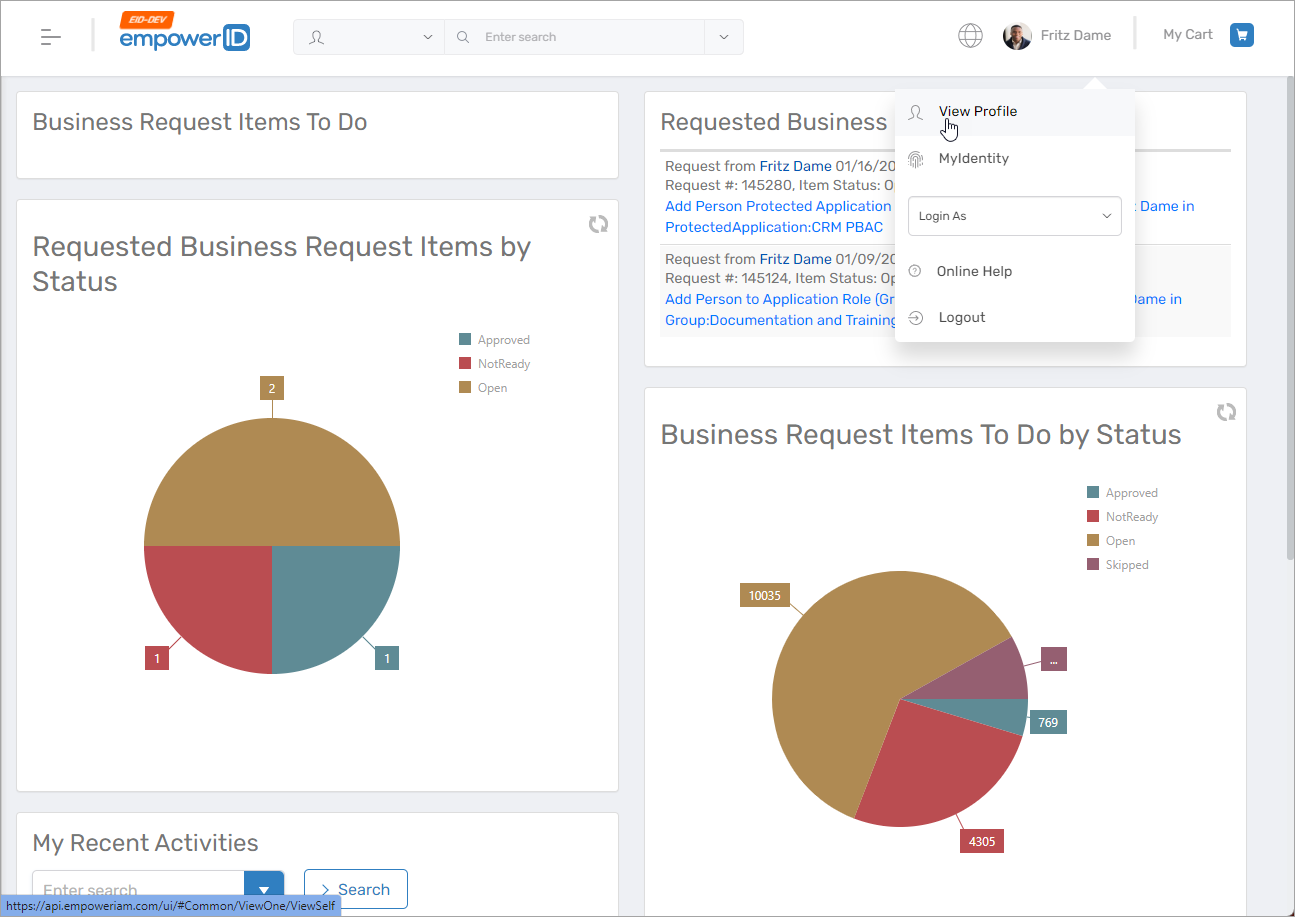
In the EmpowerID Web application, click your username and select View Profile from the dropdown.
- Navigate to Privileged Access
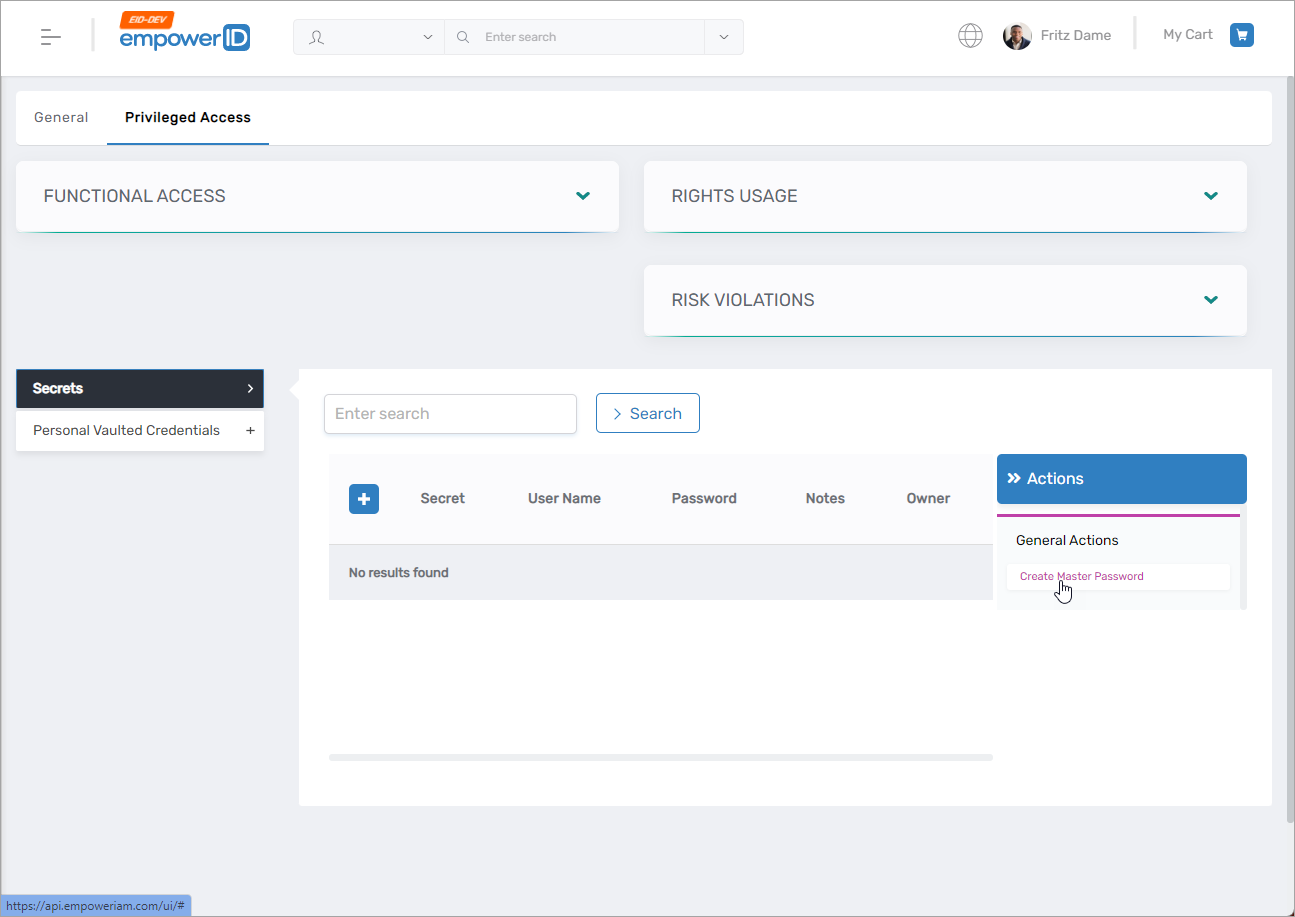
On your profile page, go to the Privileged Access tab and expand the Secrets section. - Click Create Master Password
Click the Create Master Password button.
- Confirm the Action
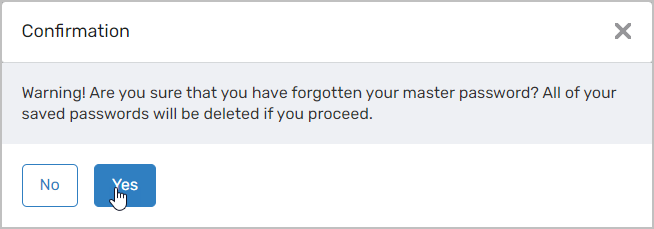
A confirmation dialog will appear. Click Yes to proceed.⚠️ This warning is displayed even for first-time users. Creating a master password will generate a new key pair.
- Enter Your New Master Password
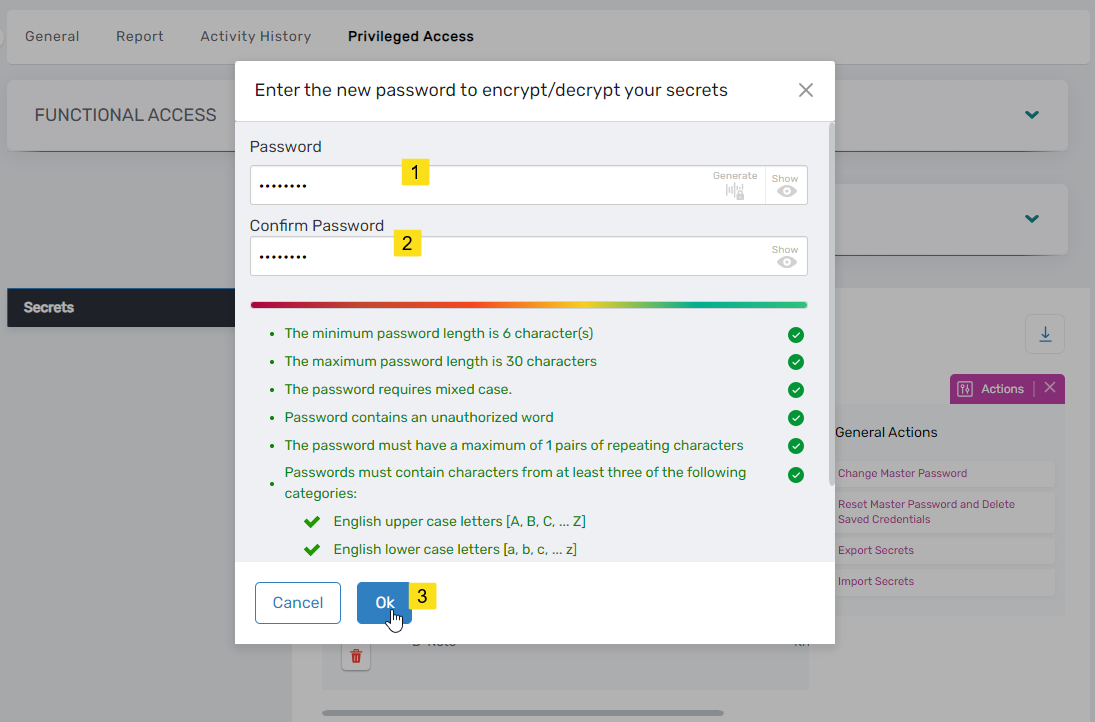
Fill in both the Password and Confirm Password fields.Your master password cannot be the same as your EmpowerID login password.
Click OK to complete the process.
- Confirmation Message
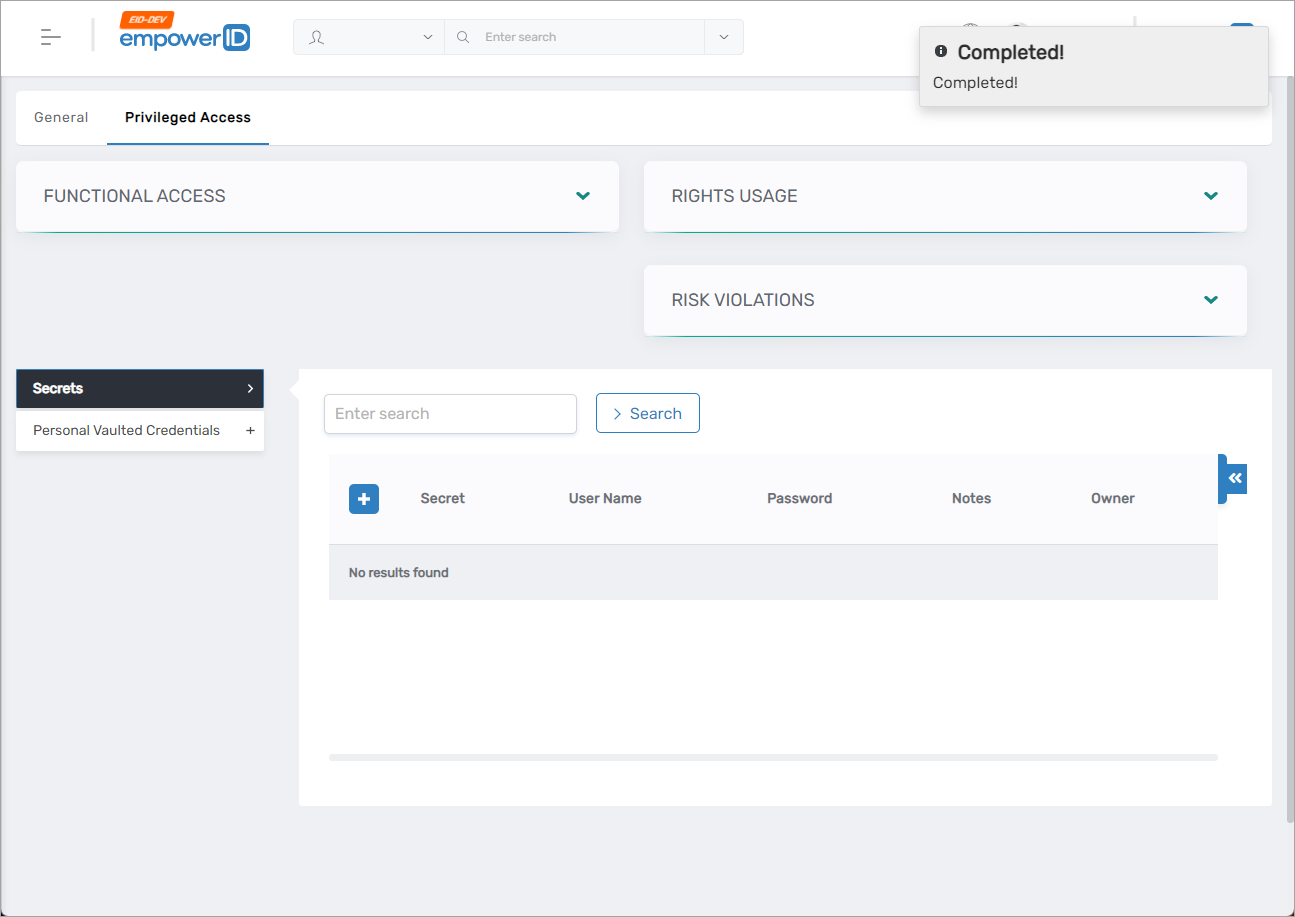
A success message will confirm the password has been created.
What Happens Next
You can now:
These actions will be protected by the encryption key pair generated using your master password.
If you ever forget your master password, you can create a new one, but all previously encrypted data will become inaccessible because it is tied to the old key pair.