Resetting Master Passwords
Reset your master password if you've forgotten it and can no longer decrypt your stored secrets or credentials.
Overview
The master password is essential for protecting access to your private key, which is used to decrypt sensitive data in EmpowerID — including secrets and checked-out credentials. If the password is lost, you can reset it; however, doing so permanently deletes access to all data encrypted by your original key pair.
Resetting your master password will delete all previously encrypted secrets and credentials. These items cannot be recovered after a reset.
When to Reset
Reset your master password if:
- You’ve forgotten it and cannot decrypt secrets or credentials
- You suspect it may have been compromised
- You want to reinitialize your encryption keys
Reset Your Master Password
- Access Your Profile
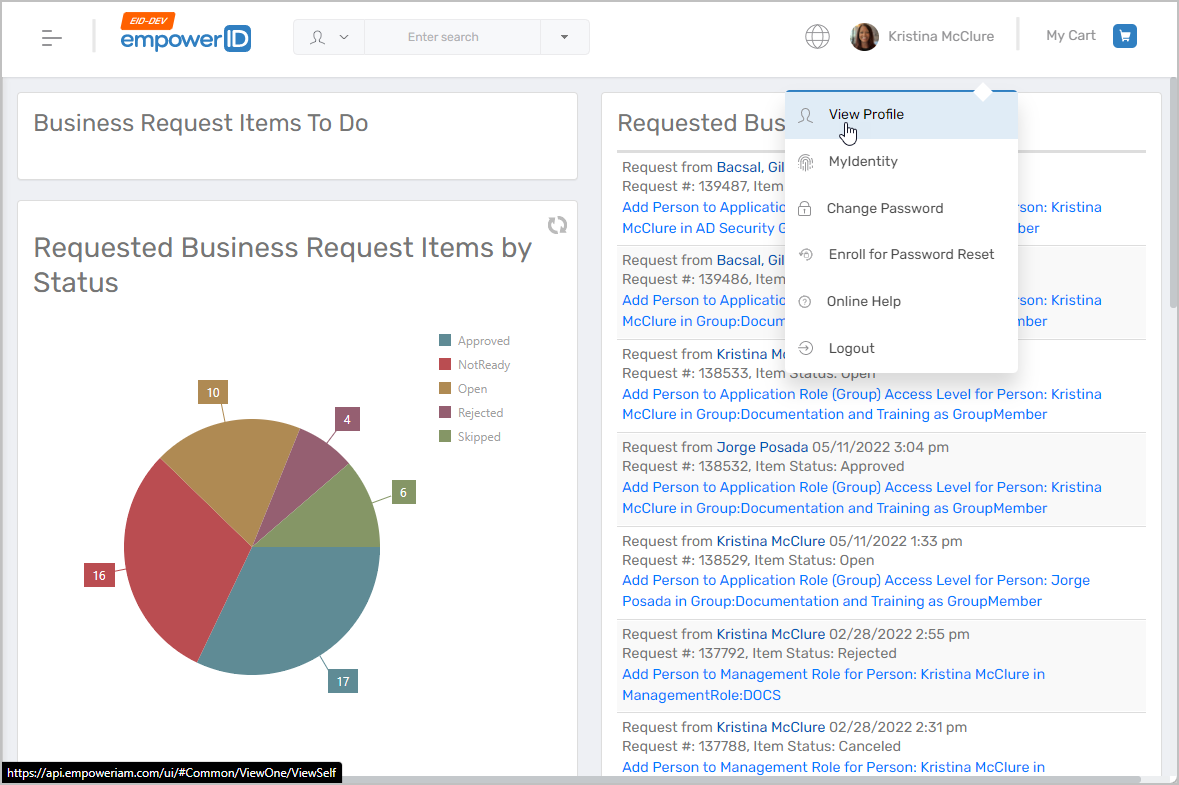
- In the EmpowerID Web application, click your username.
- Select View Profile from the dropdown.
- Navigate to Privileged Access
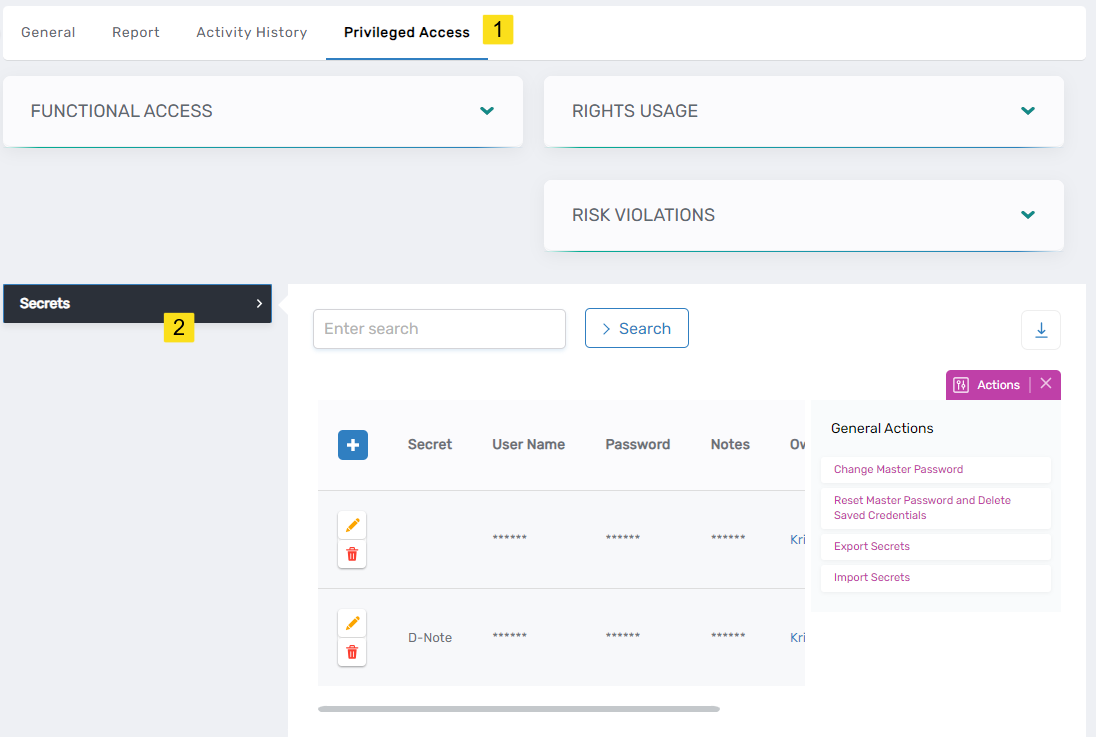
- On your profile page, click the Privileged Access tab.
- Expand the Secrets section.
- Initiate Password Reset
- Click Reset Master Password and Delete Saved Credentials.
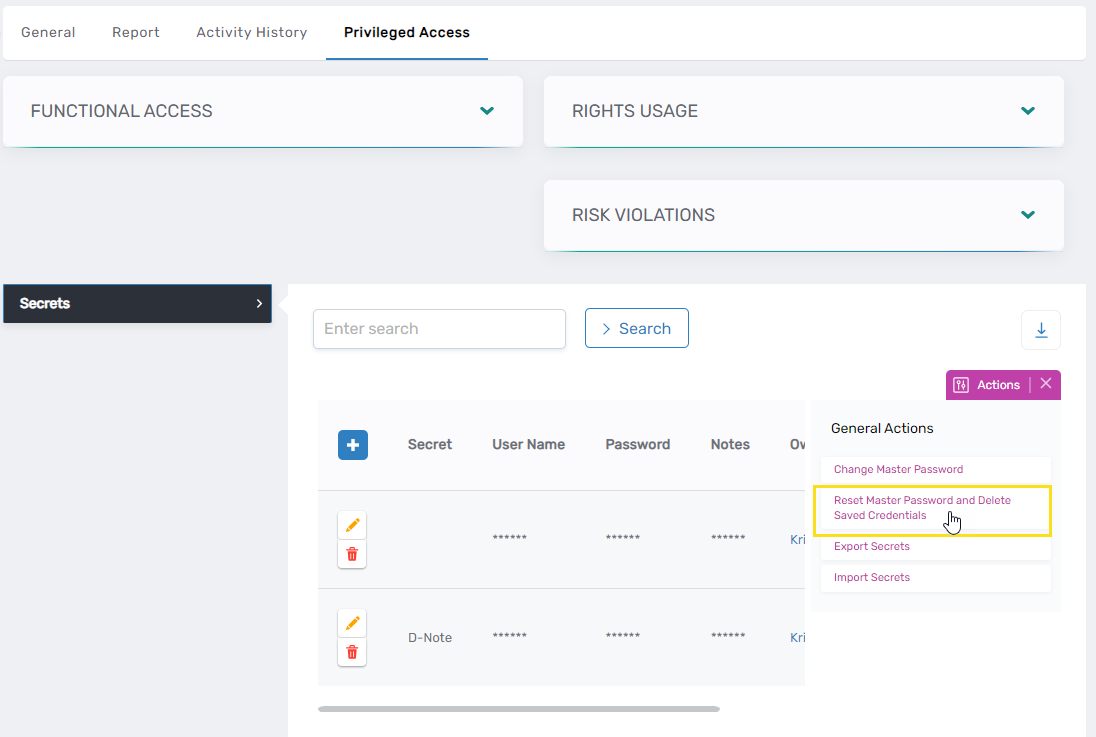
- Click Reset Master Password and Delete Saved Credentials.
- Confirm the Reset
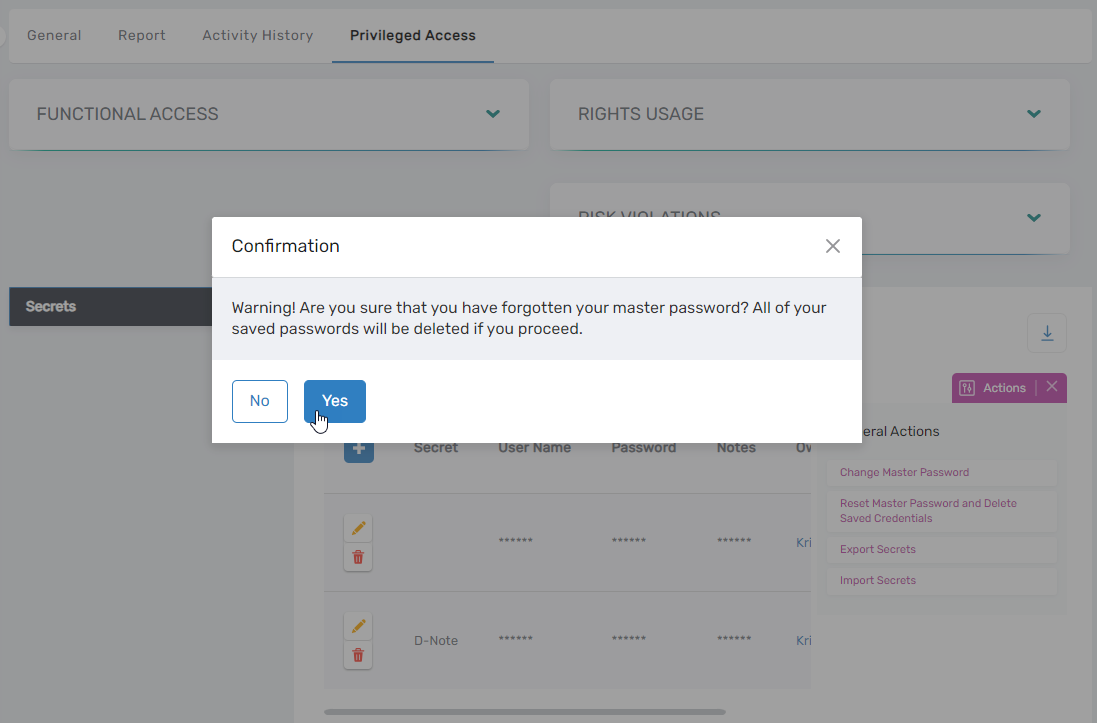
- In the confirmation dialog, click Yes to proceed.
This will delete all encrypted data previously tied to your original key pair.
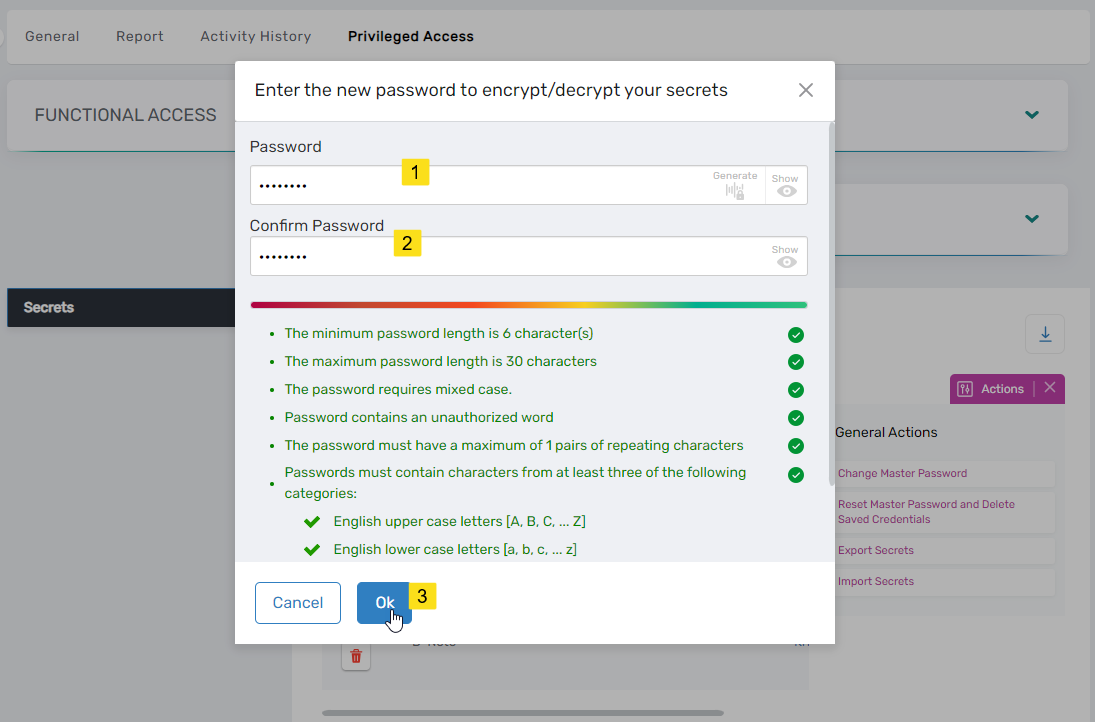
- Set a New Master Password
- Enter your new password in both the Password and Confirm Password fields.
- Click OK.
Your new master password must be different from your EmpowerID login password.
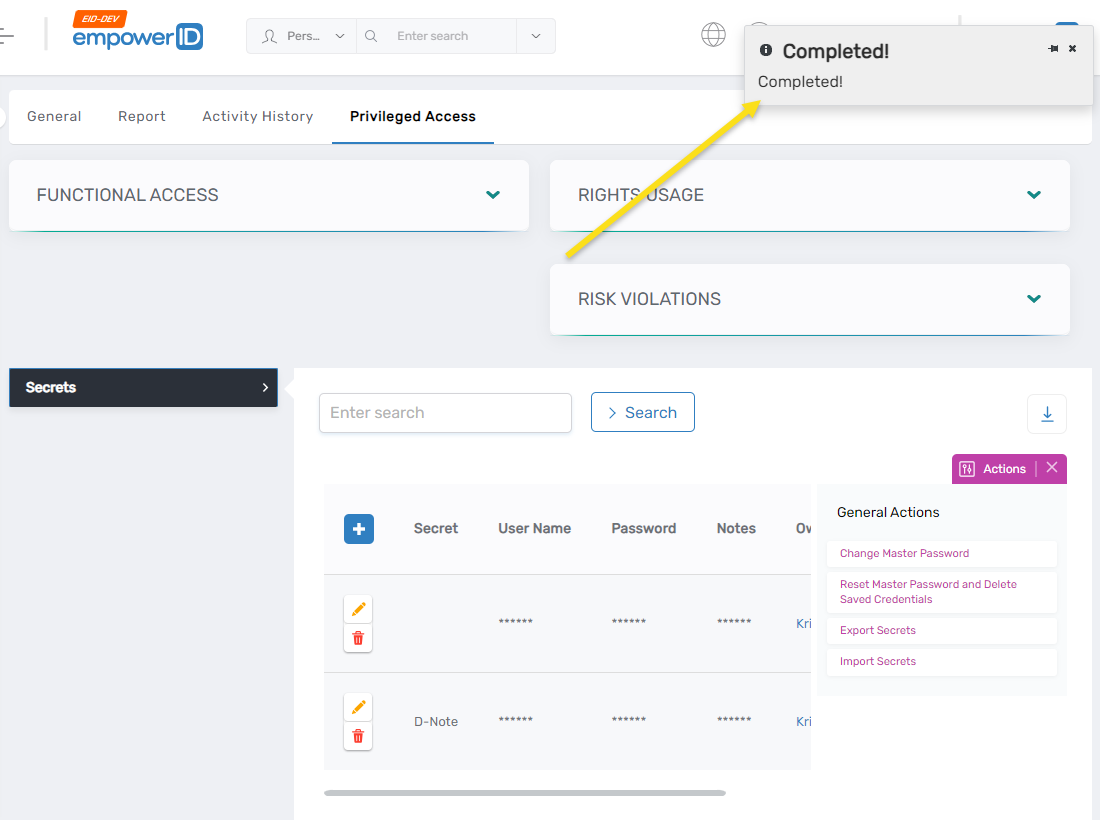
- Completion
- A message will confirm that your master password has been reset successfully.
- You can now use the new password to perform secure operations like creating or viewing secrets and checking out credentials.
What Happens Next
You now have a new key pair tied to your master password. Any previous encrypted data is no longer accessible. Going forward, all secrets and credentials will be encrypted with your new public key and decryptable only with your new master password.
Consider creating new secrets or requesting credentials after resetting your master password.