Edit Mailbox Name and Features
This procedure configures email access methods, mailbox features, and properties to control how mailboxes function and which Exchange features are available.
Edit Mailbox Name and Features
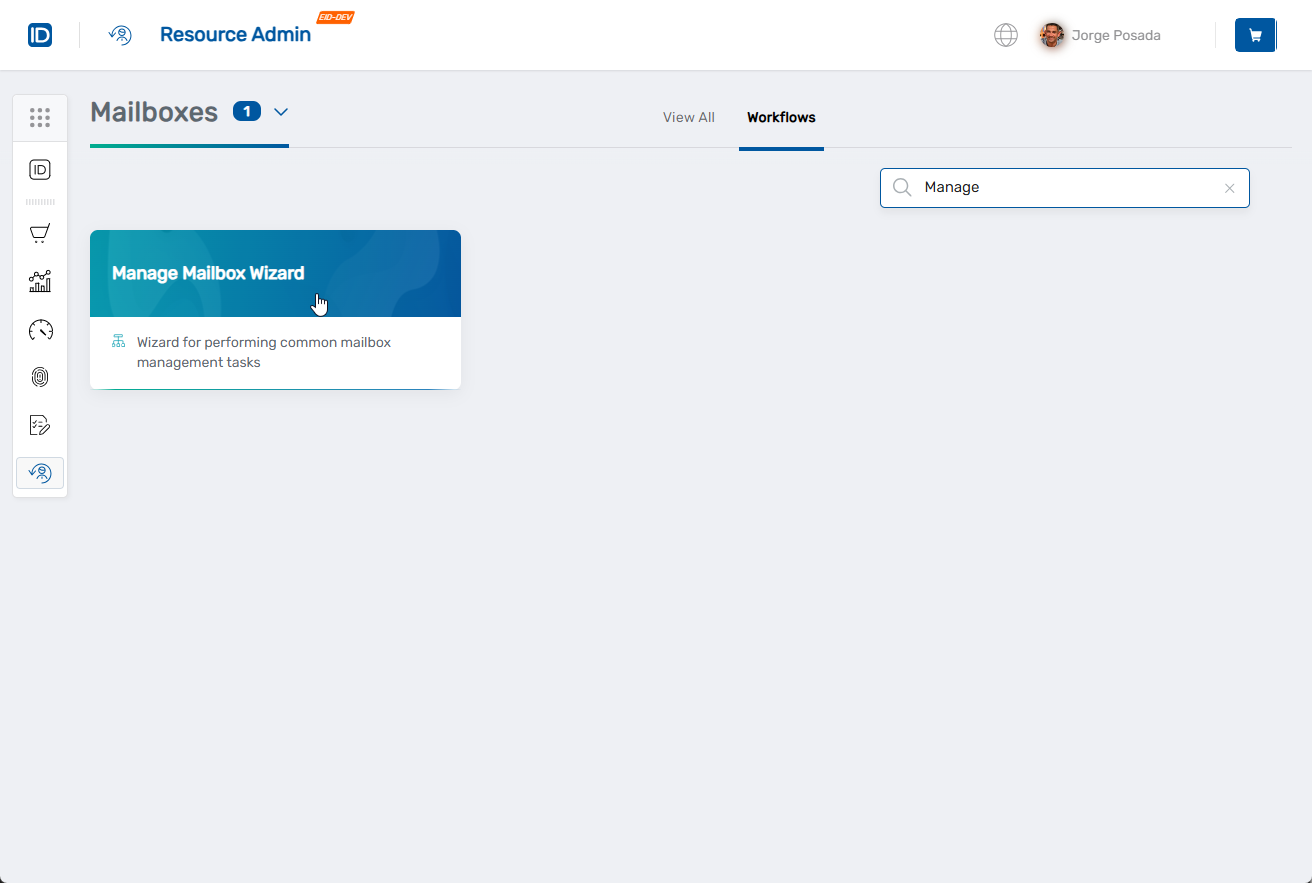
- Navigate to Resource Admin.
- Select Mailboxes from the resource type menu.
- Click the Workflows tab.
- Click Manage Mailbox Wizard.
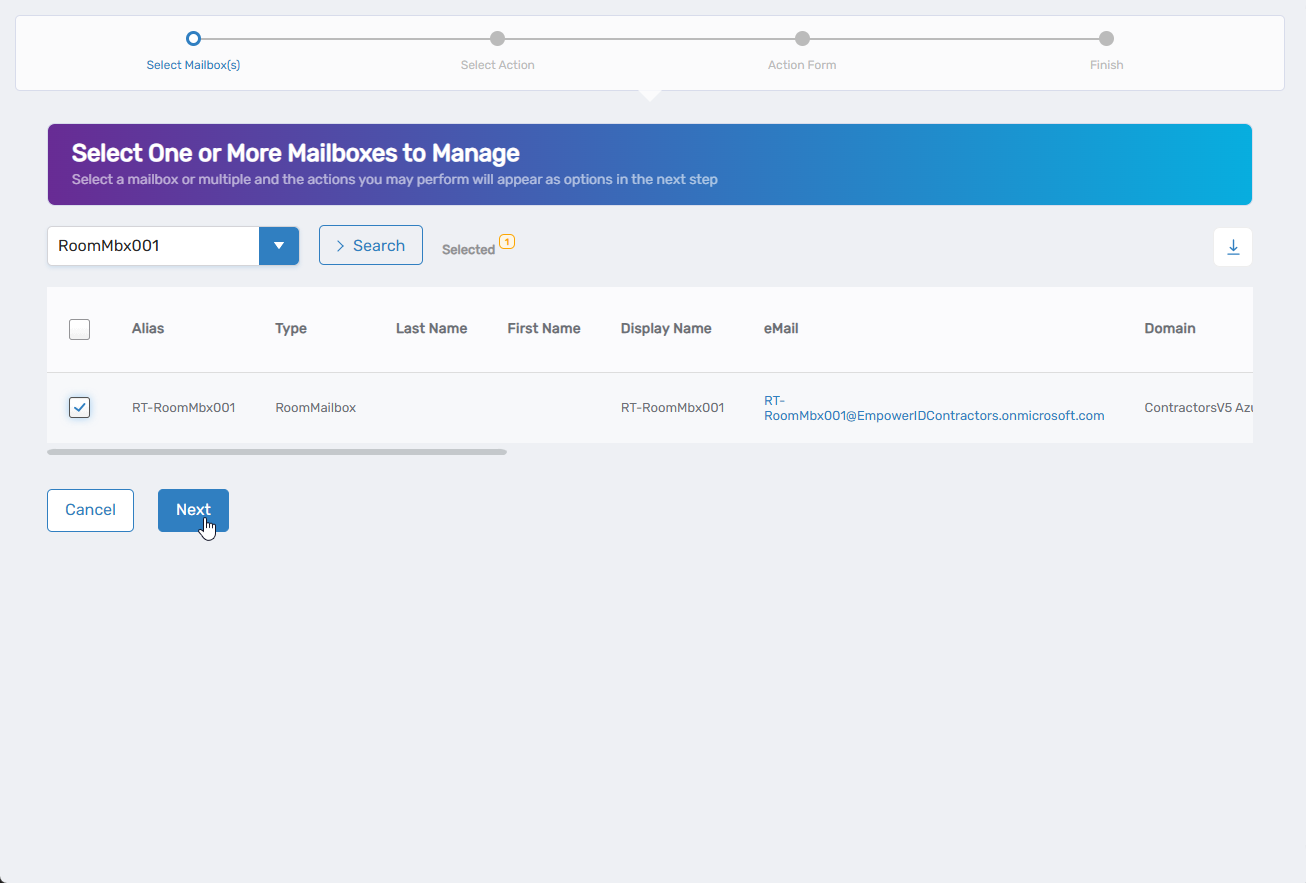
- Search for the mailbox to modify, check the box next to it, and click Next.
- Select Edit Mailbox Name and Features from the available actions.
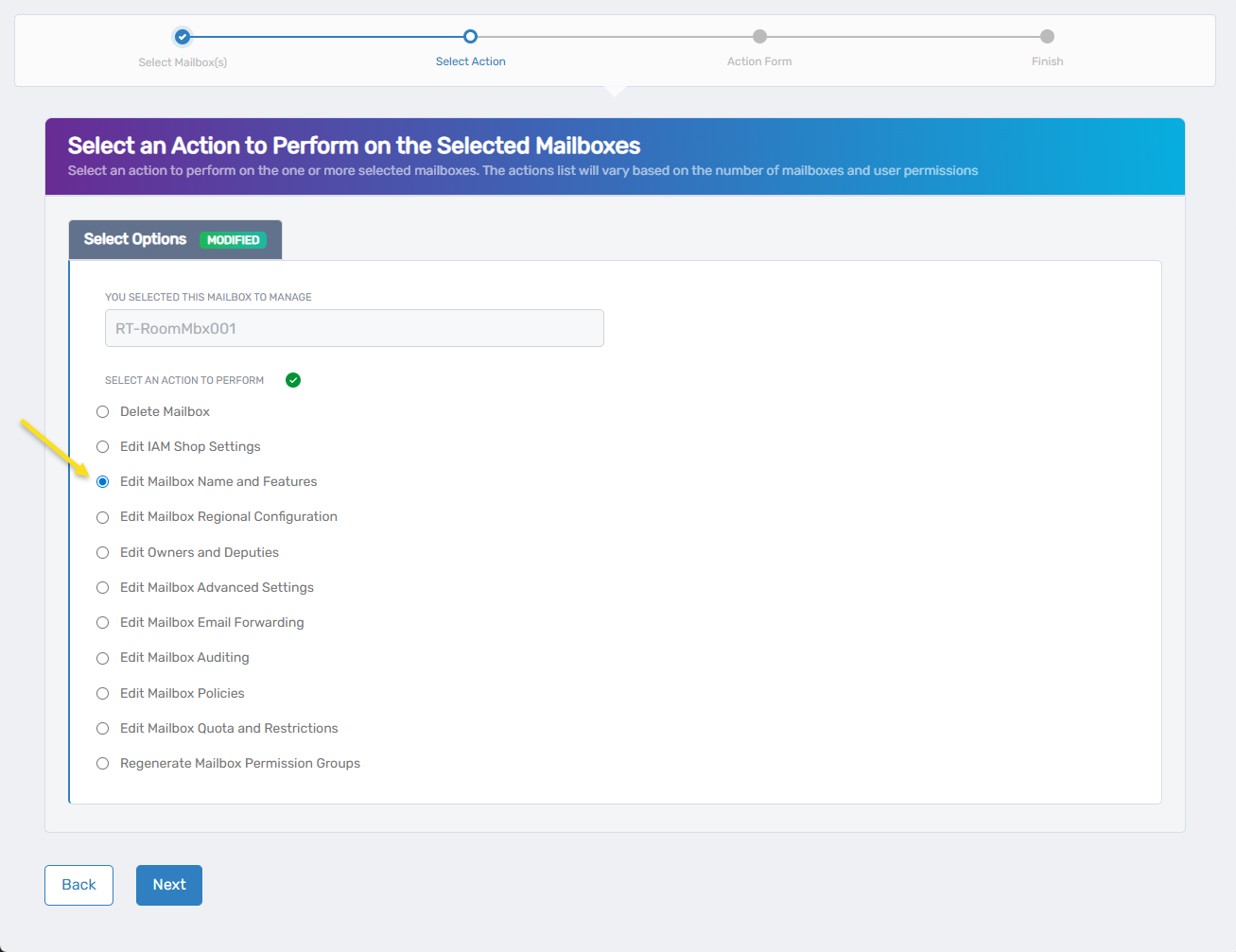
- Click Next.
- Update editable mailbox information:
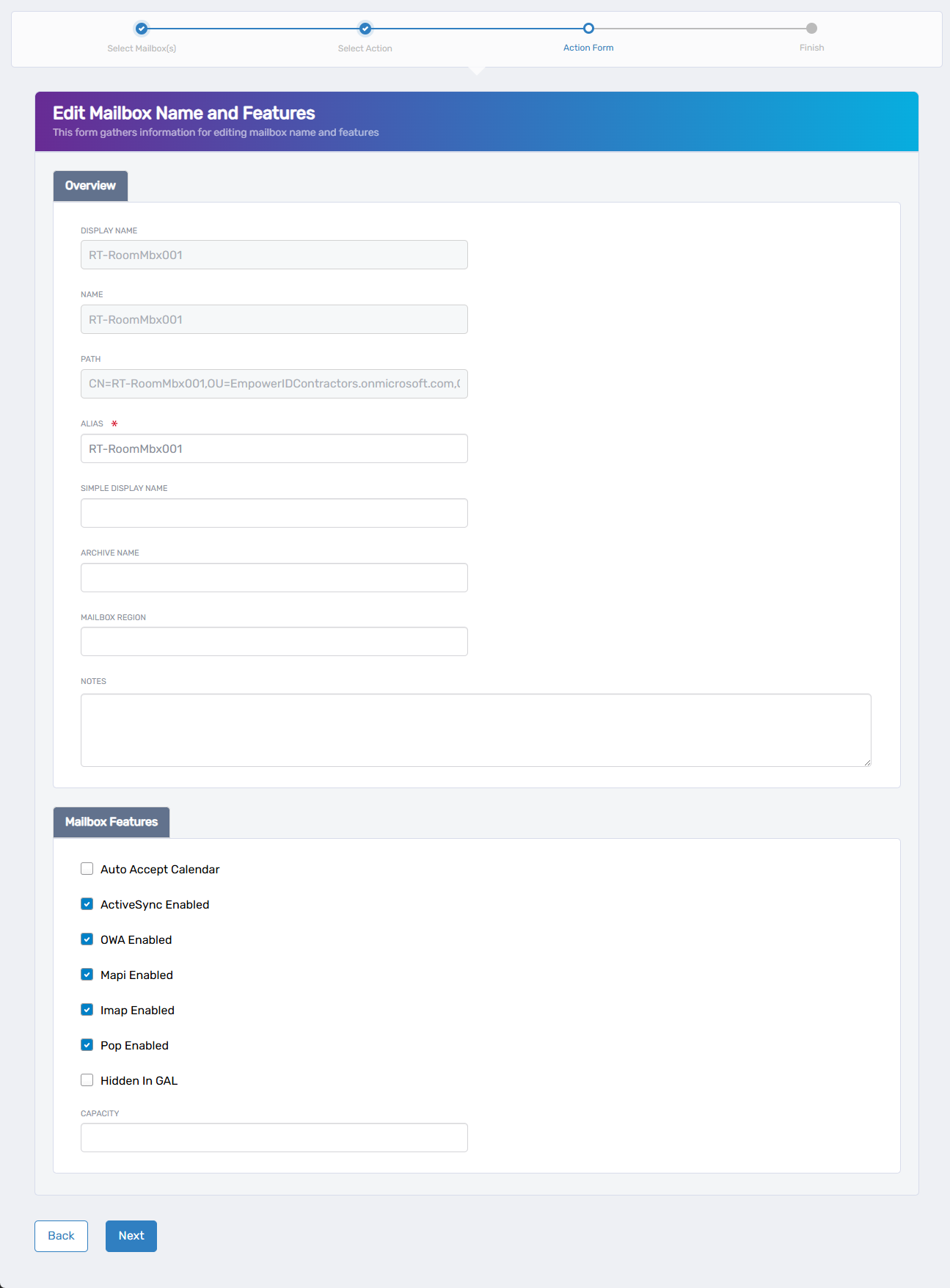
- Simple Display Name: Update the simplified display name
- Archive Name: Modify the archive name (if archive is enabled)
- Mailbox Region: Set the geographical region
- Notes: Add or update administrative notes
- Capacity: Configure storage capacity settings
- Configure mailbox features:
- Auto Accept Calendar: Check to enable automatic calendar invitation acceptance
- ActiveSync Enabled: Check to allow mobile device synchronization
- OWA Enabled: Check to enable Outlook Web Access
- Mapi Enabled: Check to allow MAPI protocol access
- Imap Enabled: Check to enable IMAP protocol
- Pop Enabled: Check to allow POP3 protocol access
- Hidden in GAL: Check to hide the mailbox from the Global Address List
- Click Next.
- Review the Operation Execution Summary.
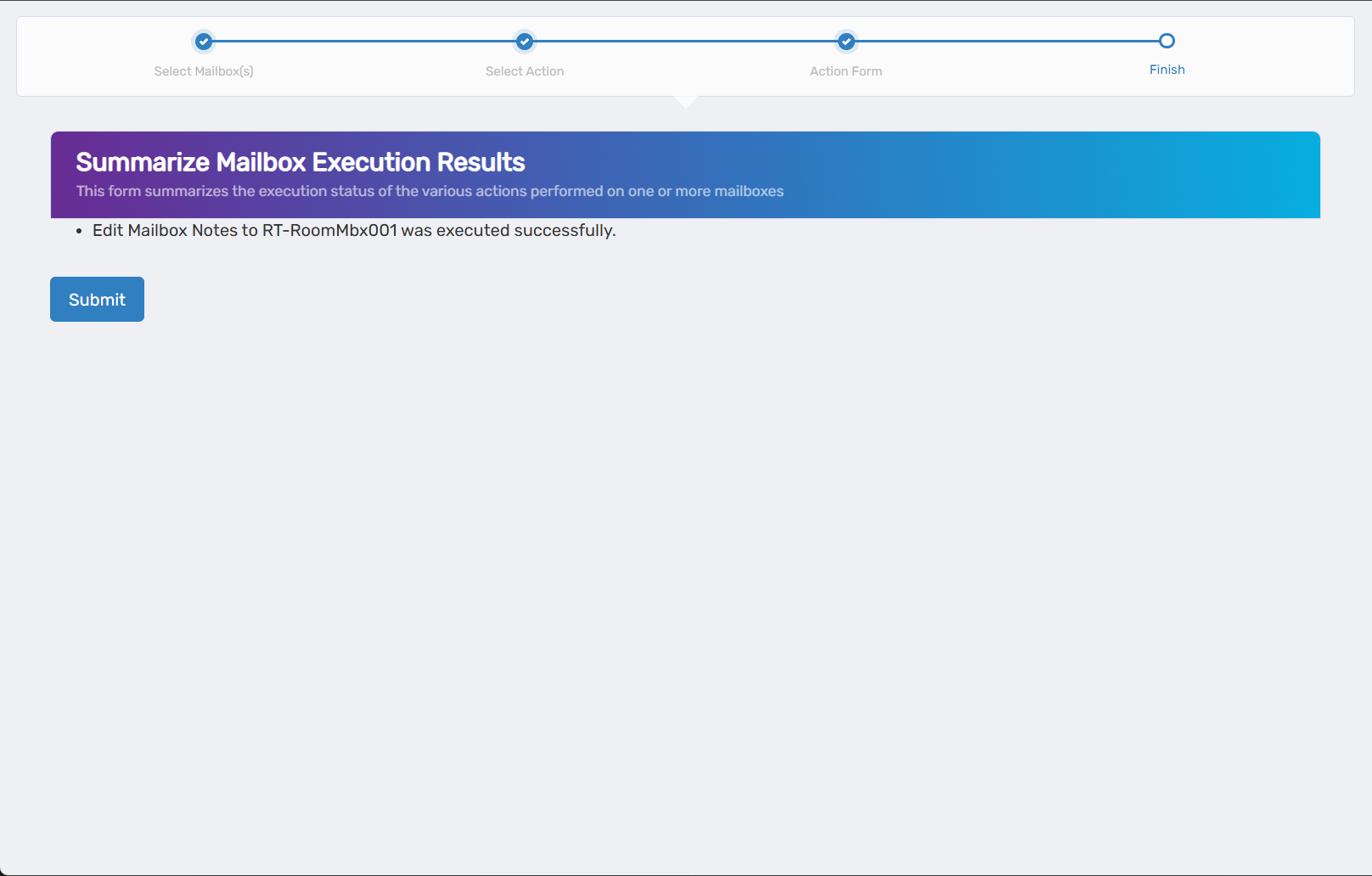
- Click Submit.
- Select your next action:
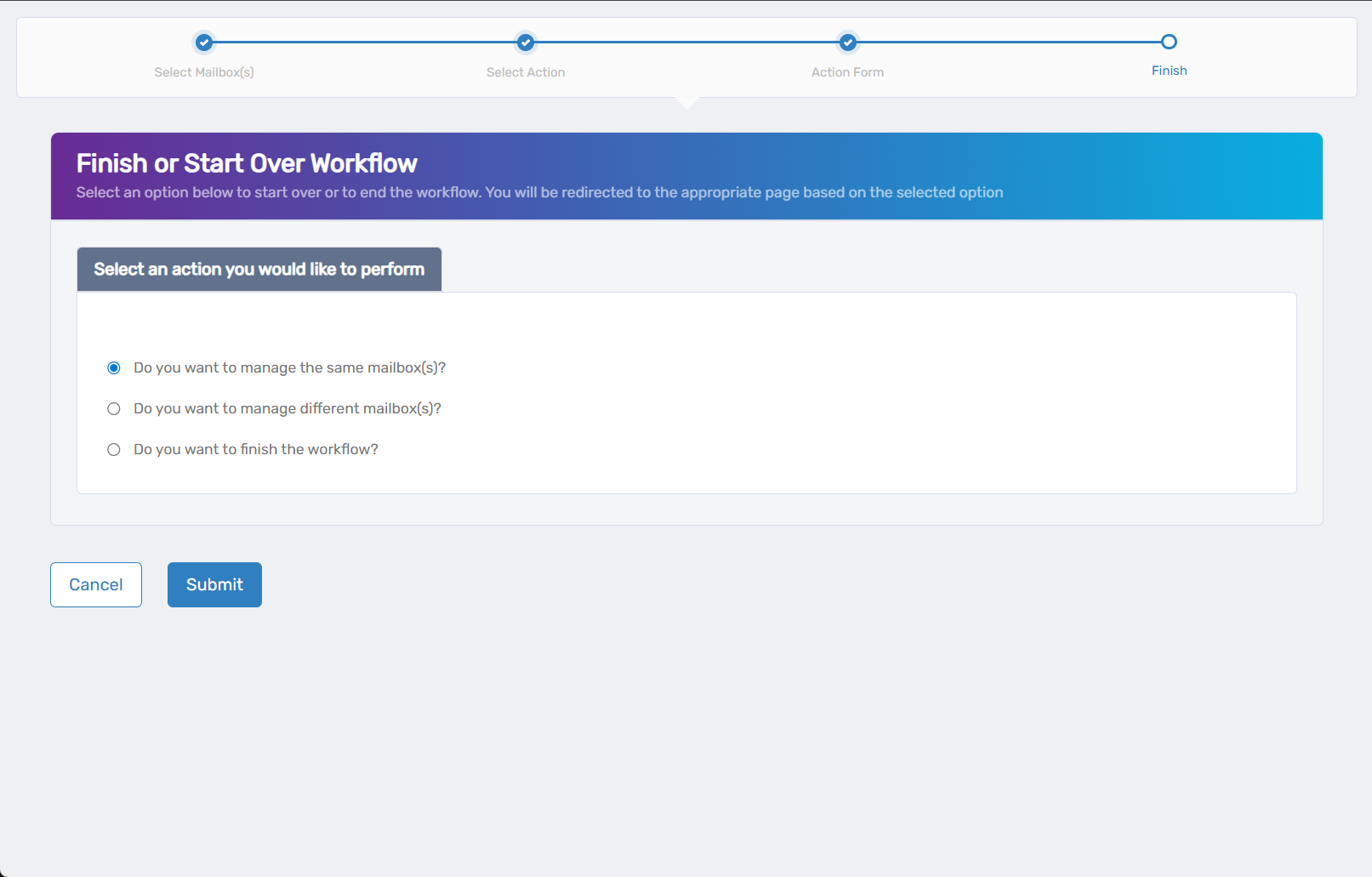
- Do you want to manage the same Mailbox(es)? - Perform additional actions on this mailbox
- Do you want to manage different Mailbox(es)? - Work with other mailboxes
- Do you want to finish the workflow? - Complete and exit the wizard
- Click Submit.
Results
- Protocol changes take effect for new connections
- Calendar auto-accept settings apply to new meeting invitations
- Global Address List visibility changes appear within minutes
- Capacity changes are applied to the mailbox