Set Home Pages
A person's home page is the default page they see after logging in to EmpowerID. By default, EmpowerID assigns each person their personal dashboard as their home page. You can change this default either globally through Password Manager policies or individually on a person-by-person basis.
This article covers both methods.
Option 1: Set Home Page on Password Manager Policies
Use this method to set the default home page for all users assigned to a specific Password Manager policy.
Prerequisites
- Access to Password Management settings
- Appropriate permissions to edit Password Manager policies
Procedure
- On the navbar, expand Password Management and select Password & Login Policies.
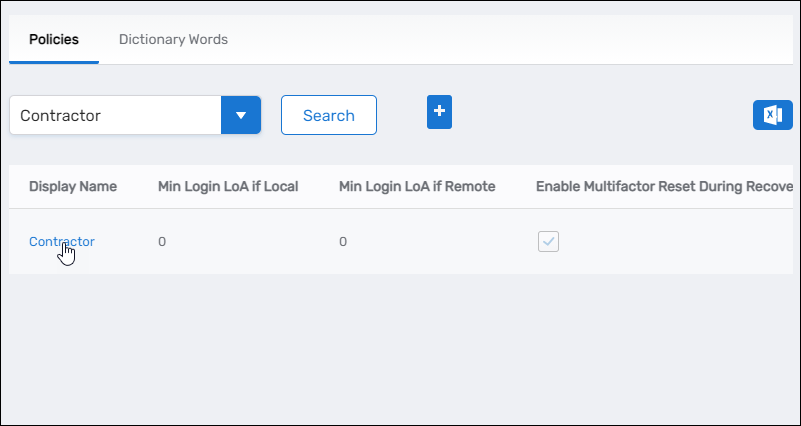
- Search for the Password Manager policy you want to configure and click the Display Name link for the policy.
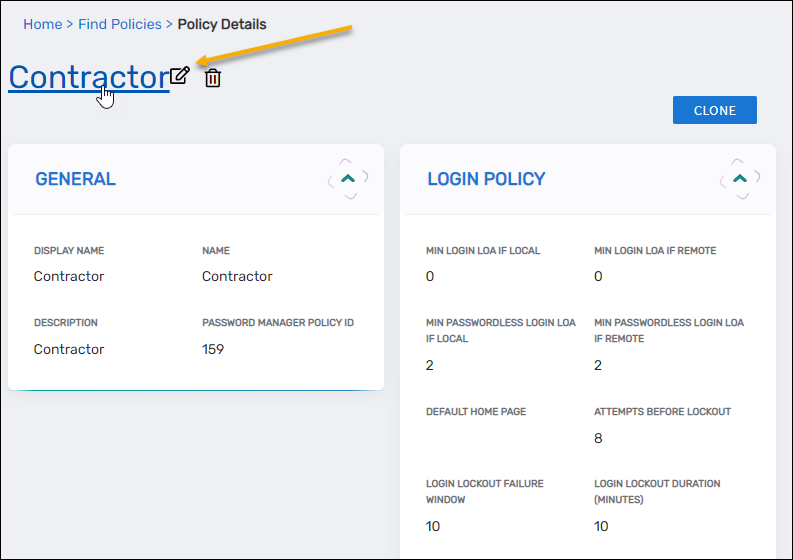
- On the View page for the policy, click the Edit link to put the policy in Edit mode.
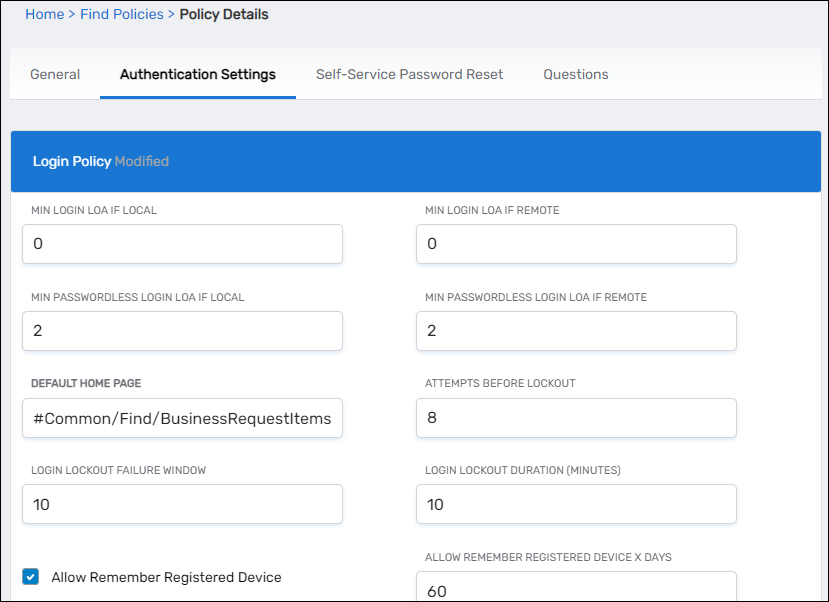
- Select the Authentication Settings tab.
- Under Login Policy, enter the URL fragment for the desired home page in the Default Home Page field.
 URL Fragment Format
The value is a URL fragment pointing to a specific page in EmpowerID. For example, to set the Business Requests Find page as the default home page, enter
#Common/Find/BusinessRequestItems. - Click Save.
Results
After completing this procedure, all users with this Password Manager policy will see the specified page as their home page after logging in.
Option 2: Set Home Page on Individual Person Records
Use this method to set a custom home page for a specific person, overriding the default from their Password Manager policy.
Prerequisites
- Access to the View One Person page
- Appropriate delegation to edit Person attributes
Procedure
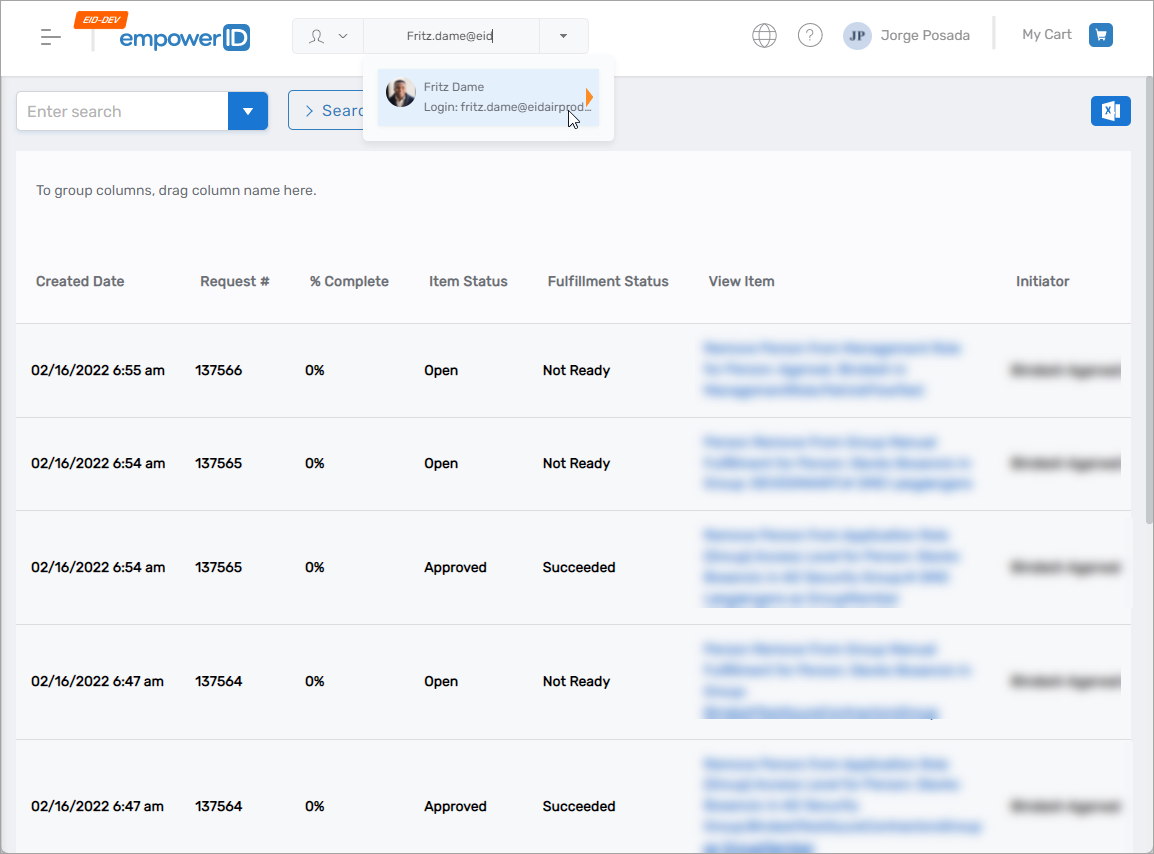
- In the Global Search field available on any page of the EmpowerID Web interface, enter the name of the person and click the card for that person.
- On the Person page, click the Edit button to put the Person in Edit mode.
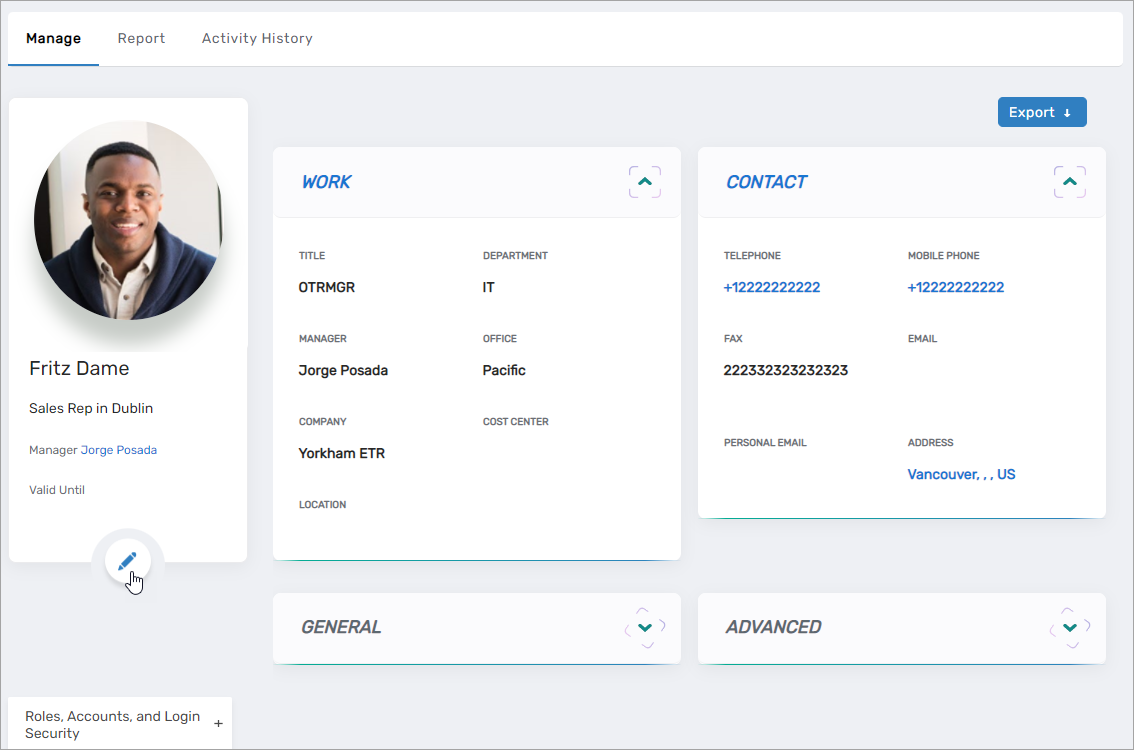
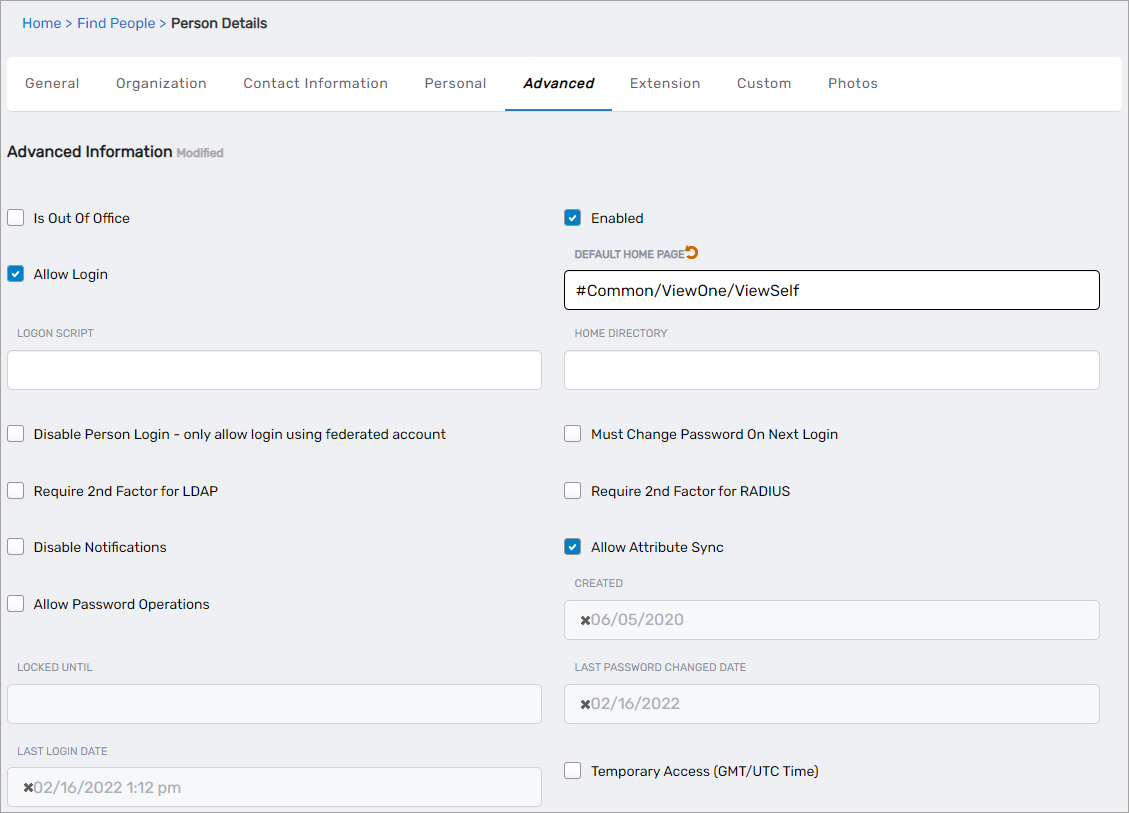
- Select the Advanced tab and enter the URL fragment in the Default Home Page field.
 URL Fragment Format
The value is a URL fragment pointing to a specific page in EmpowerID. For example, to set the View Profile page as the default home page, enter
#Common/ViewOne/ViewSelf. - Click Save.
Results
After completing this procedure, the person will see the specified page as their home page after logging in, regardless of the setting on their Password Manager policy.