About the View One Person Page
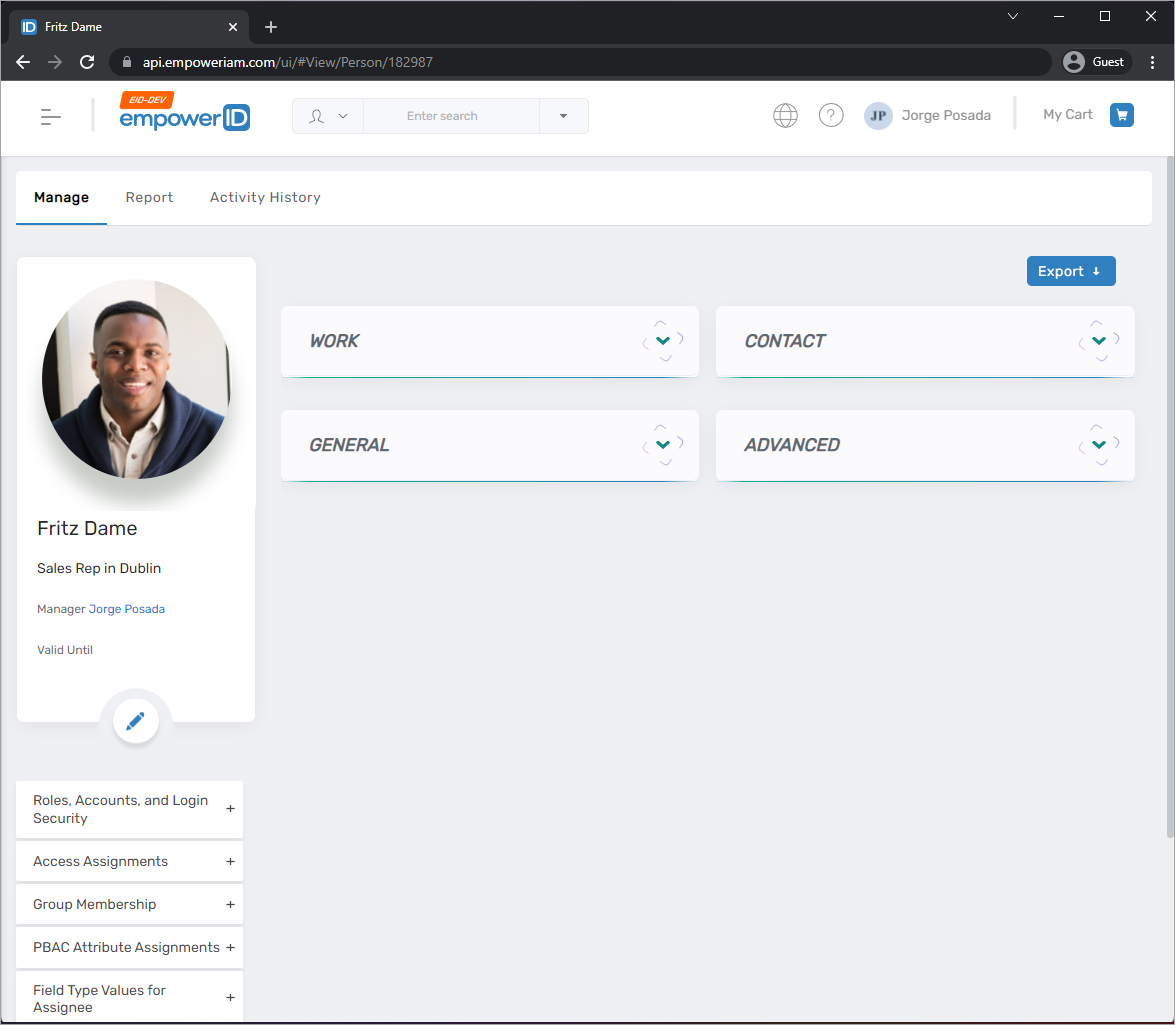
Every resource object in EmpowerID has a View One page that serves as the central hub for viewing and managing that resource. For Person objects, this is the View One Person page—a comprehensive interface that displays all information about a person and provides access to management workflows.
The View One Person page is where administrators and delegated users perform most person management tasks, from viewing basic contact information to managing access assignments, group memberships, and organizational relationships.
Accessing the View One Person Page
You can access the View One Person page through two methods:
- Global Search (quickest): Use the search bar at the top of any page to search for the person by name, then select their card from the results.
- Find Person page: Navigate to the Find Person page, search for the person, and select their record.
Page Structure
The View One Person page organizes information and management capabilities across four main tabs:
| Tab | Purpose |
|---|---|
| Manage | View basic person information and access workflows for day-to-day management tasks |
| Report | Access detailed reporting on accounts, access, lifecycle, policies, and risks |
| Optimize | View dashboards for role and group memberships, access analysis, and optimization |
| Activity History | Review login history, sessions, audit logs, and attribute changes |
Manage Tab
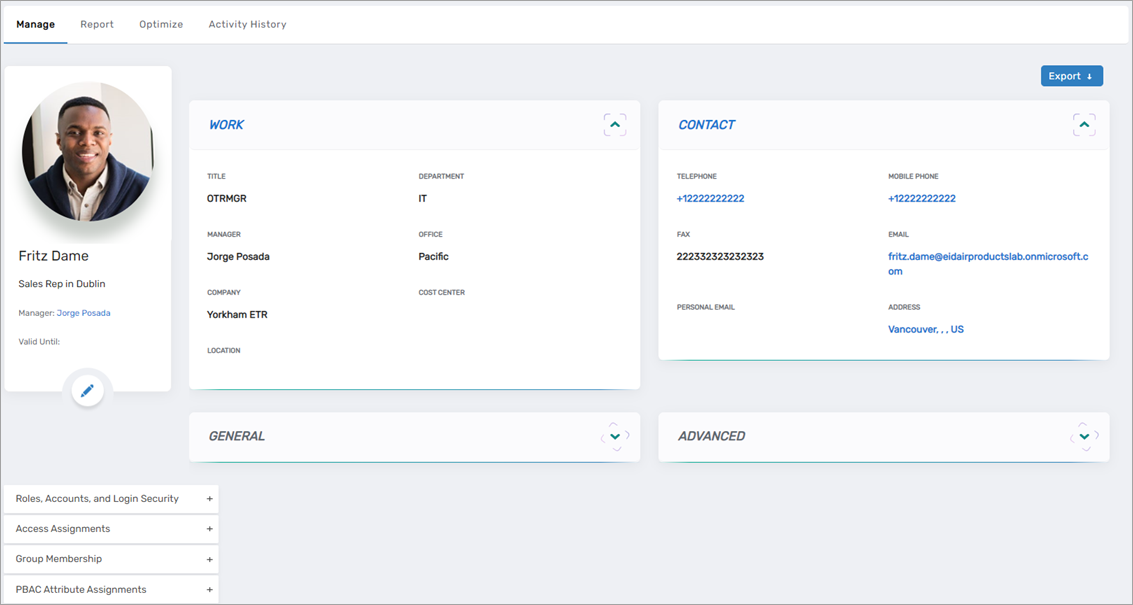
The Manage tab is the primary workspace for viewing and managing a person. It contains informational cards displaying person details and accordions providing access to management workflows.
Information Cards
| Card | Description |
|---|---|
| Work Card | Displays work information such as title, department, and manager |
| Contact Card | Displays contact information such as telephone number and email address |
| General Card | Displays general information such as EmpowerID Login and default home page |
| Advanced Card | Displays advanced information such as Person ID and Password Manager Policy ID |
Management Accordions
| Accordion | Description |
|---|---|
| Roles, Accounts, and Login Security | View and manage Business Roles, Management Roles, and user accounts associated with the person |
| Access Assignments | View current RBAC assignments and create new ones |
| Group Membership | View, add, and remove group memberships |
| PBAC Attribute Assignments | View and manage Policy-Based Access Control attribute assignments |
| Field Type Values for Assignee | View field type values assigned to the person |
| Org Chart and Relationships | View and manage organizational relationships including manager, direct reports, and approver delegates |
| Multifactor Authentication | View and manage MFA types assigned to the person |
| Shareable Resources (UMA) | View User-Managed Access resources belonging to the person |
| Actions | Access management workflows such as Reset Password, Terminate Person, and Unenroll Person |
| Additional Information | Access supplementary information such as who has access to this person |
Report Tab
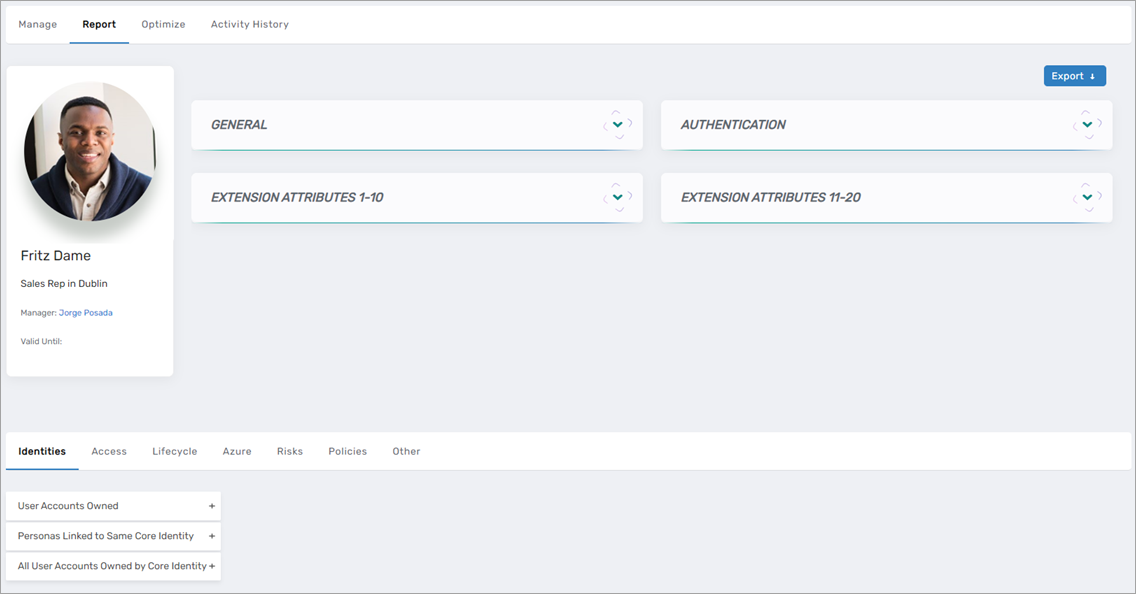
The Report tab provides comprehensive reporting capabilities for analyzing a person's accounts, access, policies, and risk profile.
Information Cards
| Card | Description |
|---|---|
| General Card | Displays status information such as whether the account is active |
| Authentication Card | Displays authentication settings such as whether second factor is required |
| Extension Attributes 1-10 Card | Displays extension attributes 1-10, if configured |
| Extension Attributes 11-20 Card | Displays extension attributes 11-20, if configured |
Reporting Subtabs
| Subtab | Description |
|---|---|
| Identities | View user accounts owned by the person, linked personas, and all accounts owned by the person's Core Identity |
| Access | View current access categorized by type (applications, groups, roles, etc.) |
| Lifecycle | View lifecycle information including resources provisioned or revoked by policy |
| Azure | View Azure-specific information such as Azure functions assigned to the person |
| Risks | View risk violations and policy compliance status |
| Policies | View policies linked to the person including inherited provisioning policies |
| Other | View miscellaneous information such as resources for which the person is a responsible party |
Optimize Tab
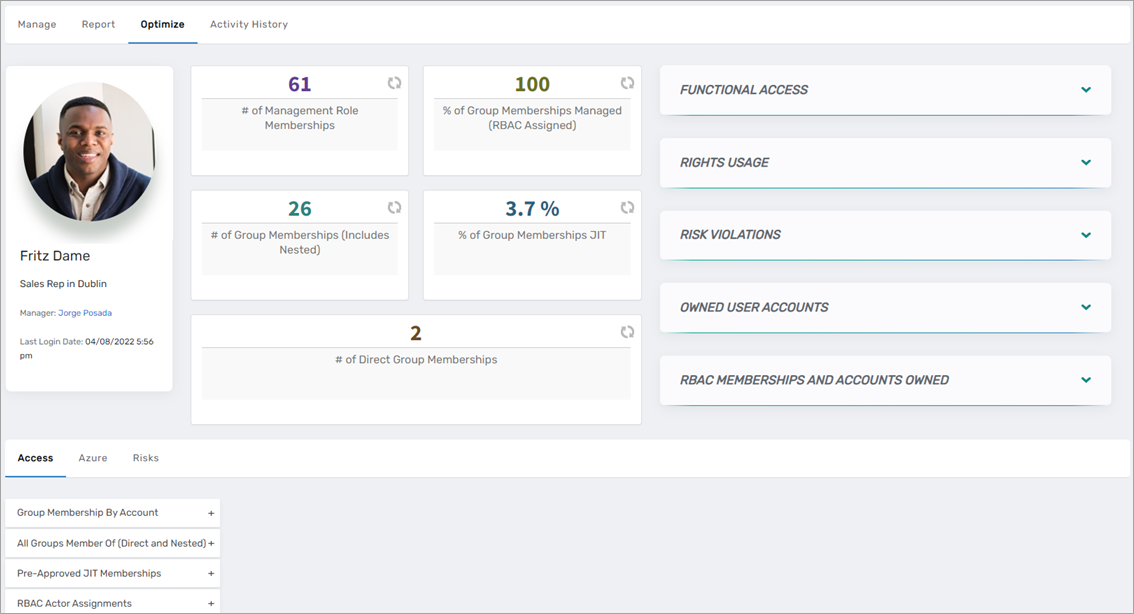
The Optimize tab provides visual dashboards for analyzing and optimizing a person's access and memberships.
Dashboard Components
| Component | Description |
|---|---|
| Membership Dashboard | Visual summary of Management Role and group membership counts |
| Functional Access Card | Local functions assigned to the person with associated risk levels |
| Rights Usage Card | System rights currently used by the person |
| Risk Violations Card | Violations of organizational risk policies |
| Owned User Accounts Card | User accounts owned by the person from inventory or provisioning |
| RBAC Memberships and Accounts Owned Card | Role memberships from the RBAC engine and owned accounts |
Analysis Subtabs
| Subtab | Description |
|---|---|
| Access | Direct and indirect access assignments (such as access granted through role membership) |
| Azure | Azure-specific access and function analysis |
| Risks | Risk analysis and violation details |
Activity History Tab
The Activity History tab provides audit and activity tracking for the person.
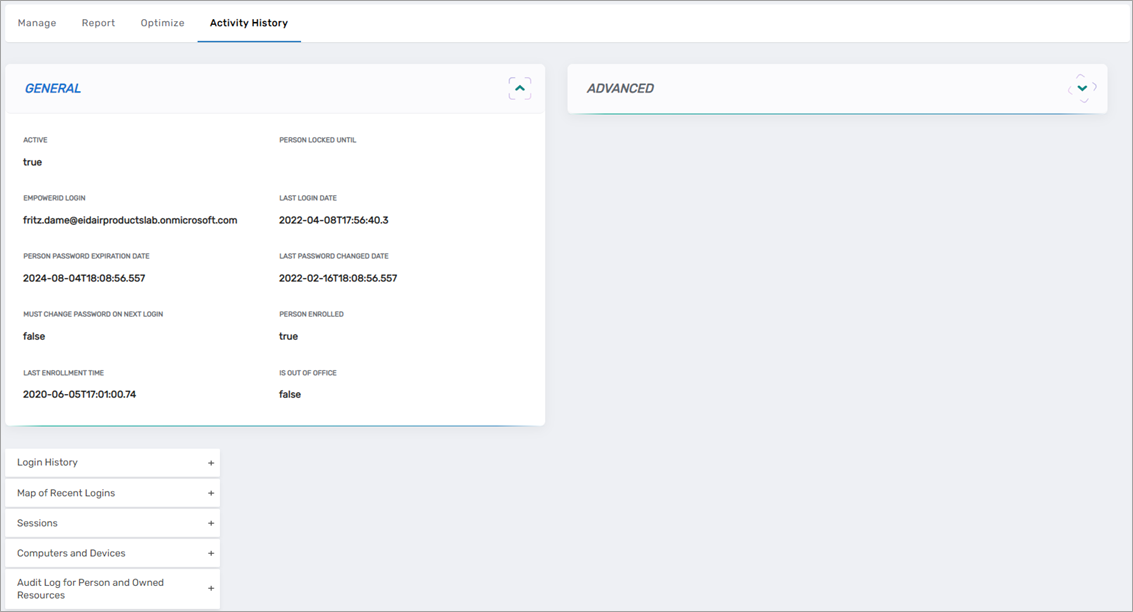
Activity Accordions
| Accordion | Description |
|---|---|
| Login History | Last 30 logins with details |
| Map of Recent Logins | Geographic visualization of login locations |
| Sessions | Computer sessions initiated through Privileged Session Management |
| Computers and Devices | Computers and devices used by the person |
| Audit Log for Person and Owned Resources | Last 46 audit records for actions performed against the person |
| Membership Changes | Group membership additions and removals |
| Account Attribute Changes | Attribute modifications made to the person |