Remove Workflow Studio Items from a Manifest
Manifest files contain metadata that describes all development objects required for a specific application that you develop in Workflow Studio. If you have previously built a manifest for your application and later remove Workflow Studio items from it, you need to update the manifest by removing those items from it.
What You'll Learn
In this guide, you'll learn how to:
- Open and access a manifest for editing
- Select items to be removed from a manifest
- Remove Workflow Studio items to keep the manifest current
- Verify that items have been successfully removed
Remove Workflow Studio Items
- In Workflow Studio, open the Deployment pane by selecting either Deployment Services from the Common menu or Deploy from the Build menu.
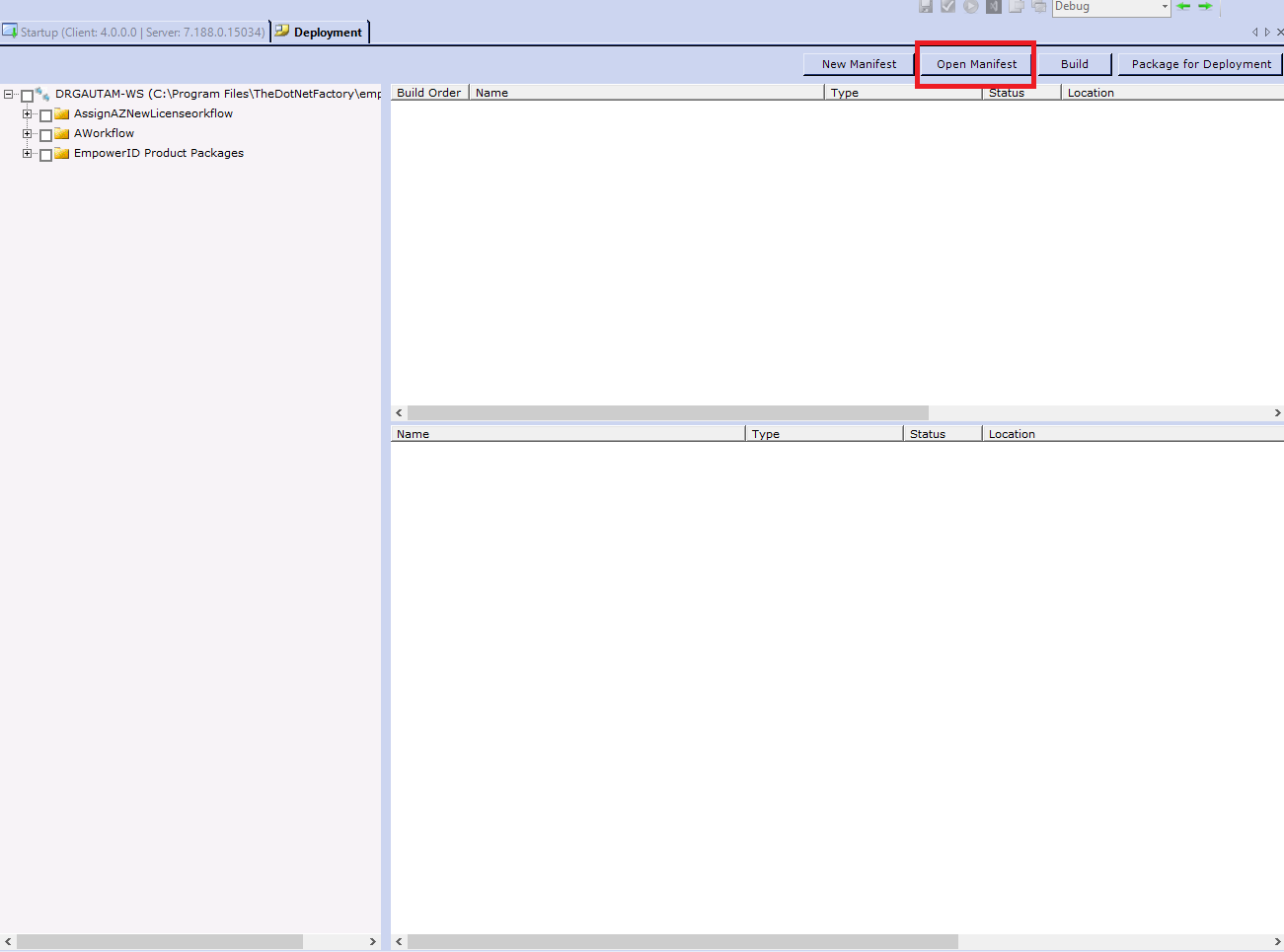
- Click the Open Manifest button located above the Build Order pane.
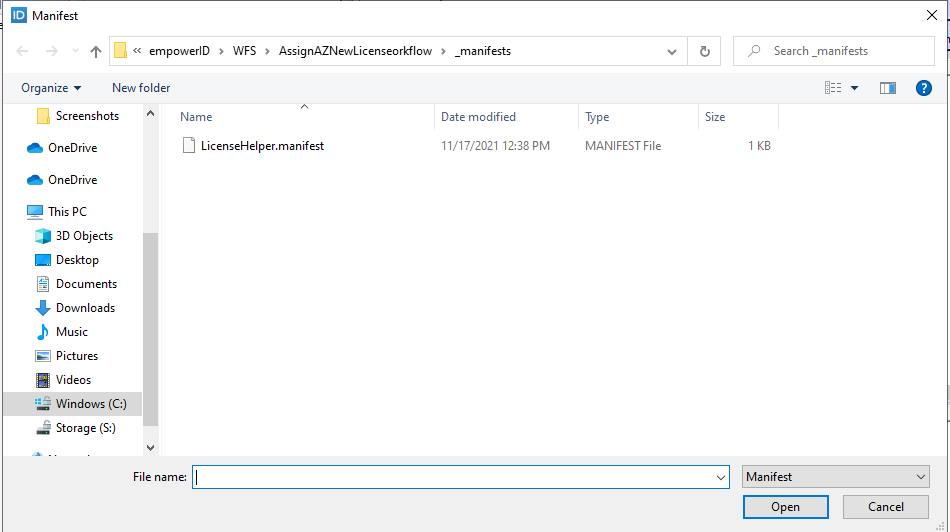
- Search for and select the manifest file you need to update.
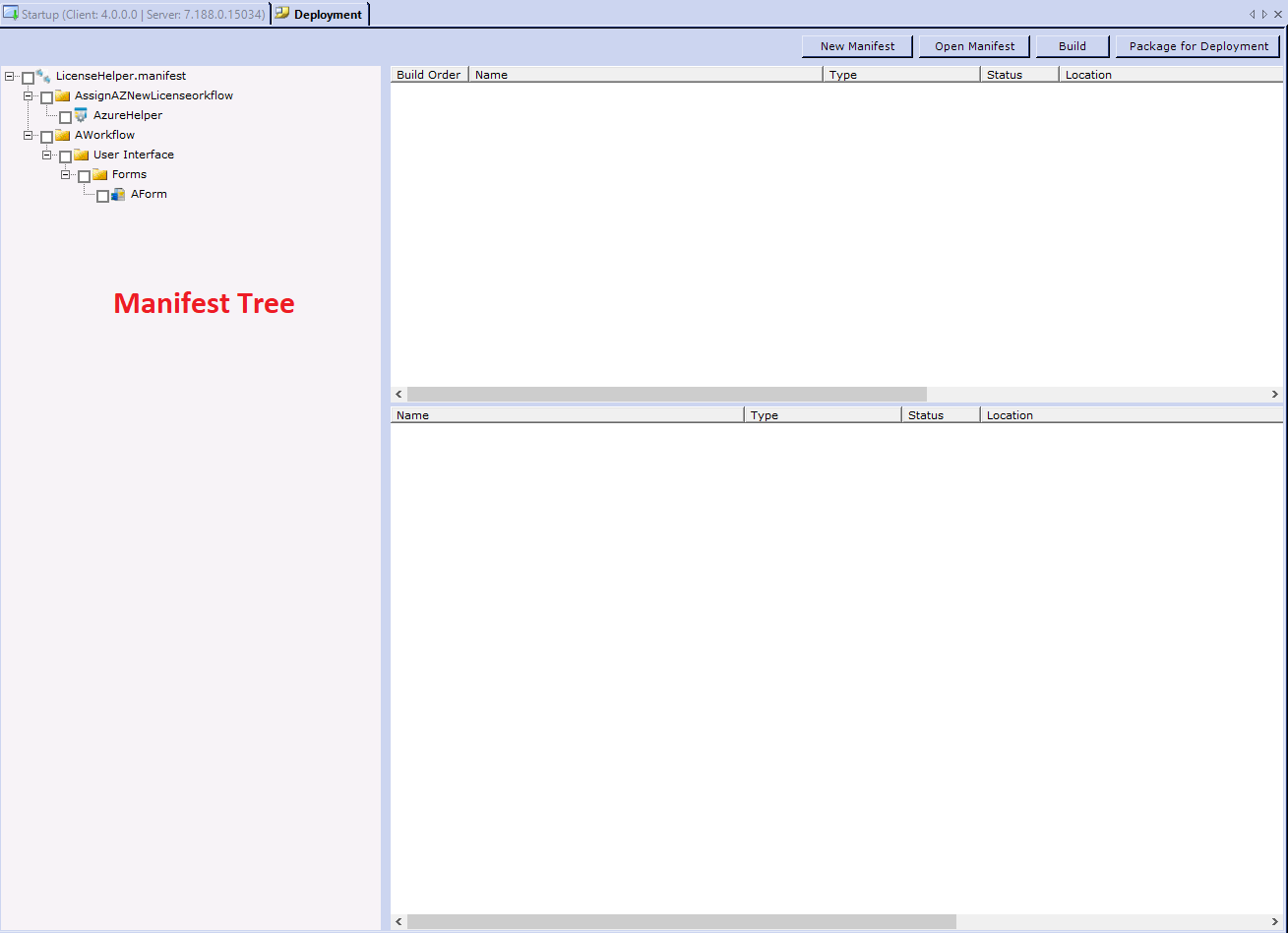
 You should see the manifest tree open.
- From the manifest tree, select the items to be removed from the manifest. Right-click the empty space of the Manifest tree and select Remove from Manifest.
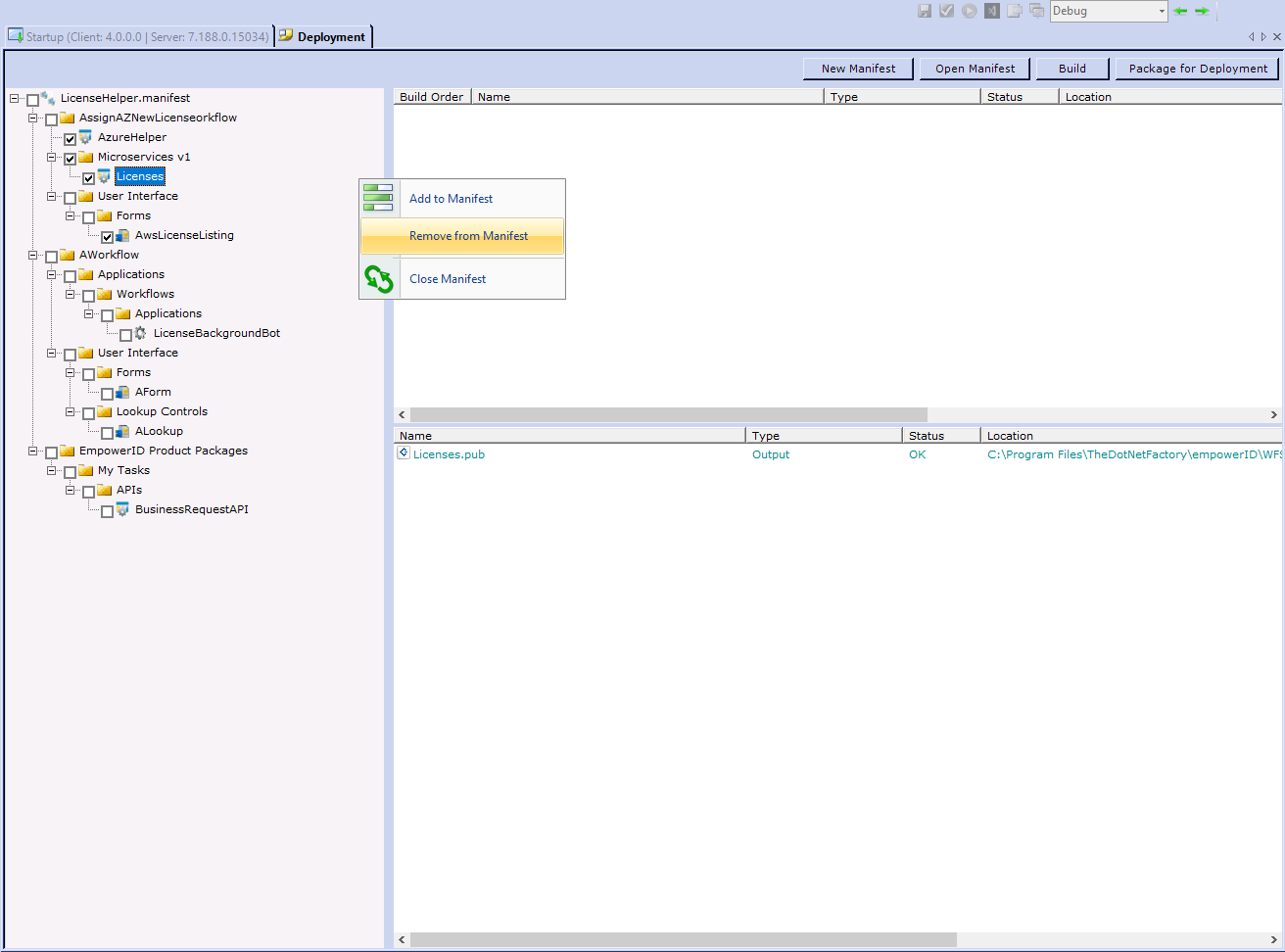
Workflow Studio saves your changes and updates the manifest tree accordingly.