Terminate People
When someone needs to be immediately removed from all systems due to termination, security incidents, or other emergency situations, you can terminate their accounts to instantly block all access. This workflow handles urgent situations that can't wait for standard HR processing.
Access Requirements: The Terminate People workflow tile appears only if you have the appropriate access to perform account terminations.
Use this workflow for emergency terminations, security incidents, immediate dismissals, or any situation requiring instant access removal. For planned departures, use standard HR termination processes when possible.
Before You Start
You need access to the Resource Admin portal to manage account terminations.
Make sure you have the name or username of the people whose accounts need to be terminated.
Get Started
- Navigate to the Resource Admin portal
- Select People from the resource type menu
- Click the Workflows tab
- Find and click Terminate Person
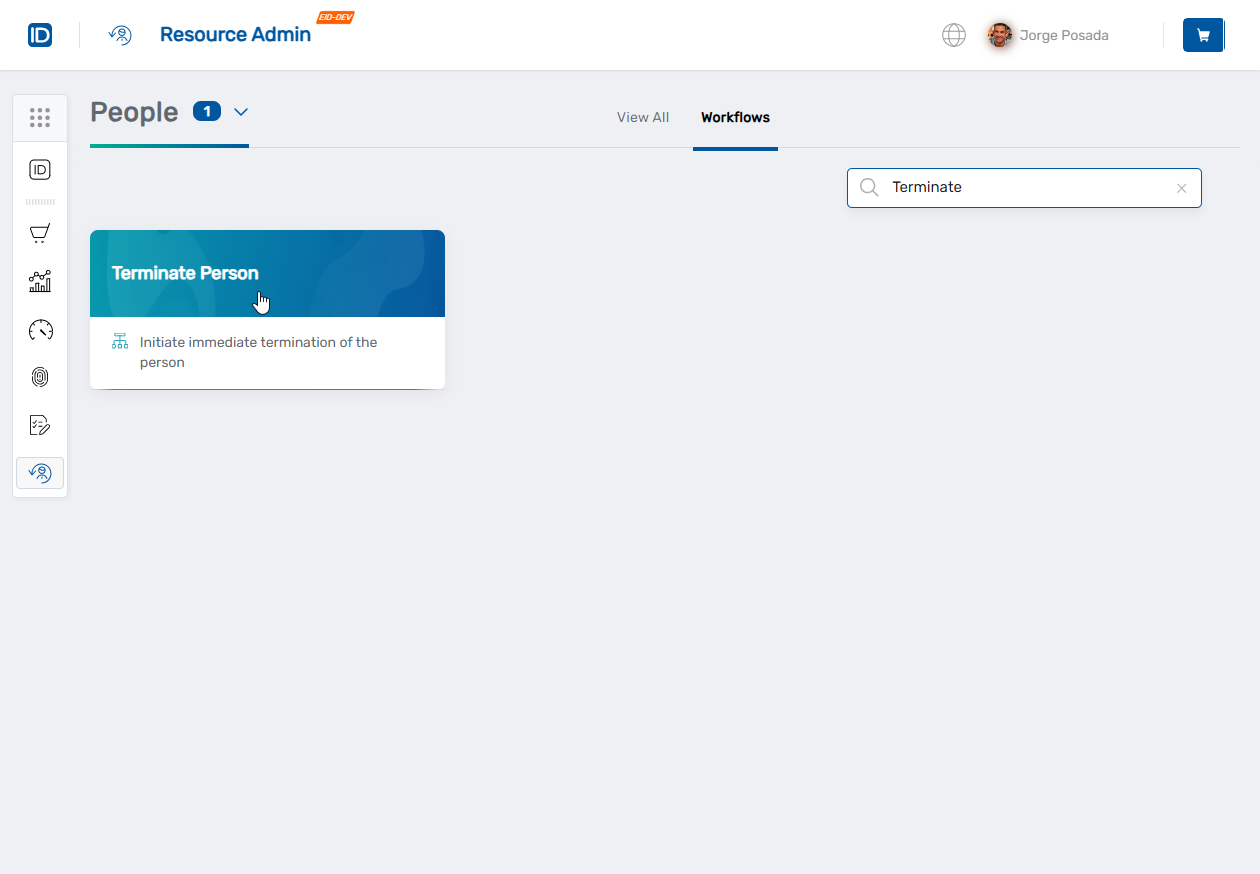 The workflow will open showing a person lookup where you can search for and select the people whose accounts you want to terminate.
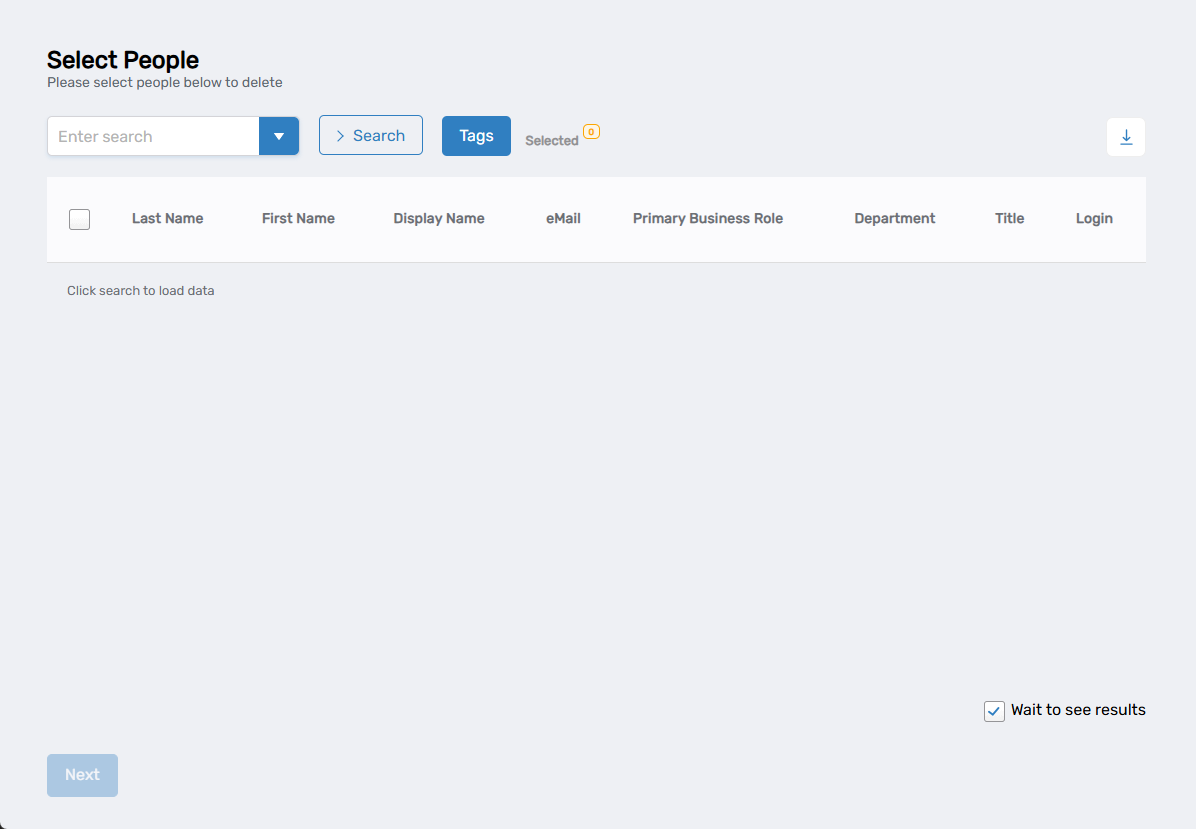
Terminate the Accounts
Step 1: Find and Select People
- In the search field, type a person's name or username
- Click Search to see results
- Check the box next to the person to select their account
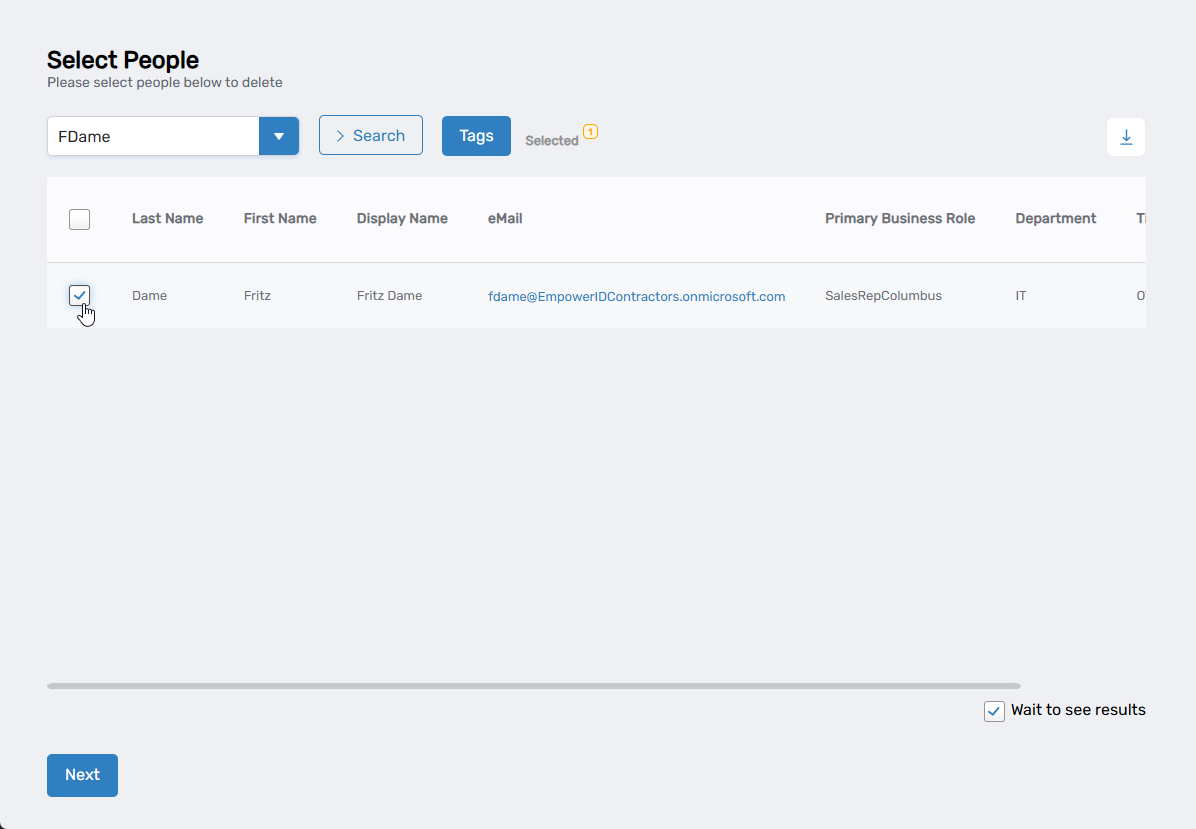
- To terminate additional people, search for them and check their boxes as well
Step 2: Confirm Termination
- When you're done selecting people, click Next
- The system will display a confirmation dialog asking "Do you want to delete the following people:" with a list of selected names
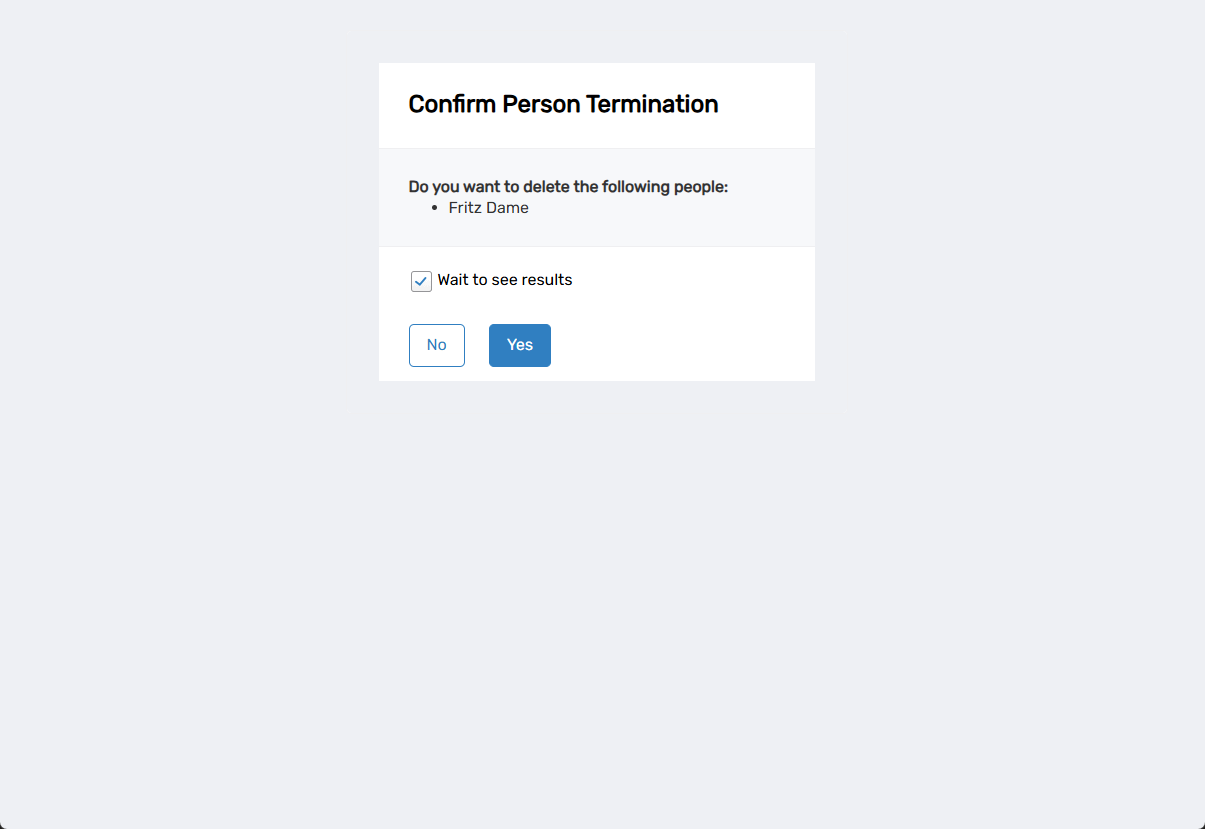
- Review the list to ensure these are the correct people
- Click Yes to proceed with termination
The system will then process the termination and show a success or failure message.
What Happens Next
- The selected accounts are immediately terminated in EmpowerID
- All system access is blocked instantly
- The people cannot log in to any applications or systems
- Existing active sessions may remain until logout or timeout
- Account data is preserved for potential future reference or legal requirements
Related Actions
To temporarily disable accounts without full termination, see Disable People.
To reactivate accounts if termination was done in error, see Enable People.
For transferring responsibilities before termination, see Transfer Responsibility.