Approve Recertification Business Request Generation
Audits with AutoGenerateBusinessRequests disabled or those exceeding their configured threshold require administrator approval before business requests can be generated.
This approval step provides control over when large numbers of business requests are created, helping manage system performance and reviewer workload distribution.
Understanding the Approval Process
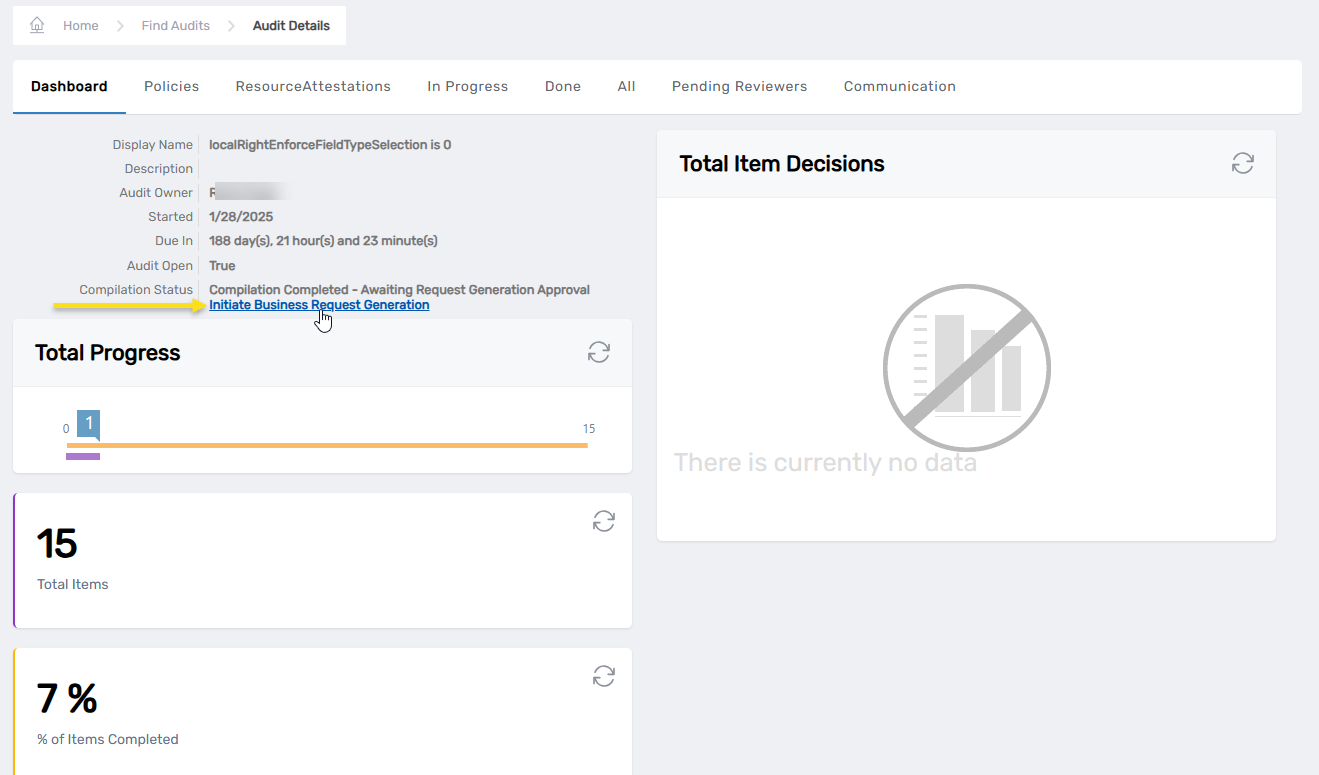
When an audit requires manual approval, it will show a Compilation Status of Compilation Completed - Awaiting Request Generation Approval. This means the audit has successfully processed its policies and collected the necessary data, but needs approval before creating the business request items that reviewers will see.
You can approve business request generation using either individual approval for specific attestations or bulk approval for all pending attestations.
Approve Business Request Generation
Method 1: Individual Approval
- Navigate to Compliance → Recertification and select the Audit tab.
- Search for and locate the audit with a Compilation Status of Compilation Completed - Awaiting Request Generation Approval.
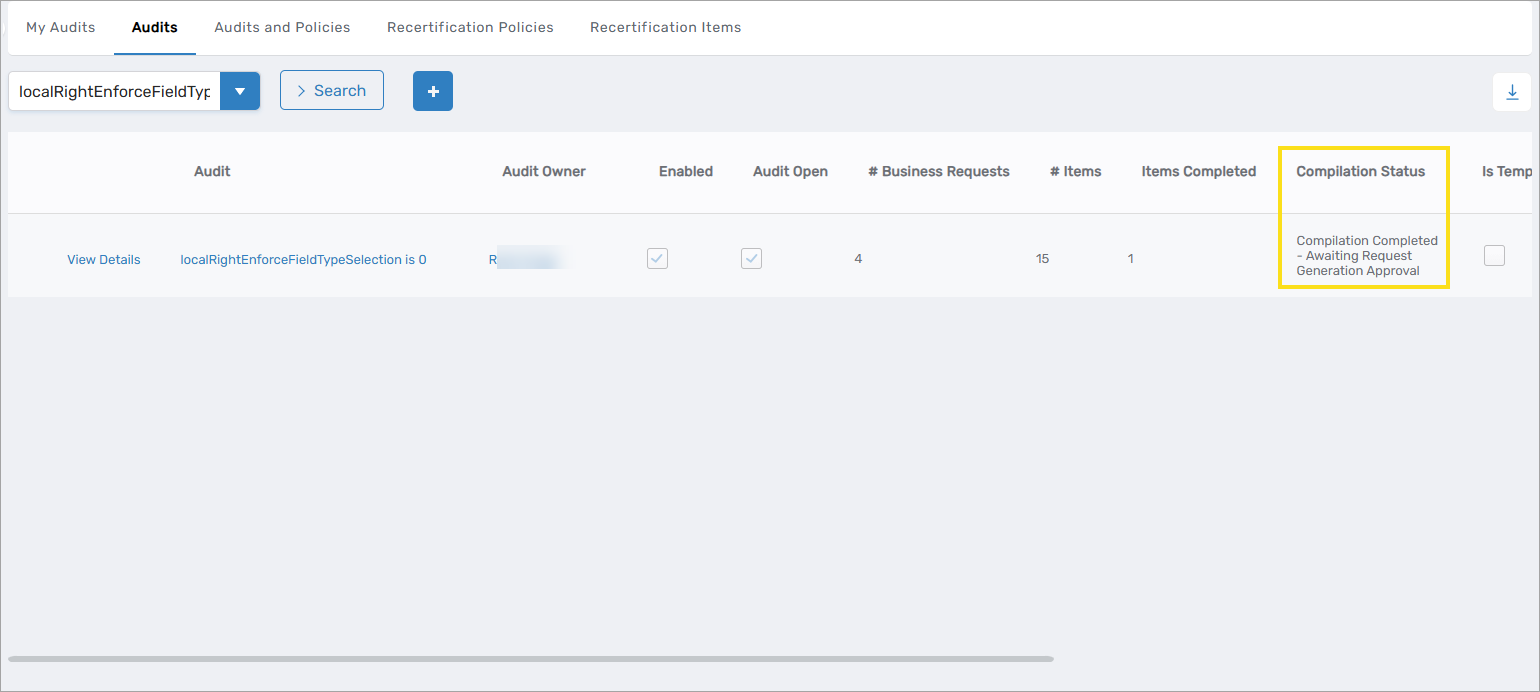
- Click the View Details link to open the audit details page.
- Select the Resource Attestations tab.
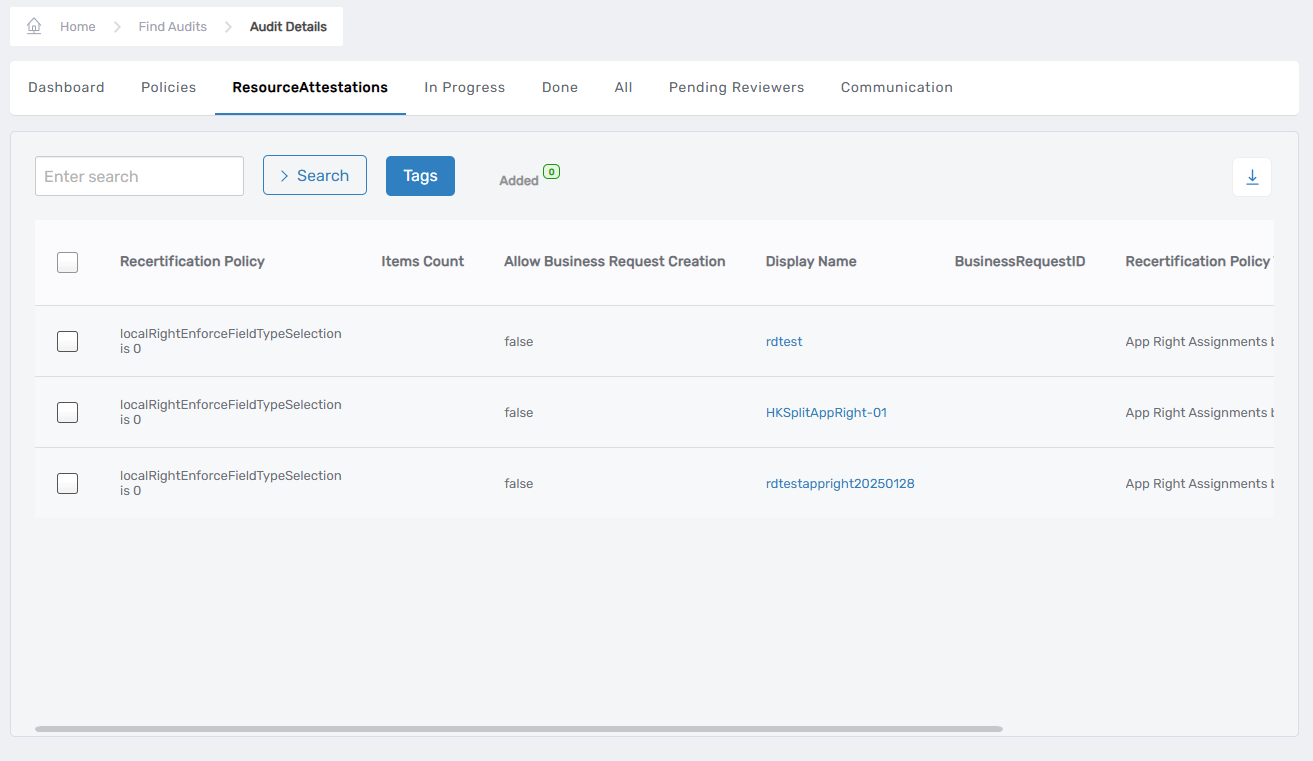
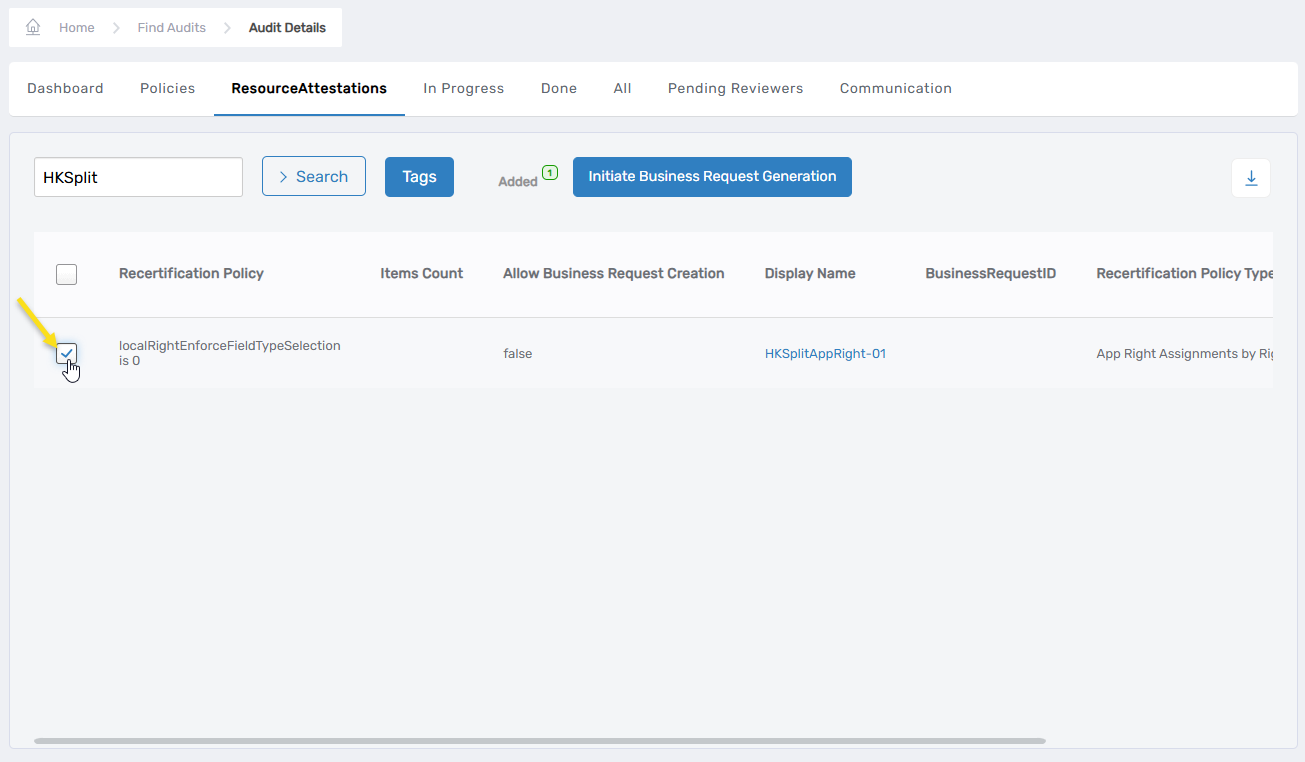
- Select the recertification policy or policies for which you want to approve business request generation.
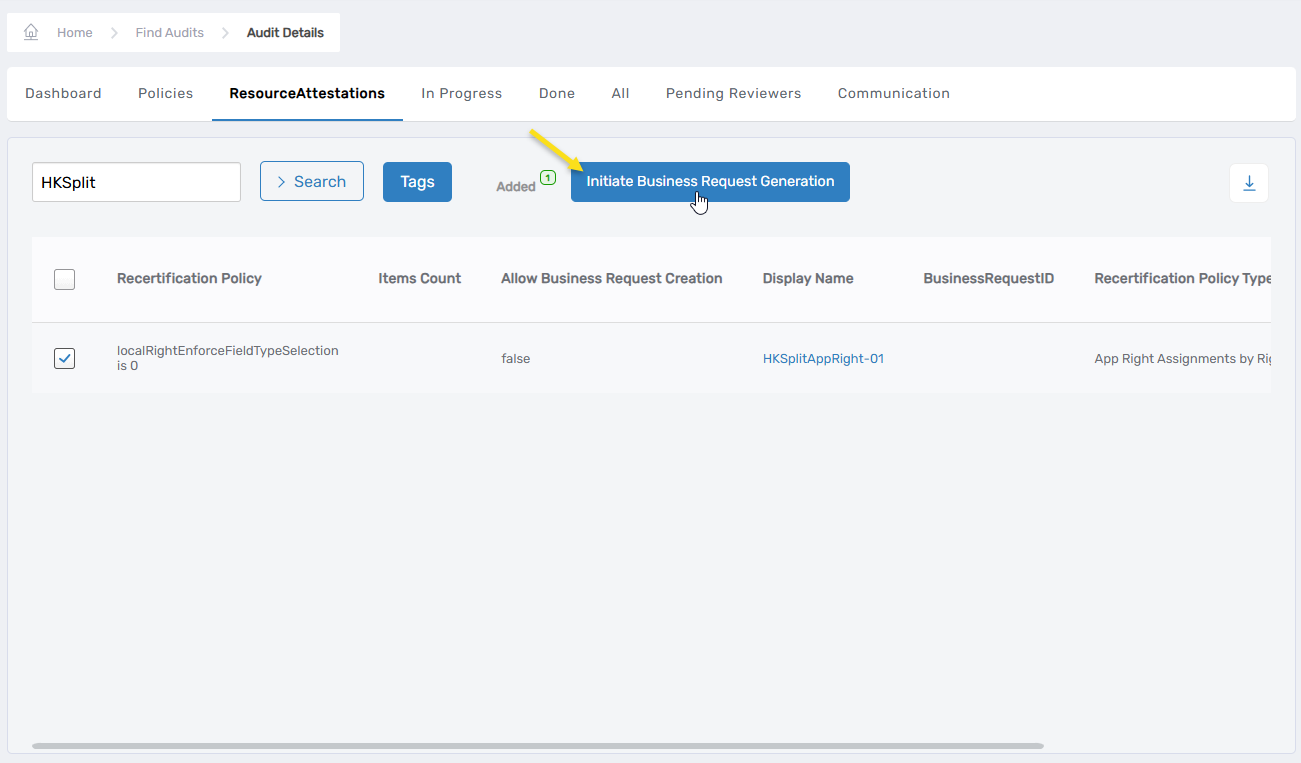
- Click the Initiate Business Request Generation button.
Method 2: Bulk Approval
- Navigate to Compliance → Recertification and select the Audit tab.
- Search for and locate the audit with a Compilation Status of Compilation Completed - Awaiting Request Generation Approval.
- Click the View Details link to open the audit details page.
- On the Dashboard tab, click the Initiate Business Request Generation link in the Compilation Status area.
- Review the number in the Total Resource Attestation Pending Request Generation field and check the confirmation box if everything looks correct.
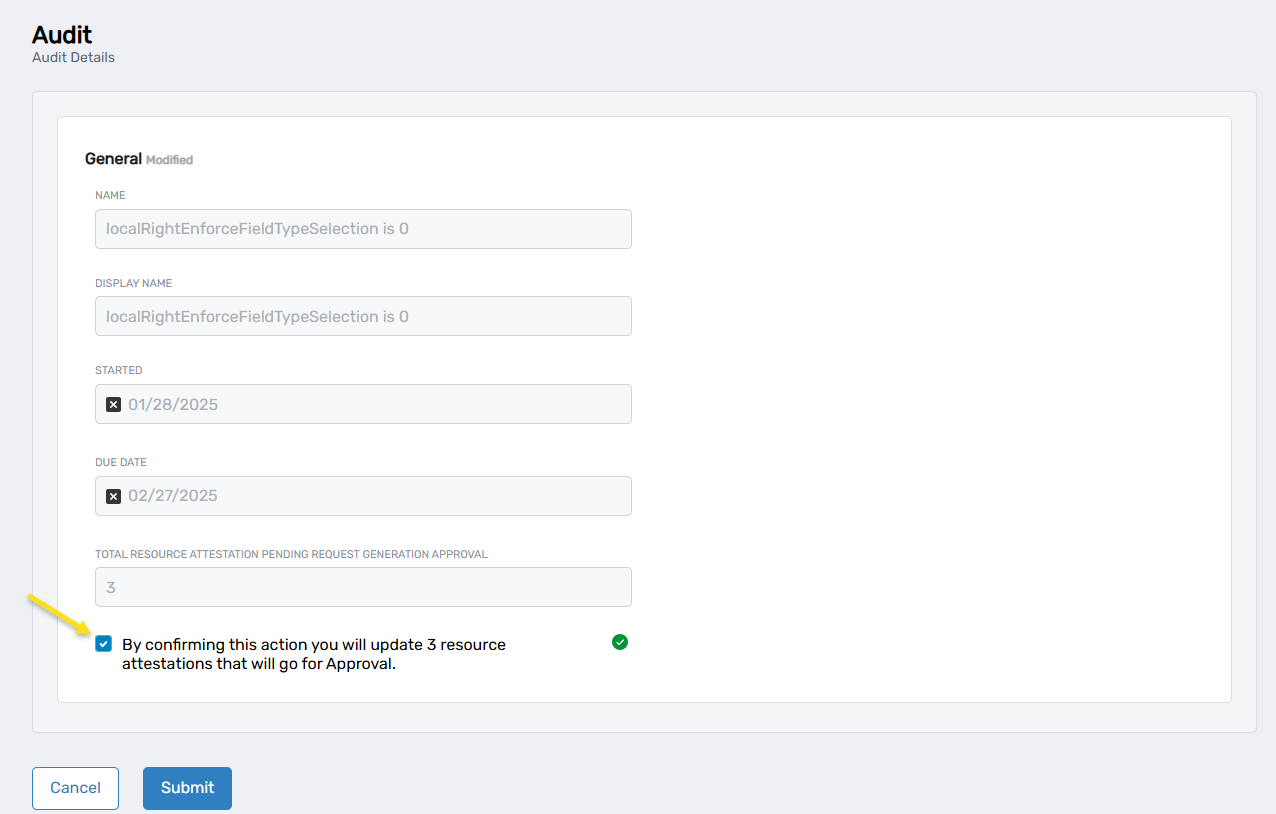
- Click Submit.
After Approval
Once approval is completed, the system sets approval flags on the selected policies. The Business Request Generation job then processes the approved items to create business requests.