Verify Business Requests are Generated
After creating an audit, verify that business requests have been successfully generated. Business requests contain the access recertification items that require review and approval as part of the audit process.
Business requests represent the actual review tasks that will be assigned to approvers. Each request contains specific access items that need evaluation during the recertification process.
Understanding Business Request Generation
When a recertification audit runs, it processes the configured policies and generates business requests containing the access items that need review. These requests are then distributed to designated approvers who must evaluate and make decisions about the access permissions.
Verifying successful generation ensures your audit is functioning correctly and that the review process can proceed as planned.
Verify the Generation of Business Requests
Check Audit Status and Metrics
- Navigate to Compliance > Recertification and select the Audit tab.
- Search for the audit to view its status and metrics in the grid.
- Click the View Details link button to open the details page of the audit.
Confirm Business Request Creation
Check the Total Business Requests metric (bottom left of the dashboard). If this number exceeds 0, business requests were successfully generated for the audit.
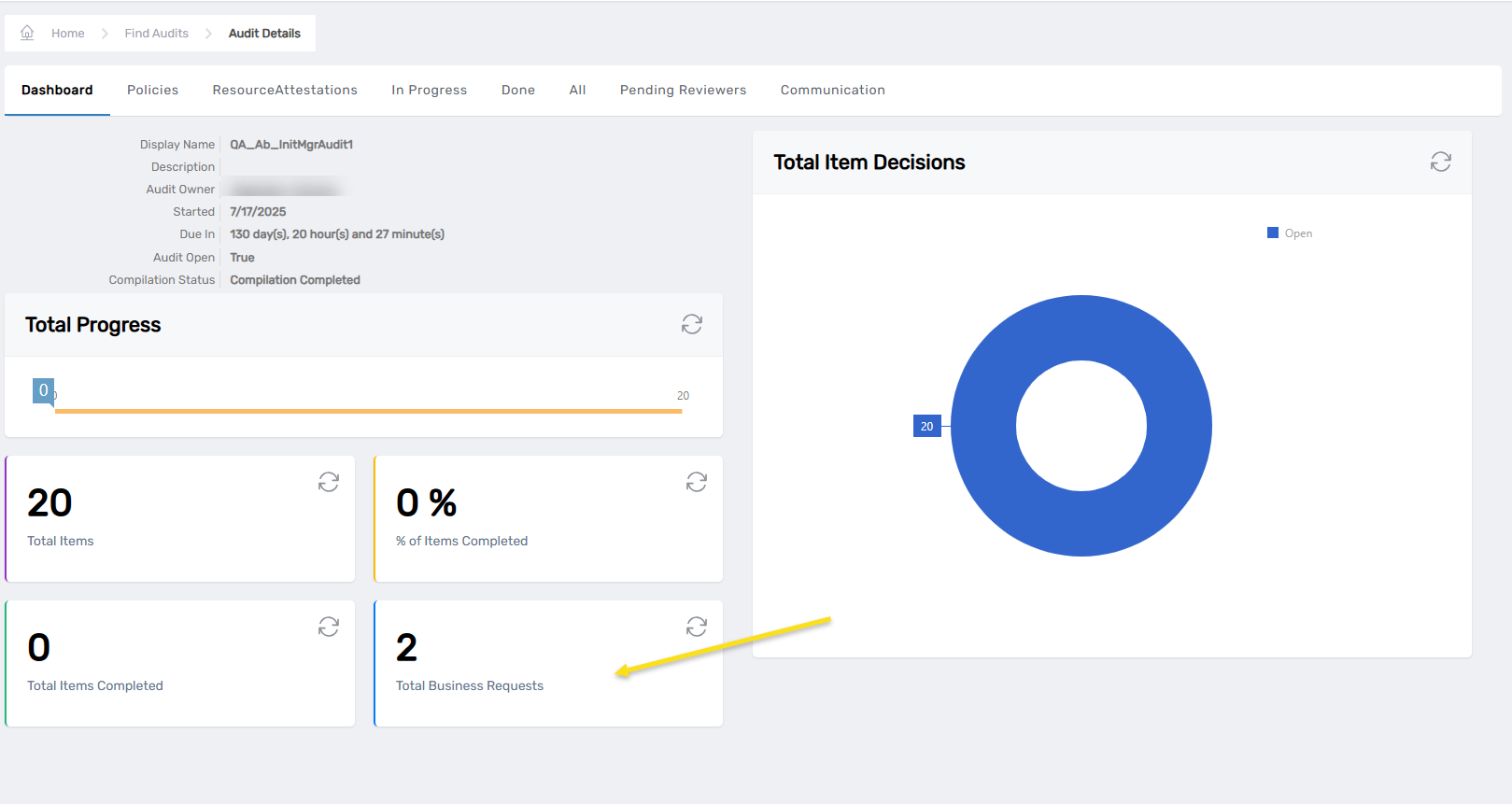
The Total Business Requests metric provides immediate confirmation that the audit has created reviewable items. This number represents the total count of business requests that contain access items requiring recertification decisions.
View Business Request Items
Review Request Status Distribution
- Click on the In Progress, Done, or All tabs to view business request items by status.
- Verify business request items are listed in the grid.
These tabs allow you to monitor the progress of your recertification audit:
- In Progress: Shows requests currently awaiting reviewer decisions
- Done: Shows completed requests where decisions have been made
- All: Shows the complete set of generated requests regardless of status
Access Individual Request Details
- Click on the View Item link to view details of a specific business request item in My Tasks.
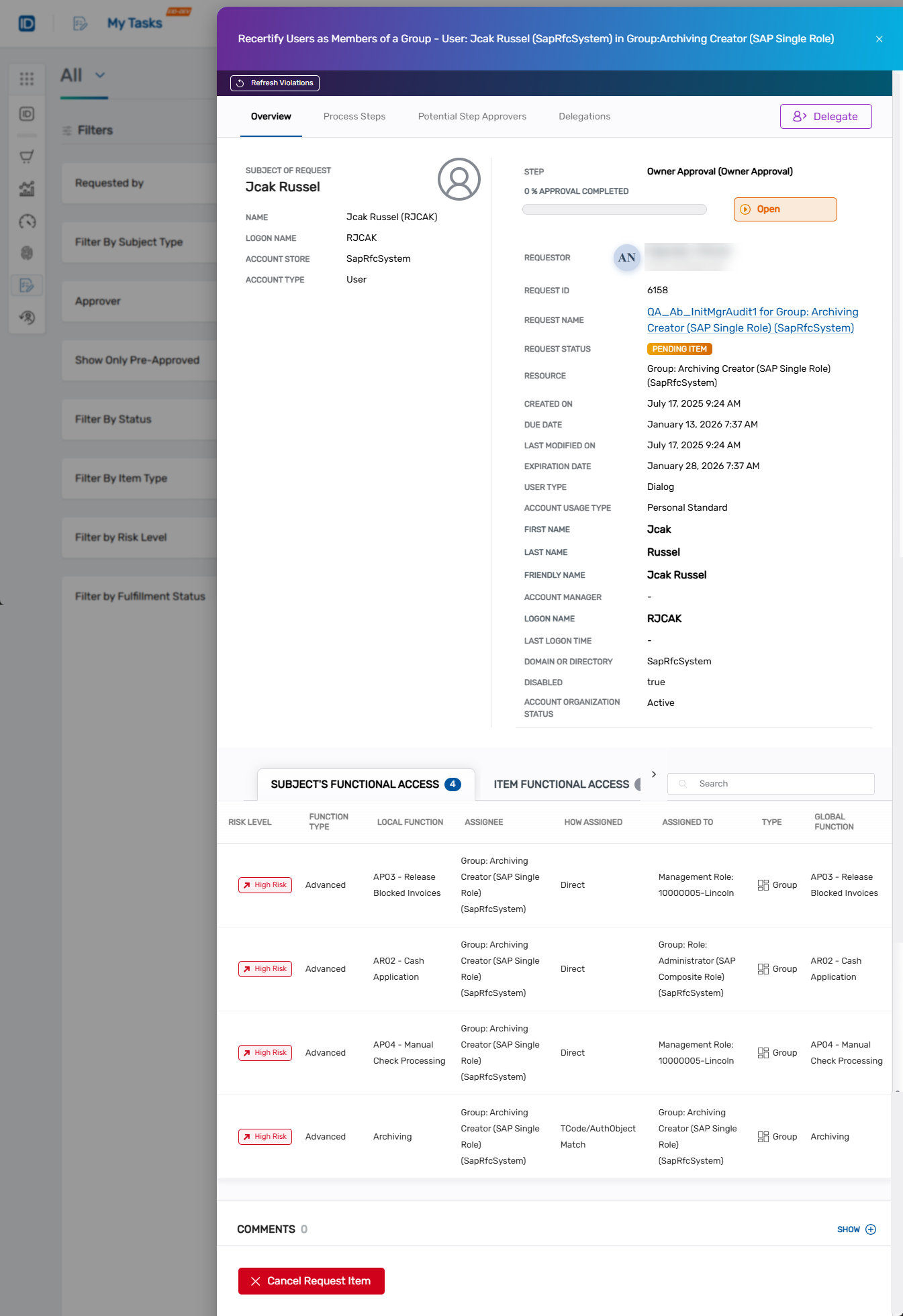 You are directed to the Business Request item page in My Tasks.
This view shows the detailed information that reviewers will see when making their recertification decisions, including the specific access being evaluated and the context needed for informed decision-making.
This verification step confirms that your recertification audit has successfully created the business request items that require reviewer evaluation.