Making Business Request Decisions
When recertification audits generate business requests, designated approvers must review and make decisions about user access. As an assigned reviewer, you'll evaluate access permissions and determine appropriate actions based on current organizational needs and compliance requirements.
Business requests contain specific access items that require your review and decision. Each request represents access permissions that need validation to ensure they remain appropriate and necessary.
Understanding Your Role
During the recertification process, you'll receive business request assignments that require your review and decision-making. These requests are generated automatically by recertification audits and contain access information that needs to be validated according to organizational policies and current business requirements.
Accessing and Reviewing Business Requests
Navigate to Your Assigned Tasks
- Navigate to the My Tasks app.
- In the Request View dropdown, select To Do.
- Search for the request requiring your decision and click the request link.
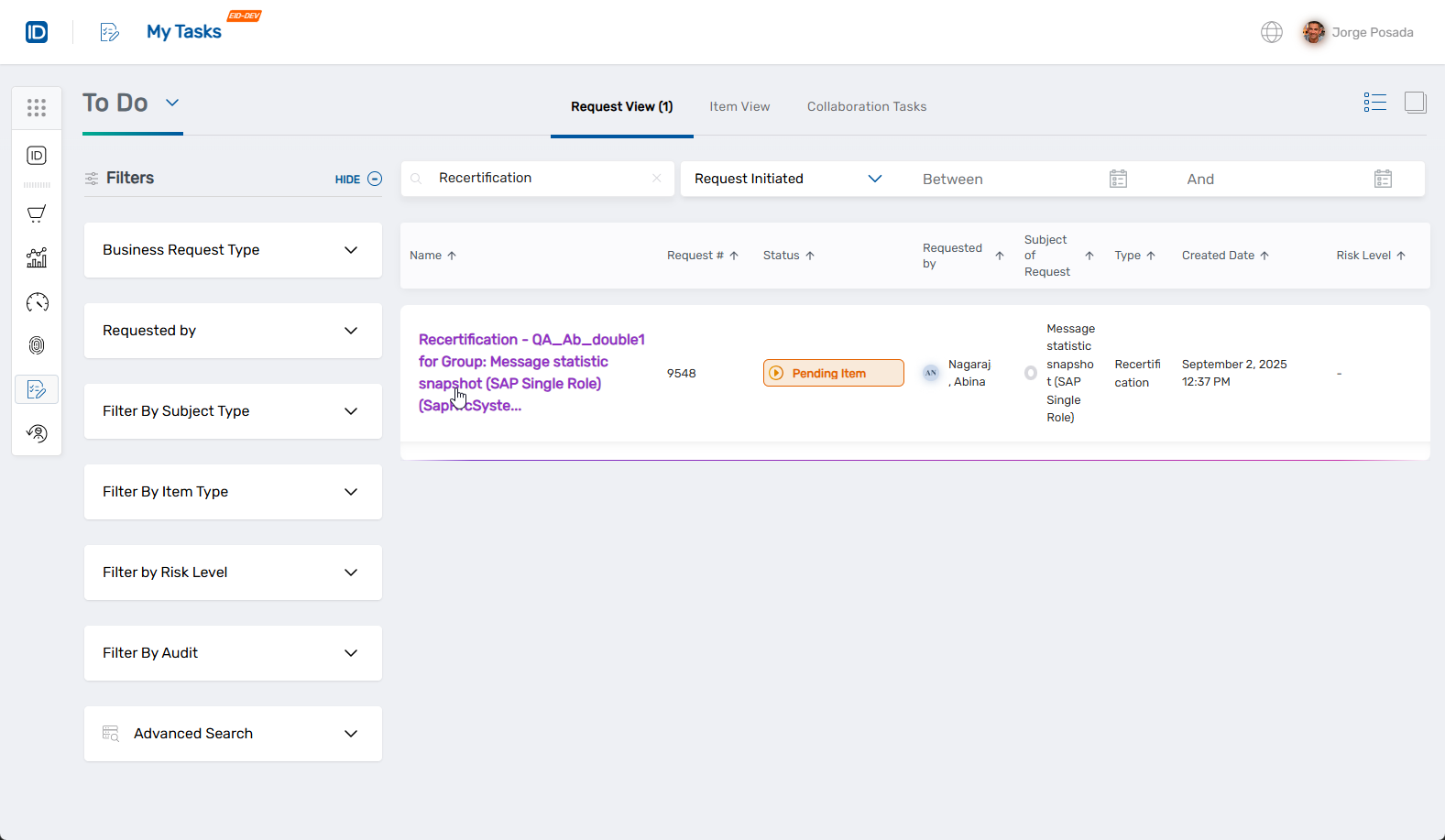 This opens the Overview for the request, displaying the details you need to review.
Review Request Information
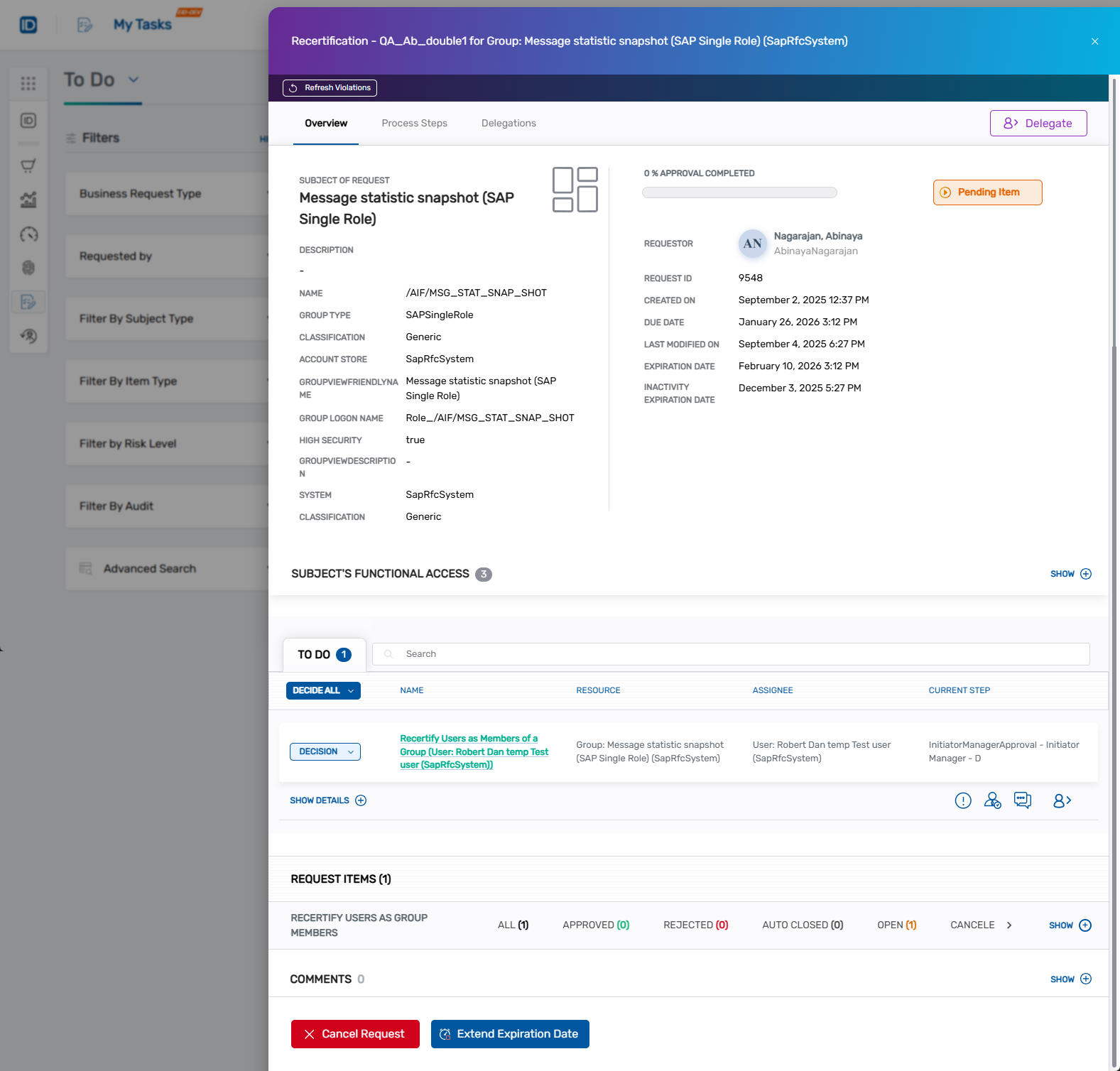
The request overview presents the access information requiring your evaluation. Review the displayed details to understand what access permissions are being assessed and make an informed decision about whether they should continue.
Making Your Decision
Select Your Decision
- Click the DECISION dropdown to view available options.
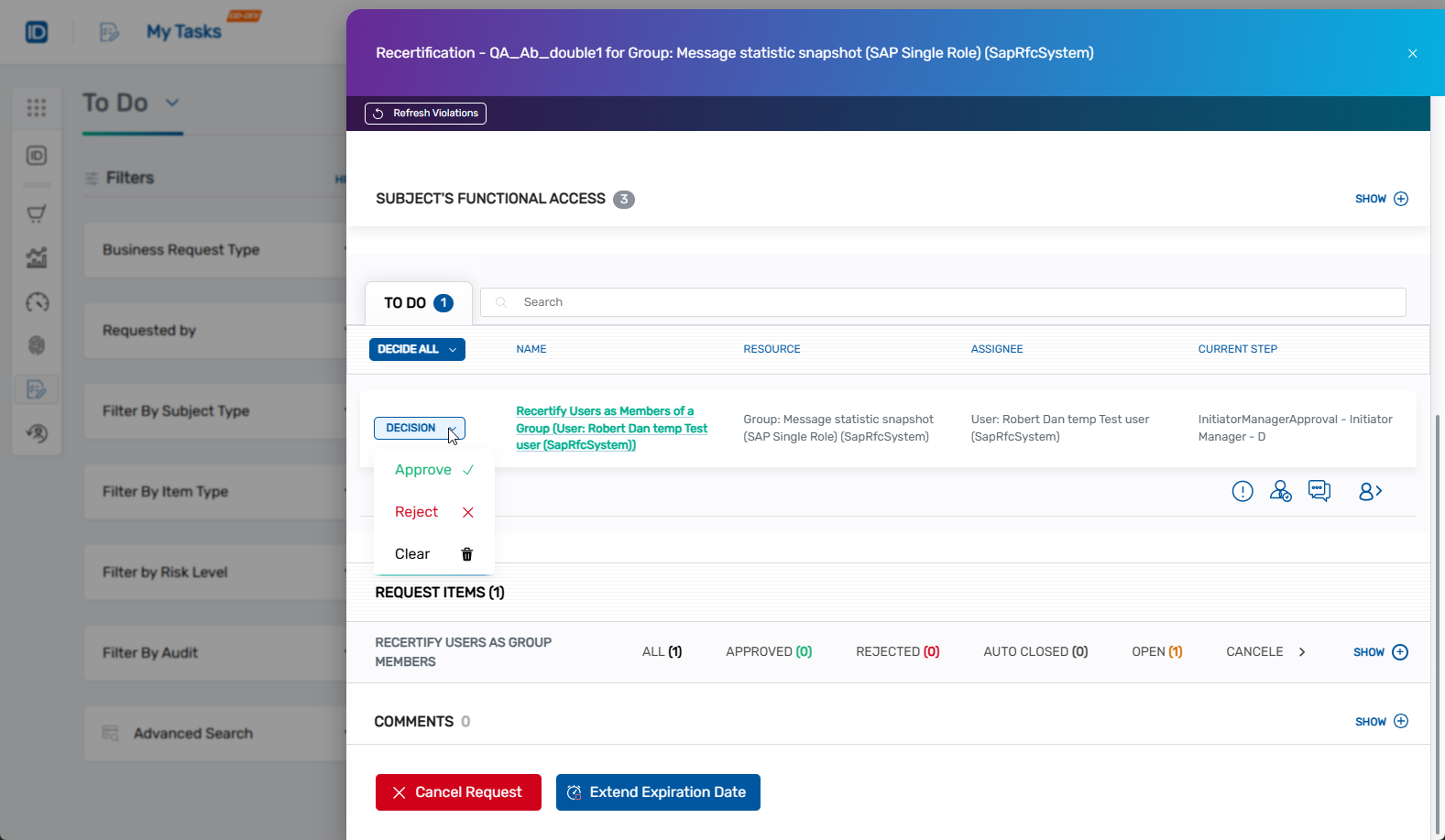
- Select the appropriate decision based on your evaluation of the access requirements.
The available decision options depend on the type of recertification policy being implemented. Common decisions include certifying access to continue, revoking access that's no longer needed, or other actions as defined by your organization's recertification policies.
Submit and Verify Your Decision
- Submit your decision to complete the review.
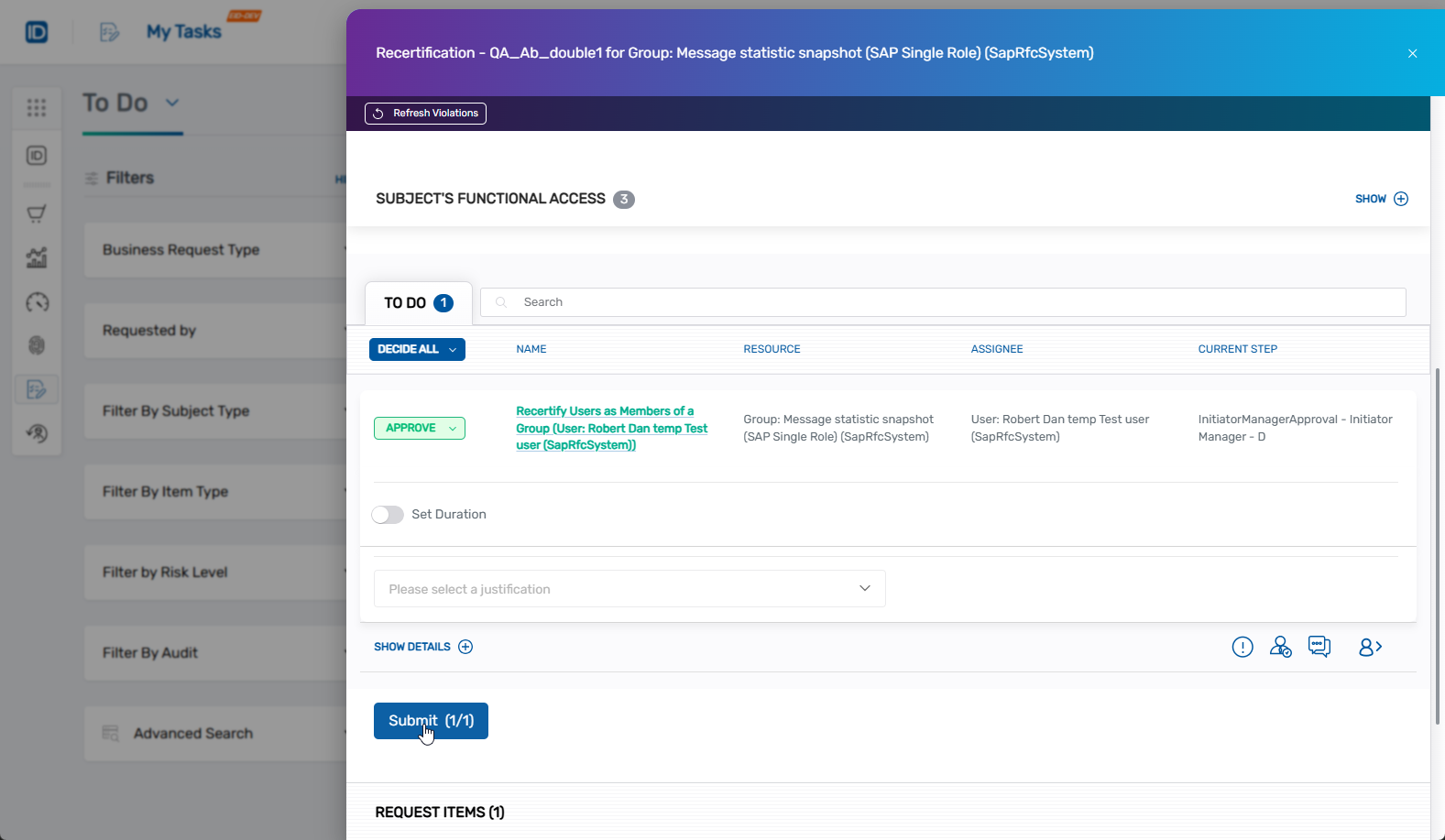
- Verify your decision was recorded by checking that the Request Status and Fulfillment Status fields update accordingly.
The system will process your decision and implement the appropriate changes to the user's access permissions based on your selection.
Decision Processing
Once you submit your decision, EmpowerID processes the request according to the configured fulfillment workflows. The system updates the access permissions as specified by your decision and maintains an audit trail of all recertification activities for compliance and reporting purposes.
Your decisions directly contribute to maintaining appropriate access controls and ensuring organizational compliance with security policies and regulatory requirements.