Configuring Audit Task Notifications
EmpowerID can send targeted email notifications to inform recertification participants about their assigned tasks and prompt timely completion. This feature helps administrators manage audit progress and ensure compliance with organizational deadlines.
Notification Types
You can send notifications to three recipient groups:
All Audit Participants: Notifies all individuals assigned recertification tasks for the audit, regardless of completion status. Use this for audit announcements or general communications.
Anyone With Unfinished Tasks: Notifies only individuals with pending or incomplete recertification tasks. Use this for targeted reminders to improve completion rates.
Managers of People With Unfinished Tasks: Notifies managers whose team members have unfinished recertification tasks. Use this for escalation when direct participant reminders are insufficient.
Select the appropriate recipient type based on your communication goal: general announcements, targeted reminders, or management escalation.
Procedure
- Log in to EmpowerID with the necessary permissions.
- Navigate to Compliance → Recertification.
- Select the Audit tab.
- Search for the target audit and click the View Details link.
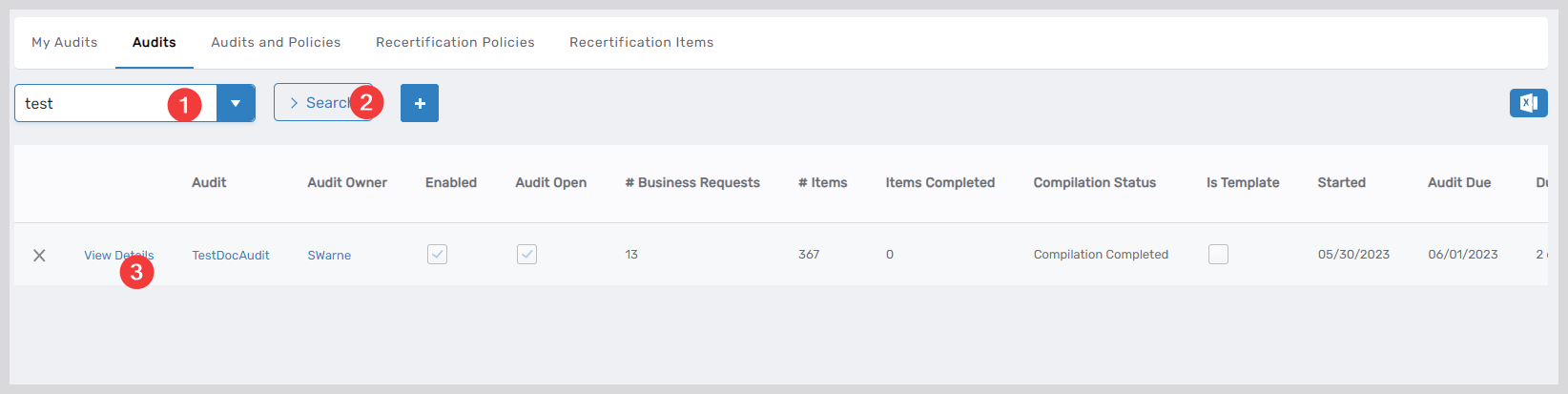
This directs you to the details page for the audit.
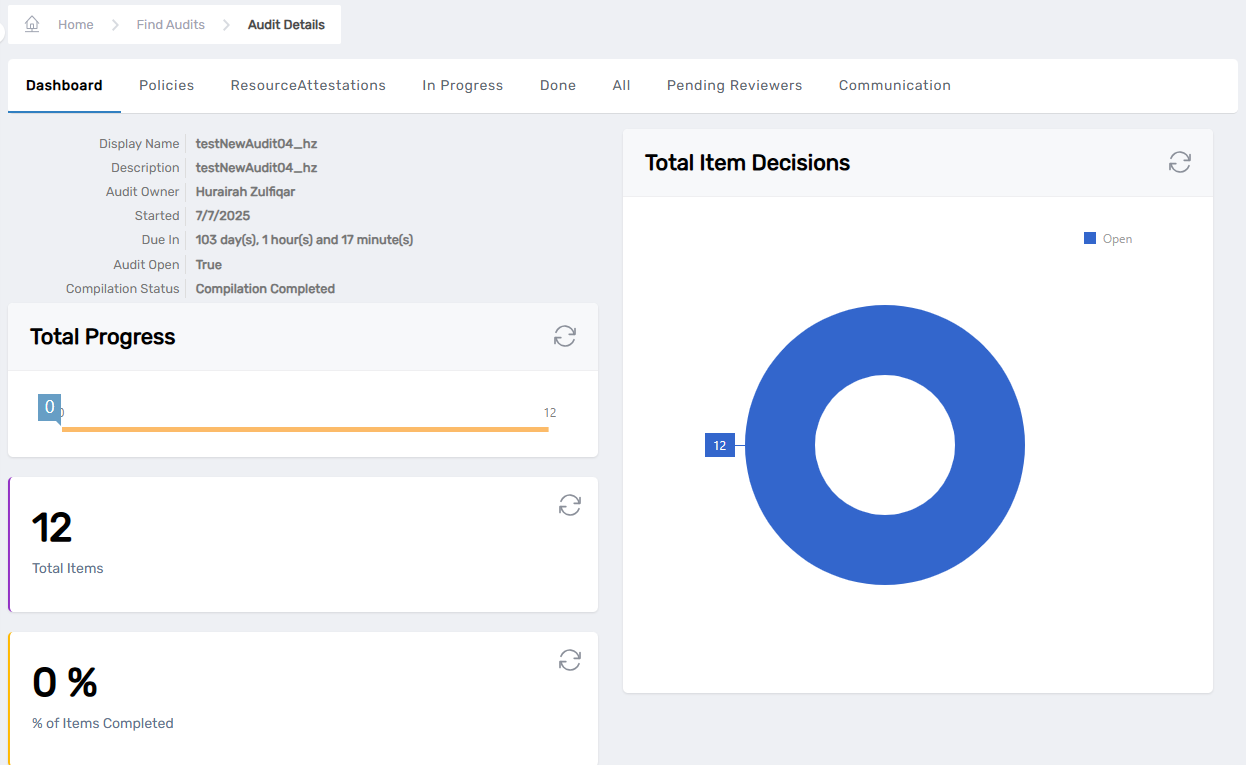
- On the details page, click the Communication tab and then Send Advanced Notification.
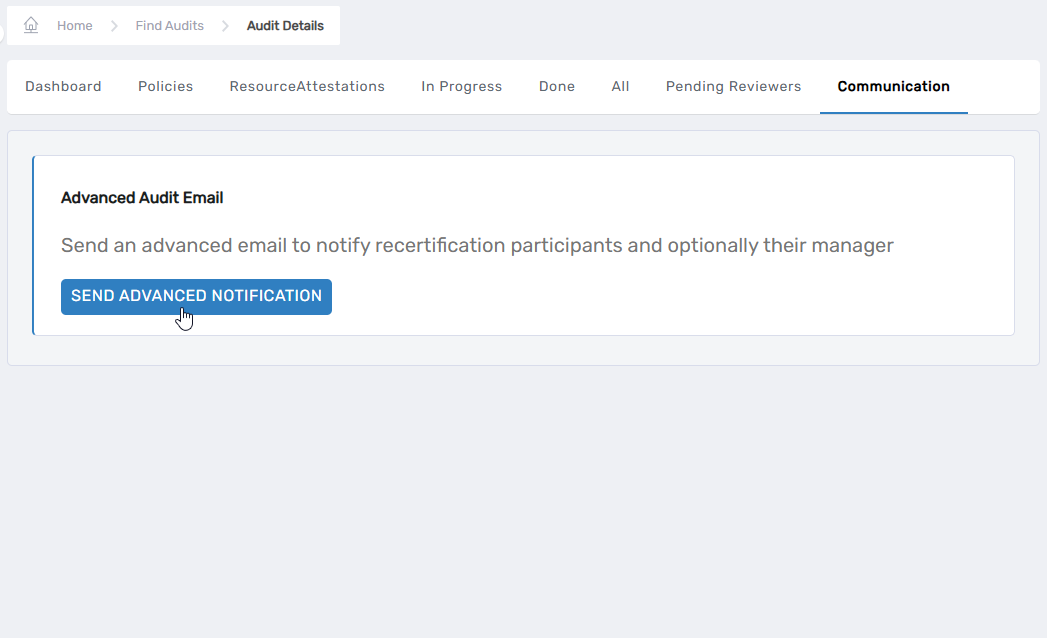
This initiates theNotifyAuditParticipantsworkflow.
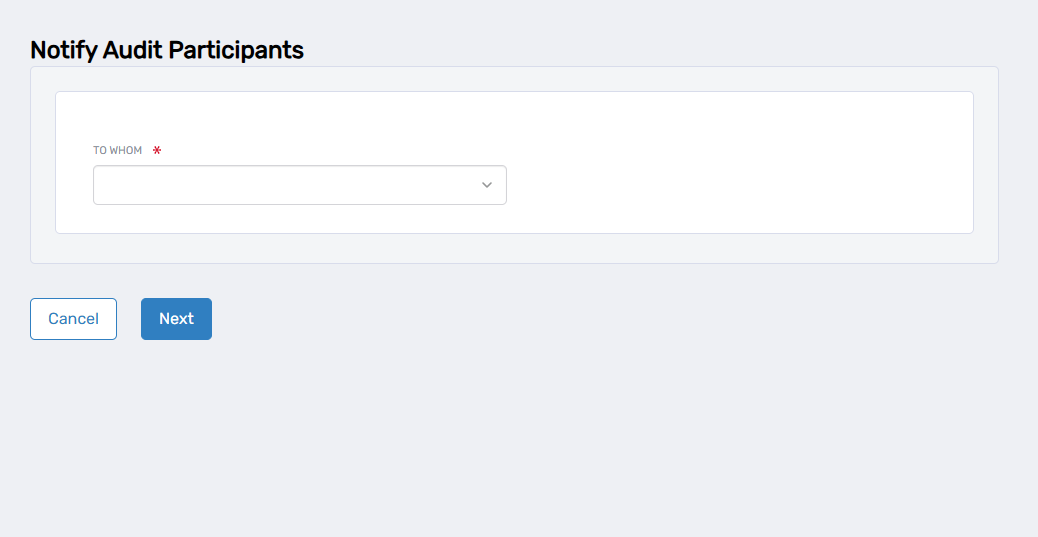
- In the To Whom dropdown, select the appropriate recipient type:
- Choose All Audit Participants for general announcements
- Choose Anyone With Unfinished Tasks for targeted reminders
- Choose Managers of People With Unfinished Tasks for escalation
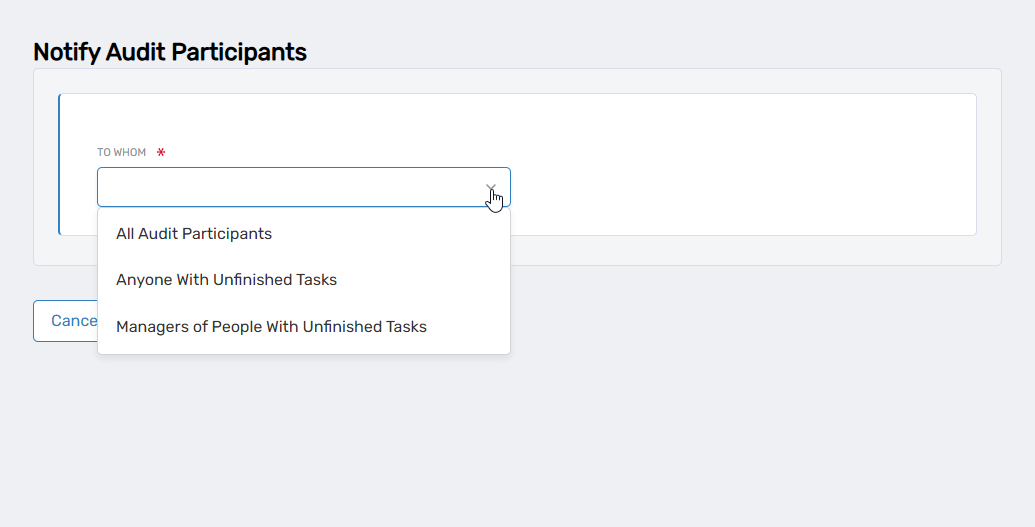
- Click Next.
The system will automatically send email notifications to all eligible recipients for the selected type.
Email Template Customization
The notification system uses configurable email templates for each recipient type. The "NotifyAuditParticipants" workflow includes parameters that specify which email templates to use:
- EmailTemplateNameForAllAuditParticipants: Template for general announcements
- EmailTemplateNameForAnyoneWithUnfinishedTasks: Template for task reminders
- EmailTemplateNameForManagersOfPeopleWithUnfinishedTasks: Template for manager escalations
You can view the current email templates and their content through the EmpowerID interface. These templates include dynamic fields such as {TargetPerson.FirstName}, {TargetAudit.FriendlyName}, and {AuditDueDate} that are automatically populated when notifications are sent.