Change Language
You can customize the EmpowerID Mobile Authenticator interface by changing the app's display language. This makes it easier to navigate and use the app in your preferred language.
How to Change the Language
-
Tap the language icon at the top right corner of the screen.
-
Select your preferred language from the available options.
-
Tap Save to apply the changes.
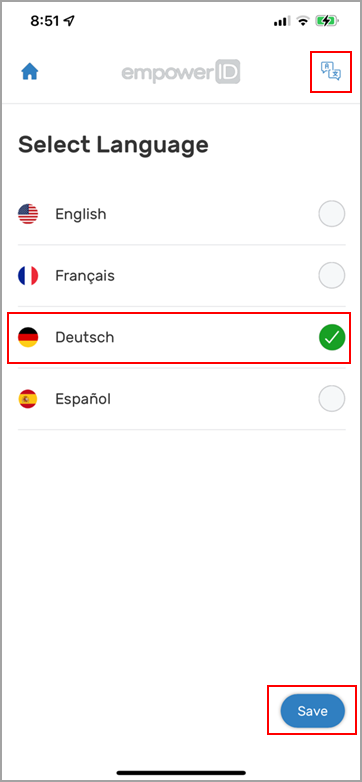 Available Languages
You can choose between English, French, German, and Spanish as your app language.