View Account Info
View Account Information in the Mobile Authenticator
The EmpowerID Mobile Authenticator app allows you to manage multiple accounts on a single device. One of the available features is viewing identity details — such as usernames and associated email addresses — for accounts you've registered in the app.
This can be helpful when identifying which account you're authenticating with or troubleshooting MFA prompts.
What You'll Need
- The EmpowerID Mobile Authenticator app installed
- At least one account registered in the app
Steps to View Account Info
-
Open the EmpowerID Mobile Authenticator app on your device.
-
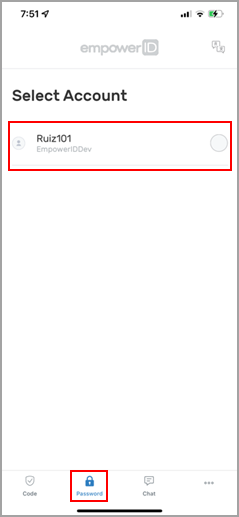
Tap the password icon at the bottom of the screen.
-
Tap Show My Account Info.
-
Select the account you want to view from the list of registered accounts and tap Next.
-
Review the account details shown.
-
Tap Close to exit the screen.