Submitting an Authentication Code
You can use the EmpowerID Mobile Authenticator app to verify your identity with a time-based, 6-digit authentication code. This code provides secure MFA verification as an alternative to Sending a Push Notification.
Submit an Authentication Code
-
Log in to EmpowerID using your username and password.
-
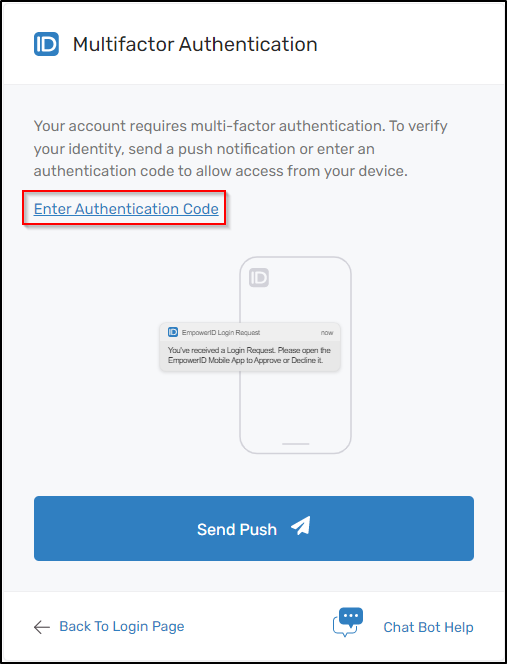
When prompted to complete multifactor authentication, click the Enter Authentication Code button.
-
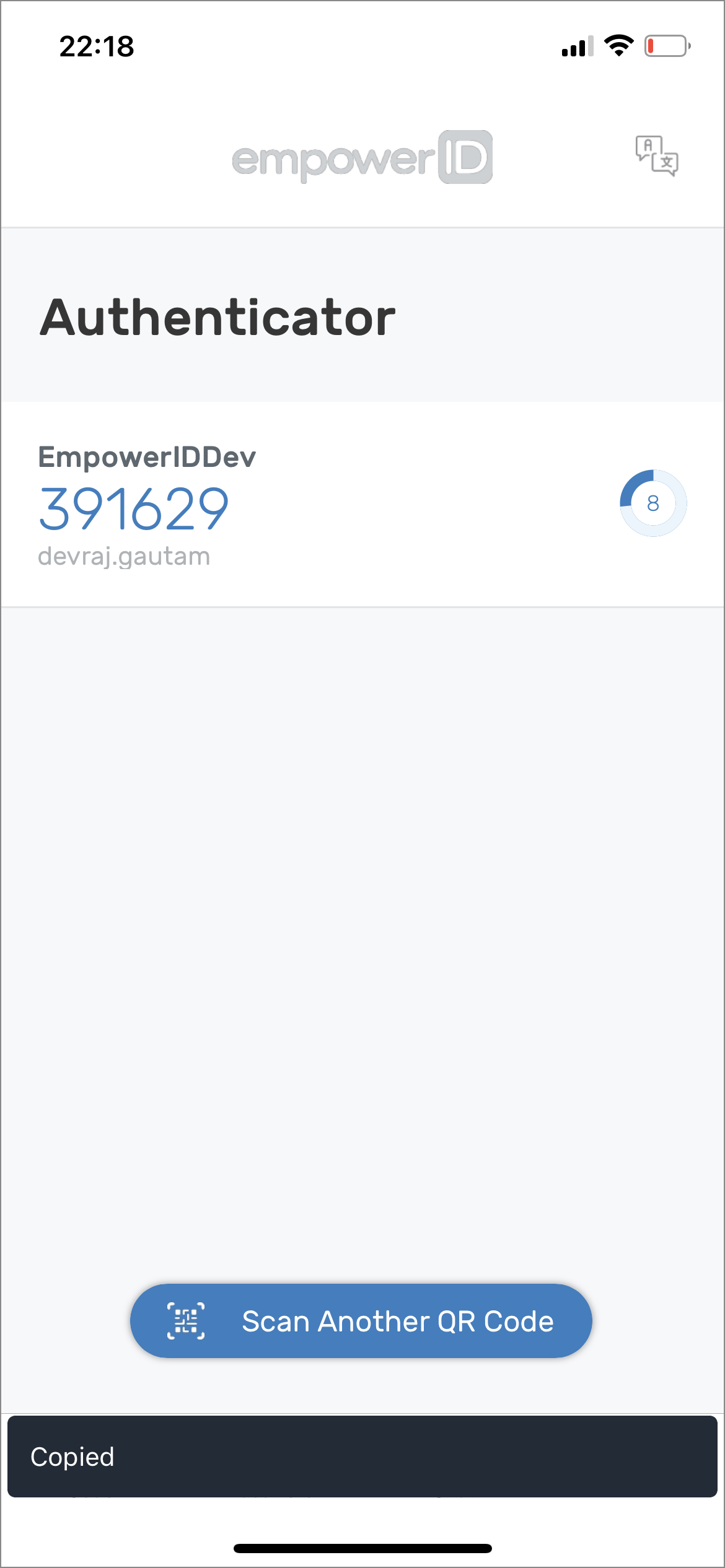
Open the EmpowerID Mobile app and locate the 6-digit code associated with your account.
 📋Copy Code
Long-press on an account in the app to copy the 6-digit code to your device clipboard.
-
In your browser, paste or enter the 6-digit code in the field provided, then click Submit.
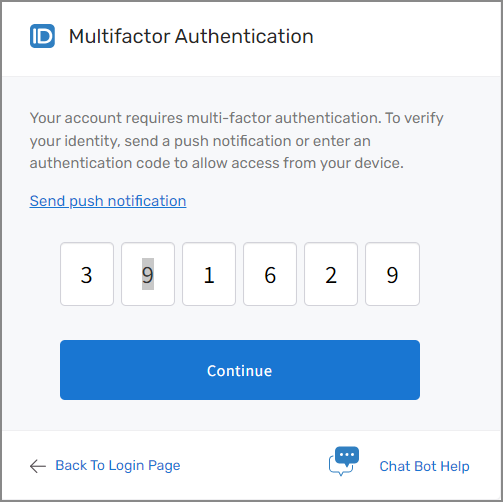
If the code is valid and no additional MFA steps are required for your account, you will be authenticated and logged in successfully.