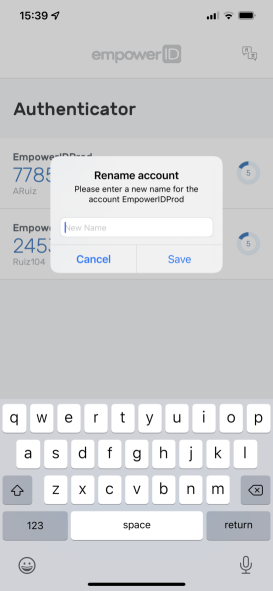
Edit the Name of an Account
✏️Note
Editing the account name will change the account's display name in the mobile app, and does not modify the account name in EmpowerID.
- Open the EmpowerID Mobile app on your mobile device.
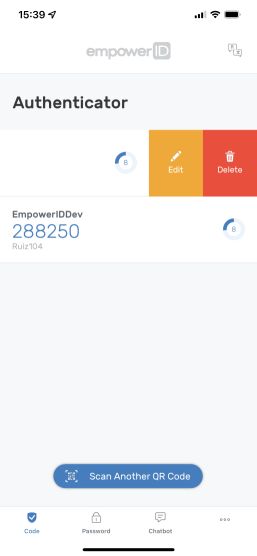
- From the listing section of the screen, swipe left and then press Edit.
- Enter a new account name and press Save.