Map Groups to Business Role and Location Combinations
Map external directory groups to Business Role and Location (BRL) combinations to enable automatic role assignment. When you map a group to a BRL, all members of that group are automatically assigned to the BRL and receive the associated access and permissions.
Prerequisites
Before mapping groups to BRL combinations, ensure you have:
- Access to manage Business Role and Location combinations
- The groups you want to map exist in the connected external directory and are inventoried in EmpowerID
Procedure
- Navigate to Role Management > Business Roles and Locations.
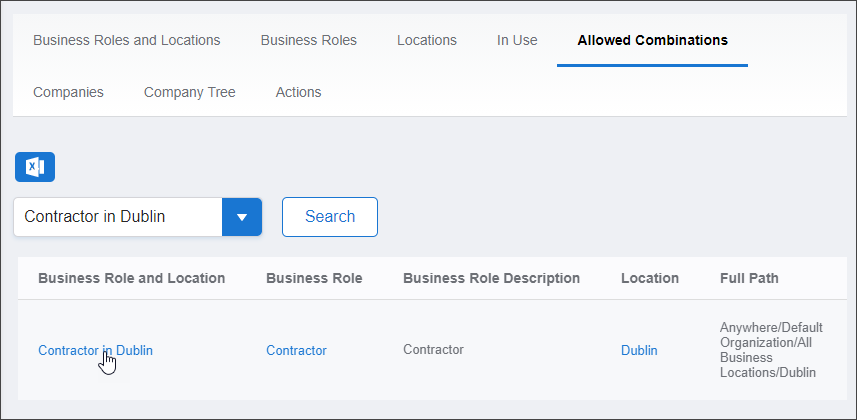
- Select the Allowed Combinations tab.
- Search for and locate the target Business Role and Location combination.
- Click the Business Role and Location link to open its View page.
The View page displays all configuration and membership information for the BRL combination.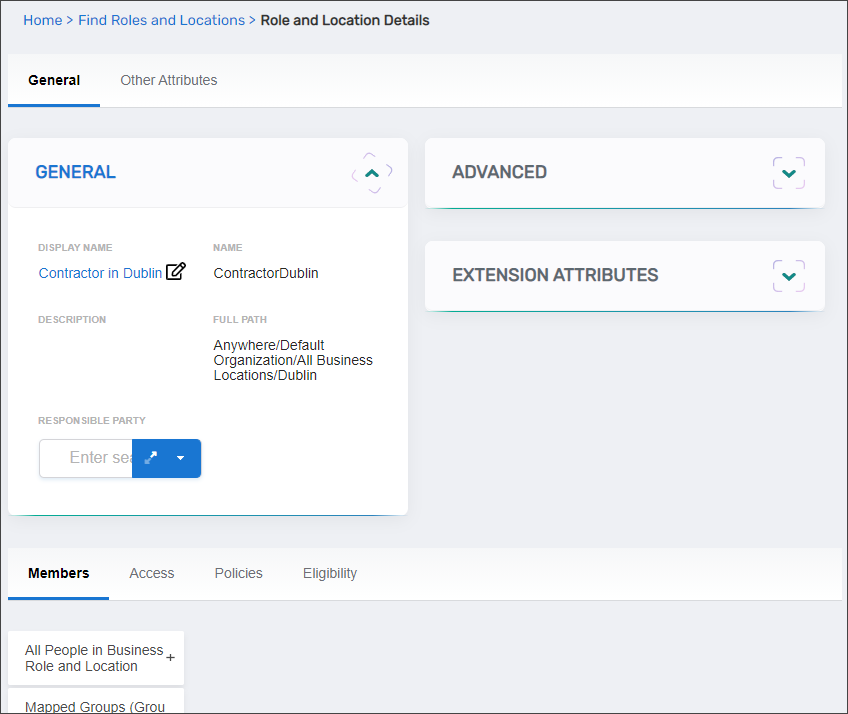
- Select the Members tab.
- Expand the Mapped Groups (Group Members Become Role Assignees) accordion.
- Search for and select groups to map:
- Enter the group name in the search field
- Click the group tile in the search results to add it
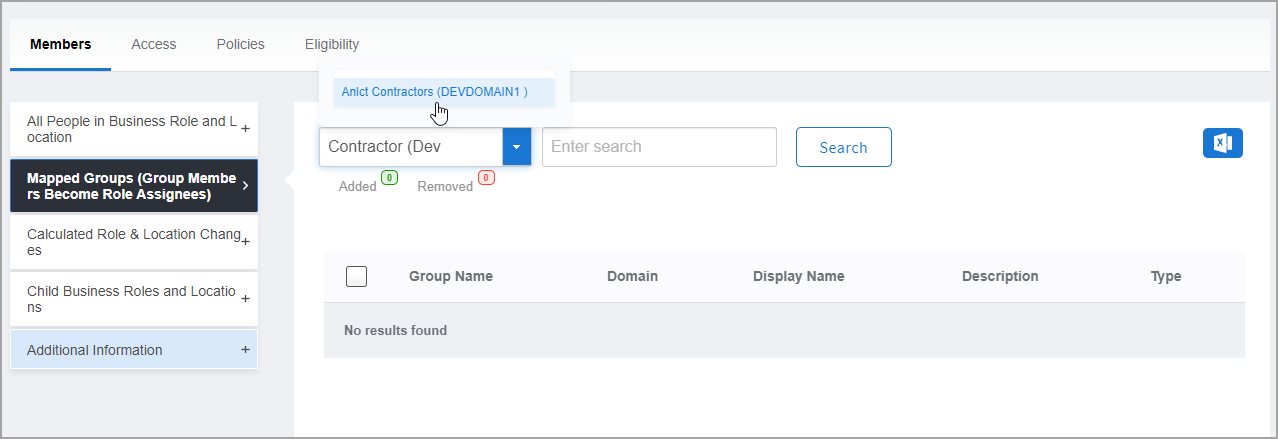
- Repeat for each group you want to map
- To remove a group before submitting, click Added and then click Remove next to the group name
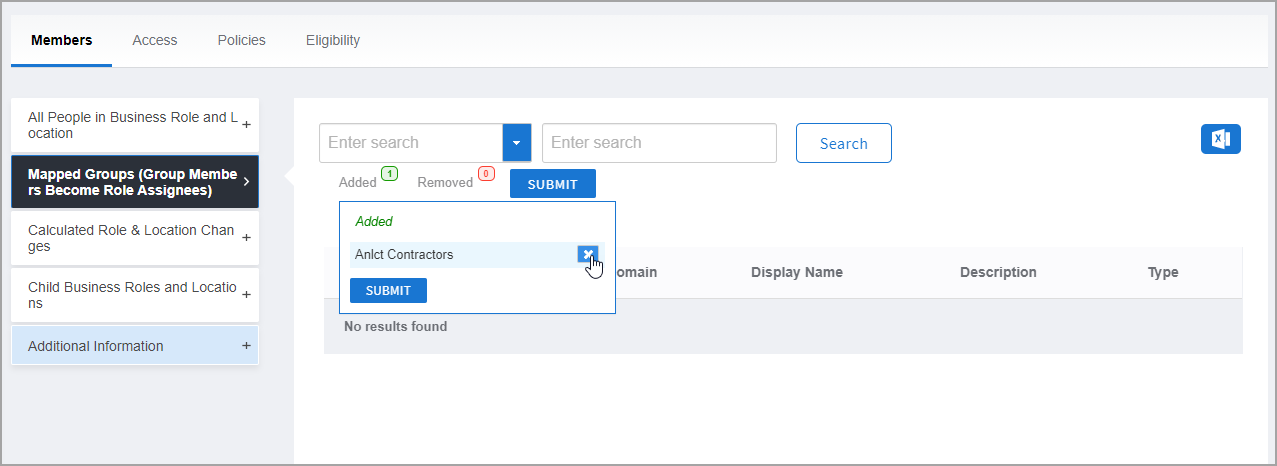
- Click Submit to commit the mappings.
Verify the Results
After mapping groups to the BRL combination:
- The View page refreshes and displays the updated BRL combination.
- In the Mapped Groups (Group Members Become Role Assignees) accordion, verify the groups you mapped appear in the list.
- Confirm each group displays the correct name and source directory.
- (Optional) Verify automatic assignment is working:
- Navigate to Identity Admin > People
- Search for a person who is a member of one of the mapped groups
- Confirm they are automatically assigned to the BRL combination
Related Topics
- Add People to Business Role and Location Combinations — Directly assign people to BRL combinations
- Create Business Role and Location Combinations — Create new BRL combinations before mapping
- Assign Access Levels to Business Role and Location Combinations — Configure permissions for BRL combinations
- About Business Roles and Locations — Understand BRL concepts and automatic assignment